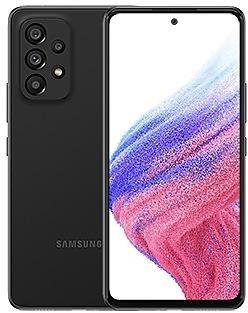
Samsung Galaxy Tab S8 Ultra X900OPSAEZB6 Firmware
Samsung Galaxy Tab S8 Ultra X900OPSAEZB6 is an Android 16 firmware for Japan (XJP). It is the same firmware configured per region and carrier (CSC). Find your country below, verify the file and download for free. Compared with the previous build X900XXSAEZB6 https://samfirm.shop/build/X900XXSAEZB6, Android and the bootloader binary are unchanged, so you can switch between the two in both directions. A newer build for SM-X900 is available: X900OPSBEZH3 https://samfirm.shop/build/X900OPSBEZH3.
Bootloader binary A (10). Flashing firmware with a lower binary is usually blocked by Samsung anti-rollback.
All regional downloads
Pick your region (CSC) to download the matching firmware package.
| Model | Region | CSC Version | Release date | Size | File name | Download |
|---|---|---|---|---|---|---|
| SM-X900 |
XJP Japan | X900XJPAEZB6 | 2026-03-16 | 8.55 GiB | SM-X900_5_20260219074610_syecnki85e_fac.zip | Download |
No matching downloads
How to flash X900OPSAEZB6
- X900OPSAEZB6 has bootloader binary A (10). Your device must run binary A (10) or lower: it is the 5th character from the end of your current build number.
- CSC: Use CSC for a clean install, to change the region (CSC code), to downgrade or to repair a device that does not boot.
- HOME_CSC: Use HOME_CSC to update the same model and region while keeping your data. Back up anyway: a failed update can still require a reset.
- The Download Mode key combo depends on the model: see all combos.
What's new in X900OPSAEZB6
• Security
The device is protected with improved security.
These changes may vary depending on the model, country, or network operator of the customer environment.
Security patch: February 2026
SMR Feb-2026 fixes 32 vulnerabilities, 0 of them critical. Android Security Bulletin: 25, Samsung-specific issues (SVE): 7.
Most severe Samsung fixes:
- high Improper access control in Emergency Sharing prior to SMR Feb-2026 Release 1 allows local attackers to interrupt its functioning. (CVE-2026-20977)
- high Improper export of android application components in Samsung Dialer prior to SMR Feb-2026 Release 1 allows local attackers to launch arbitrary activity with Samsung Dialer privilege. (CVE-2026-20983)
- high Improper authorization in KnoxGuardManager prior to SMR Feb-2026 Release 1 allows local attackers to bypass the persistence configuration of the application. (CVE-2026-20978)
Device specifications
- Display diagonal37.1 cm (14.6")
- Display resolution2960 x 1848 pixels
- Display technologyOLED
- Processor frequency2.4 GHz
- Processor familySnapdragon
- Processor modelSM8450
- Rear camera resolution13 MP
- Rear camera typeDual camera
- Front camera resolution12 MP
- Wi-Fi standardWi-Fi 6 (802.11ax)
- Weight726 g
Frequently Asked Questions
Other builds and changelog for Samsung Galaxy Tab S8 Ultra
• Security
The device is protected with improved security.
These changes may vary depending on the model, country, or network operator of the customer environment.
- X900OPSBEZH3Sep 14, 2026
- X900XXSBEZH3Sep 7, 2026
- X900ZCSBEZH3Sep 15, 2026
- X900OPSBEZE1Jun 8, 2026
- X900XXSBEZE1Jun 1, 2026
- X900ZCSBEZE1Jun 8, 2026
- X900OPSAEZB6Mar 16, 2026
- X900XXSAEZB6Mar 9, 2026
- X900ZCSAEZB6Mar 12, 2026
- X900OPS9EZA3Feb 9, 2026
- X900XXS9EZA3Feb 3, 2026
- X900ZCS9EZA3Feb 9, 2026
- X900OPS9EYL1Dec 23, 2025
- X900XXS9EYK1Dec 15, 2025
- X900ZCS9EYK1Dec 23, 2025
Enhanced Lock screen widgets
Do more on your Lock screen with brief widgets. 2 x 2 size widgets are now available, and the widget area is now larger so you can add even more widgets. You can choose either a horizontal or vertical widget layout.
Check stock prices without unlocking
Stocks you follow on Google Finance with big price changes will appear on your Now bar at the end of the trading day.
Easier file sharing with Quick Share
I...
- X900OPU9EYJ4Oct 30, 2025
- X900XXU9EYJ4Oct 27, 2025
Easier file sharing with Quick Share
It's never been easier to send and receive files. Tap the Quick Share button in quick settings to get started. You can receive files while the Quick Share screen is open and send files to others directly from Quick Share.
Sticky notes
Add quick annotations on top of documents in Samsung Notes. There's no limit to the number of sticky notes you can add, and it's easy to remove them later without disturbing the original...
• Security
The device is protected with improved security.
These changes may vary depending on the model, country, or network operator of the customer environment.
• Stability and reliability
Device behavior has been improved.
• Security
The device is protected with improved security.
These changes may vary depending on the model, country, or network operator of the customer environment.