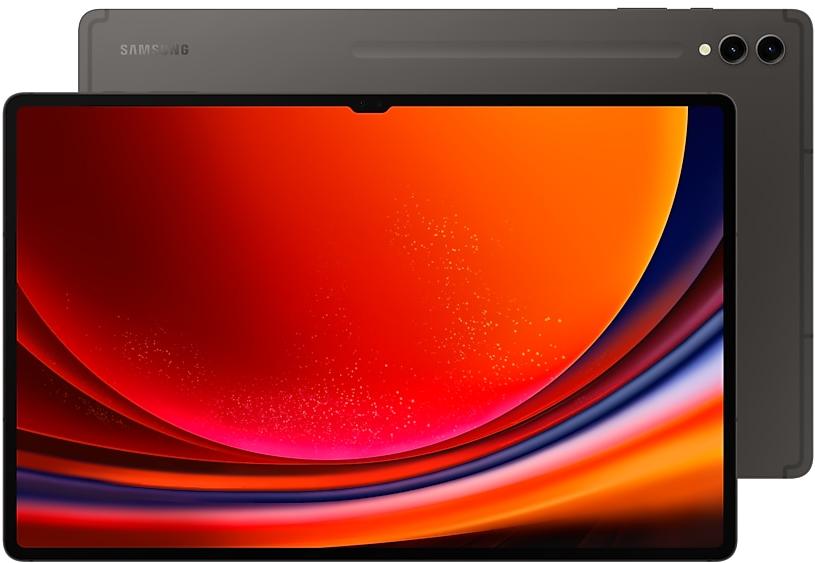
Samsung Galaxy Tab S9 Ultra X910ZCS4BXJ7 Firmware
Samsung Galaxy Tab S9 Ultra X910ZCS4BXJ7 is an Android 14 firmware for China (CHN). It is the same firmware configured per region and carrier (CSC). Find your country below, verify the file and download for free. Compared with the previous build X910XXU4BXHB https://samfirm.shop/build/X910XXU4BXHB: security patch 2024-09-01 instead of 2024-08-01. A newer build for SM-X910 is available: X910XXS6EZI2 https://samfirm.shop/build/X910XXS6EZI2.
Bootloader binary 4. Flashing firmware with a lower binary is usually blocked by Samsung anti-rollback.
All regional downloads
Pick your region (CSC) to download the matching firmware package.
| Model | Region | CSC Version | Release date | Size | File name | Download |
|---|---|---|---|---|---|---|
| SM-X910 |
CHN China | X910CHN4BXJ7 | 2024-10-24 | 8.464 GiB | SM-X910_2_20241015081640_urdmmrne33_fac.zip | Download |
No matching downloads
How to flash X910ZCS4BXJ7
- X910ZCS4BXJ7 has bootloader binary 4. Your device must run binary 4 or lower: it is the 5th character from the end of your current build number.
- CSC: Use CSC for a clean install, to change the region (CSC code), to downgrade or to repair a device that does not boot.
- HOME_CSC: Use HOME_CSC to update the same model and region while keeping your data. Back up anyway: a failed update can still require a reset.
- The Download Mode key combo depends on the model: see all combos.
What's new in X910ZCS4BXJ7
• The latest Android security patch has been applied.
- Device security has been further enhanced.
Security patch: September 2024
SMR Sep-2024 fixes 62 vulnerabilities, 1 of them critical. Android Security Bulletin: 44, Samsung-specific issues (SVE): 18.
Most severe Samsung fixes:
- high Improper handling of exceptional conditions in ThemeCenter (CVE-2024-34638)
- high Improper input validation in ThemeCenter application (CVE-2024-34645)
- high Improper access control in DualDarManagerProxy (CVE-2024-34646)
Device specifications
- Launched withAndroid 13
- Display diagonal37.1 cm (14.6")
- Display resolution2960 x 1848 pixels
- Display technologyAMOLED
- Processor frequency2.8 GHz
- Processor familySnapdragon
- Processor model8 Gen 2
- Rear camera resolution13 MP
- Front camera resolution12 MP
- Wi-Fi standardWi-Fi 6 (802.11ax)
- Weight732 g
Frequently Asked Questions
Other builds and changelog for Samsung Galaxy Tab S9 Ultra
• Security
The device is protected with improved security.
These changes may vary depending on the model, country, or network operator of the customer environment.
- X910XXS6EZI2Sep 24, 2026
- X910XXS6EZH3Sep 3, 2026
- X910ZCS6EZH3Sep 14, 2026
- X910XXS6EZG3Jul 30, 2026
- X910XXS6EZF1Jun 29, 2026
- X910ZCS6EZF1Jul 8, 2026
Fresh new look
One UI seamlessly integrates into your daily routine by combining immersive visuals with meaningful personalization for a more refined and sophisticated design. Transparent blur effects add depth and make content easier to navigate, while floating elements react organically to your workflow for a more focused experience. Through familiar and intuitive data visualization, One UI delivers a design that feels both personal and relatable, helping you focus...
- X910XXU6EZE3Jun 1, 2026
- X910ZCU6EZE3Jun 4, 2026
• Security
The device is protected with improved security.
These changes may vary depending on the model, country, or network operator of the customer environment.
- X910XXS6DZB6Mar 9, 2026
- X910ZCS6DZB6Mar 10, 2026
- X910XXS5DZA1Jan 22, 2026
- X910ZCS5DZA1Jan 26, 2026
- X910XXS5DYJ2Oct 28, 2025
- X910ZCS5DYJ2Oct 30, 2025
Create unique pet portraits
Bring out your pet's personality with Portrait studio. You can now apply portrait effects to pictures of dogs and cats in addition to people. Choose from styles like Fisheye lens, oil painting, and more.
Translate emergency alerts
Never miss important alerts even if they’re not in your language. When you receive an emergency alert in a language that’s different from your system language, Galaxy AI will automatically translate it...
Create unique pet portraits
Bring out your pet's personality with Portrait studio. You can now apply portrait effects to pictures of dogs and cats in addition to people. Choose from styles like Fisheye lens, oil painting, and more.
More convenient AI results
When you summarize or translate content in Samsung Internet or Samsung Notes, the results will now appear alongside the original so you can view them together.
New Lock screen clock...
Show 4 older builds
• Stability and reliability
Device behavior has been improved.
• Security
The device is protected with improved security.
These changes may vary depending on the model, country, or network operator of the customer environment.
• Security
The device is protected with improved security.
These changes may vary depending on the model, country, or network operator of the customer environment.
- X910ZCS5CYG2Jul 30, 2025
- X910XXS5CYG1Jul 28, 2025