
Samsung Galaxy A50 SM-A505YN firmware
The latest firmware for Samsung Galaxy A50 (SM-A505YN) is A505YNDVS7CWA1 with Android 11, released on January 30, 2023 for 2 regions (CSC). Every official firmware build for SM-A505YN, newest first: one row per build with all regions (CSC) that received it.
- Builds
- 35 builds
- Regions (CSC)
- 2 regions
Firmware builds for SM-A505YN
- OPSXSA
- OPSXSA
- OPSXSA
- OPSXSA
- OPSXSA
- OPSXSA
- OPSXSA
- OPSXSA
- OPSXSA
- OPSXSA
- OPSXSA
- OPSXSA
- OPSXSA
- OPSXSA
- OPSXSA
- OPSXSA
- OPSXSA
- OPSXSA
- OPSXSA
- OPSXSA
- OPSXSA
- OPSXSA
- OPSXSA
- OPSXSA
- OPSXSA
- OPSXSA
- OPSXSA
- OPSXSA
- OPSXSA
- OPSXSA
- OPSXSA
- OPSXSA
- OPSXSA
- OPSXSA
- OPSXSA
Each firmware build has its own page at https://samfirm.shop/build/{PDA}, where {PDA} is the build number from the list above. Example: https://samfirm.shop/build/A505YNDVS7CWA1
SM-A505YN update history
SM-A505YN started on Android 9 and has received 2 major Android upgrades; it now runs Android 11. The newest build, A505YNDVS7CWA1, was released on January 30, 2023 with the January 2023 security patch. No new build has appeared for 45 months, so regular updates for this model have most likely ended. Builds of this model reach 2 regions (CSC); XSA (Australia) usually gets a new build first (100% of recent builds).
Device specifications
- Display diagonal
- 16.3 cm (6.4")
- Display resolution
- 1080 x 2340 pixels
- Display type
- SAMOLED
- RAM
- 4 GB
- Rear camera resolution
- 25 MP
- Rear camera type
- Triple camera
- Battery capacity
- 4000 mAh
- Weight
- 166 g
Specifications of SM-A505F, a regional variant of the same device. Chipset and SIM lines are left out: they can differ by region.
Changelog for SM-A505YN
• The security of your device has been improved.
- A505YNDVS7CWA1Jan 30, 2023
- A505YNDVS7CVJ1Nov 9, 2022
• Overall stability of your device has been improved.
• The security of your device has been improved.
• The security of your device has been improved.
- A505YNDVS7CVF3Jun 30, 2022
- A505YNDVS7CVC1Apr 14, 2022
• Overall stability of your device has been improved.
• The security of your device has been improved.
• The security of your device has been improved.
- A505YNDVS7CVA1Jan 28, 2022
- A505YNDVS7CUK3Dec 15, 2021
- A505YNDVS7CUK1Nov 25, 2021
- A505YNDVS7CUJ1Oct 27, 2021
- A505YNDVS7CUI4Sep 29, 2021
- A505YNDVS7CUH3Aug 26, 2021
- A505YNDVS7CUG1Jul 19, 2021
- A505YNDVU6CUE4Jun 25, 2021
Show 16 older builds
• Bluetooth connectivity and stability has been improved
• Overall stability of functions improved.
One UI 3 is designed to help you focus on what matters. Our visual redesign has improved the places you visit the most, like the Home screen and quick panel, to reduce distractions, highlight important information, and make your experience more consistent. Performance improvements will help apps run quicker while using less battery power. And One UI 3 puts control in your hands with new privacy controls, one-time permissions, and enhanced Digital Wellbeing.
Sc...
• The security of your device has been improved.
- A505YNDVS5BUB1Mar 5, 2021
- A505YNDVS4BUA1Jan 18, 2021
Always On Display
- Bitmoji Stickers are supported on Always On Display. (Clock style)
Samsung keyboard
- A new feature has been added to the keyboard search feature that allows the user to search YouTube.
- Split Keyboard is supported on Landscape mode.
- The search function of the "Manage Input Languages" screen in the Keyboard Settings page has been newly updated to make it easy to find keyboard input languages that the user wishes to add or delete.
Messages
- A feature has been added...
• The security of your device has been improved.
- A505YNDVS4BTJ2Nov 5, 2020
- A505YNDVS4BTJ1Oct 15, 2020
• Improved stability. - AR Emoji
• Wi-Fi connectivity and stability have been improved.
• The compatibility with third-party applications has been improved.
• The security of your device has been improved.
- A505YNDVS4BTH2Aug 24, 2020
- A505YNDVS4BTG2Jul 17, 2020
- A505YNDVS4BTF1Jun 22, 2020
• The stability of Keyboard has been improved.
• The stability of Camera has been improved.
• The security of your device has been improved.
· The security of your device has been improved.
One UI 2 brings you Android 10, with exciting new features from Samsung and Google based on feedback from users like you.
We recommend that you back up your important data to keep it safe during the upgrade.
Some apps, including Calculator, Samsung Internet, Samsung Health and Samsung Notes, need to be updated individually after you update your OS.
Here's what's new.
Dark mode
- Enhanced image, text, and color adjustments for day and night environments.
- Dark...
· The security of your device has been improved.
· The stability of Camera has been improved
· Camera picture quality has been improved.
· Wi-Fi connectivity and stability have been improved.
· The security of your device has been improved.
· Other stabiliser codes are applied.
New firmware for other devices
- Galaxy A57 5GSM-A576Q https://samfirm.shop/model/SM-A576QSJP
- Galaxy S25 UltraSM-S938Q https://samfirm.shop/model/SM-S938QSJP
- Galaxy A35 5GSM-A356W https://samfirm.shop/model/SM-A356W
- Galaxy Z Flip7 FESM-F7610 https://samfirm.shop/model/SM-F7610CHC
- Galaxy A35 5GSM-A356U https://samfirm.shop/model/SM-A356U
- Galaxy S26 FESM-S741U1 https://samfirm.shop/model/SM-S741U1
Similar Models
- https://samfirm.shop/model/SM-A505W
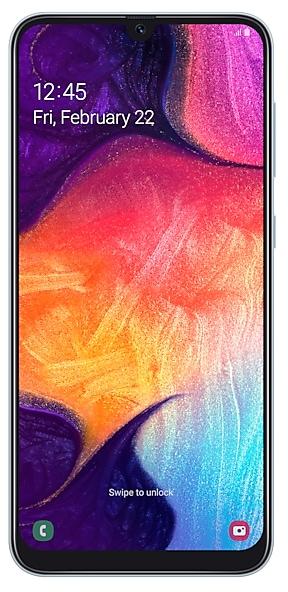
Samsung Galaxy A50
SM-A505W
- https://samfirm.shop/model/SM-A500X

Samsung Galaxy A5
SM-A500X
- https://samfirm.shop/model/SM-A507FN
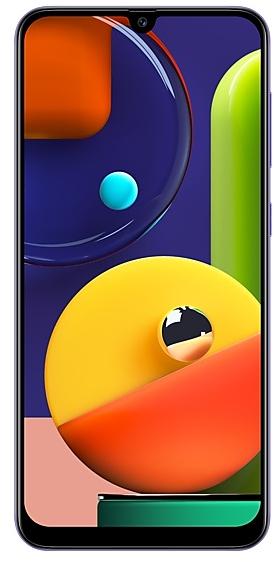
Samsung Galaxy A50s
SM-A507FN
- https://samfirm.shop/model/SM-A600A

Samsung Galaxy A6
SM-A600A
- https://samfirm.shop/model/SM-A515X

Samsung Galaxy A51
SM-A515X


Frequently Asked Questions
What is the latest Android version for SM-A505YN?
The newest firmware for SM-A505YN runs Android 11: build A505YNDVS7CWA1, released on January 30, 2023.
When did SM-A505YN get its last update?
The latest build for SM-A505YN, A505YNDVS7CWA1, was released on January 30, 2023 (3 years ago).
How often does SM-A505YN get updates?
SM-A505YN has had no new firmware for 45 months, so regular updates have most likely ended.
Is the firmware for SM-A505YN official?
Yes, all firmware files for SM-A505YN are 100% official, original, and obtained directly from Samsung servers.
How to flash Samsung SM-A505YN using Odin?
To flash SM-A505YN, you need to download the appropriate firmware, put your device into Download Mode, and use the Odin tool to load the BL, AP, CP, and CSC files.
Can I downgrade the Android version on SM-A505YN?
Downgrading is only possible if the bootloader version (binary bit) of the old firmware matches the current one. Always check the binary version before flashing SM-A505YN.