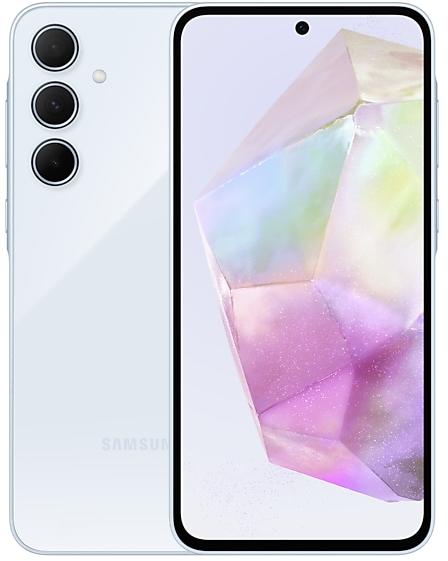
Download Samsung Firmware SM-A716U1
Samsung Galaxy A71 5G
The latest firmware for Samsung Galaxy A71 5G (SM-A716U1) is A716U1UESBGXB1 with Android 13, released on February 29, 2024 for 19 regions (CSC). Every official firmware build for SM-A716U1, newest first: one row per build with all regions (CSC) that received it.
- Builds
- 20 builds
- Regions (CSC)
- 20 regions
Firmware builds for SM-A716U1
- XAAXAGXAR
Each firmware build has its own page at https://samfirm.shop/build/{PDA}, where {PDA} is the build number from the list above. Example: https://samfirm.shop/build/A716U1UESBGXB1
SM-A716U1 update history
SM-A716U1 started on Android 10 and has received 3 major Android upgrades; it now runs Android 13. The newest build, A716U1UESBGXB1, was released on February 29, 2024 with the December 2023 security patch. No new build has appeared for 32 months, so regular updates for this model have most likely ended.
Device specifications
- Display diagonal
- 17 cm (6.7")
- Display resolution
- 1080 x 2400 pixels
- RAM
- 6 GB
- Rear camera resolution
- 64 MP
- Rear camera type
- Quad camera
- Battery capacity
- 4500 mAh
- Weight
- 185 g
Specifications of SM-A716U, a regional variant of the same device. Chipset and SIM lines are left out: they can differ by region.
Changelog for SM-A716U1
• The security of your device has been improved.
Better app previews on the Recents screen
The Recents screen now shows apps as they will appear after you open them. You can easily see if an app is opened in split screen, full screen, or as a pop-up.
Easily switch from pop-up view to split screen
Press and hold the handle at the top of the pop-up window, then drag the app to the side of the screen where you want it to be shown.
Restore pop-ups snapped to the edge of the screen
Drag an app in pop-up view t...
• Software and Terms & Conditions Update
IMPORTANT INFORMATION: This update includes revised Terms & Conditions for your device, including the Dispute Resolution Agreement with arbitration terms. For more information, review https://www.samsung.com/us/support/legal/mobile/.
By clicking “Install now,” by scheduling your install, or by continuing to use your device after installation, you agree to these revised Terms & Conditions.
• Stability and reliability
Device behavior has been improved.
•...
· The security of your device has been improved.
One UI 5.1 takes your phone to the next level with new Gallery features as well as productivity and personalization enhancements.
More powerful search
You can now search your Gallery for more than one person or subject at the same time. You can even search for people without tagging their names just by tapping their faces.
Enhanced image remastering
Remastering does more to make your pictures look great by removing shadows and reflections. You can also...
Show 14 older builds
One UI 5 brings you more powerful personalization and makes it easier to get things done across your Galaxy devices.
New app icons and illustrations
Icon symbols are larger for a bolder look that's easier to scan. Subtle background gradients and improved contrast give a fresher, more natural feel. New help illustrations have been created to give a consistent look to all apps.
Smoother than ever before
New animations and transition effects make sw...
· The security of your device has been improved.
• Overall stability of your device has been improved.
• The security of your device has been improved.
One UI 4.1 brings you a wide array of new features and enhancements for your Galaxy devices. More intuitive, more fun, more secure, and easier than ever.
Check out the changes below.
Customize your phone with unique colors based on your wallpaper. Your colors will be applied to menus, buttons, backgrounds, and apps throughout your phone.
One UI 4.1 offers strong privacy protection to make sure your personal information doesn’t fall in...
• Overall stability of your device has been improved.
• Overall stability of your device has been improved.
• The security of your device has been improved.
• Gallery
- View remastered picture feature has been added.
- Analyzes the image to find the optimum resolution, brightness, color and sharpness, and recommends optimized images.
• Camera
- The performance of Camera has been improved
- The stability of Camera has been improved.
• Overall stability of functions improved.
• The security of your device has been improved.
• Provide new features for a better camera experiences
- Enhanced Portrait mode
- The performance of Camera has been improved
• Enhanced Quick Share
- Improve file sharing between Galaxy devices using Quick Share.
• The security of your device has been improved.
· The security of your device has been improved.
Calendar
- Extract the date and address from the event title and recommend automatic registration.
- Receive notifications from SmartThings devices that also have specified schedule notifications.
Camera
- The performance of Camera has been improved
Reminder
- Extract the date and address from the reminder memo and recommend to register automatically, and remind important information by situation.
Share Sheet
- It is now possible to protect your privacy by deleting the location information...
One UI 3 is designed to help you focus on what matters. Our visual redesign has improved the places you visit the most, like the Home screen and quick panel, to reduce distractions, highlight important information, and make your experience more consistent. Performance improvements will help apps run quicker while using less battery power. And One UI 3 puts control in your hands with new privacy controls, one-time permissions, and enhanced Digital Wellbeing.
Sc...
· The security of your device has been improved.
5G network performance has been enhanced.
Wi-Fi
- If quality information on nearby Wi-Fi routers can be measured, this information will appear as Very Fast, Fast, Normal, or Slow.
* This feature can be turned on or off in "Network Quality Information Display" settings.
- When attempting to access a Wi-Fi router with a password, a newly added feature now allows the user to request the password of the Wi-Fi router from someone nearby who is saved in their contact list and has already connec...
• The stability of Camera has been improved.
• The security of your device has been improved.
Similar Models
- https://samfirm.shop/model/SM-A716V

Samsung Galaxy A71 5G
SM-A716V
- https://samfirm.shop/model/SM-A715X

Samsung Galaxy A71
SM-A715X
- https://samfirm.shop/model/SM-A710X

Samsung Galaxy A7(2016)
SM-A710X
- https://samfirm.shop/model/SM-A700X

Samsung Galaxy A7
SM-A700X
- https://samfirm.shop/model/SM-A725M
Samsung Galaxy A72
SM-A725M


Frequently Asked Questions
What is the latest Android version for SM-A716U1?
The newest firmware for SM-A716U1 runs Android 13: build A716U1UESBGXB1, released on February 29, 2024.
When did SM-A716U1 get its last update?
The latest build for SM-A716U1, A716U1UESBGXB1, was released on February 29, 2024 (2 years ago).
How often does SM-A716U1 get updates?
SM-A716U1 has had no new firmware for 32 months, so regular updates have most likely ended.
Is the firmware for SM-A716U1 official?
Yes, all firmware files for SM-A716U1 are 100% official, original, and obtained directly from Samsung servers.
How to flash Samsung SM-A716U1 using Odin?
To flash SM-A716U1, you need to download the appropriate firmware, put your device into Download Mode, and use the Odin tool to load the BL, AP, CP, and CSC files.
Can I downgrade the Android version on SM-A716U1?
Downgrading is only possible if the bootloader version (binary bit) of the old firmware matches the current one. Always check the binary version before flashing SM-A716U1.