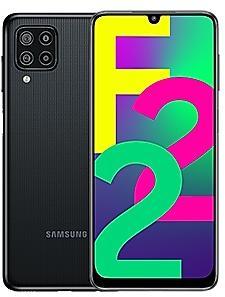
Download Samsung Firmware SM-E225F
Samsung Galaxy F22
The latest firmware for Samsung Galaxy F22 (SM-E225F) is E225FXXSCDYE1, released on May 29, 2025 for 3 regions (CSC). Every official firmware build for SM-E225F, newest first: one row per build with all regions (CSC) that received it.
- Builds
- 22 builds
- Regions (CSC)
- 3 regions
Firmware builds for SM-E225F
- BKDINSNPB
- BKDINSNPB
- BKDINSNPB
- BKDINSNPB
- BKDINSNPB
- BKDINSNPB
- BKDINSNPB
- BKDINSNPB
- BKDINSNPB
- BKDINSNPB
- BKDINSNPB
- BKDINSNPB
- BKDINSNPB
- BKDINSNPB
- BKDINSNPB
- BKDINSNPB
- BKDINSNPB
- BKDINSNPB
- BKDINSNPB
- BKDINSNPB
- BKDINSNPB
- BKDINSNPB
Each firmware build has its own page at https://samfirm.shop/build/{PDA}, where {PDA} is the build number from the list above. Example: https://samfirm.shop/build/E225FXXSCDYE1
SM-E225F update history
SM-E225F started on Android 11 and has received 2 major Android upgrades; it now runs Android 13. The newest build, E225FXXSCDYE1, was released on May 29, 2025 with the May 2025 security patch. That patch (SMR May-2025) fixes 75 vulnerabilities, 0 of them critical. No new build has appeared for 17 months, so regular updates for this model have most likely ended. Builds of this model reach 3 regions (CSC); INS (India) usually gets a new build first (100% of recent builds).
Changelog for SM-E225F
• The security of your device has been improved.
- E225FXXSCDYE1May 29, 2025
- E225FXXSBDXK1Dec 2, 2024
- E225FXXSADXE1Jun 6, 2024
- E225FXXS9DXA1Feb 26, 2024
- E225FXXS9DWL1Jan 8, 2024
• Stability and reliability
Device behavior has been improved.
• Security
The device is protected with improved security.
• Overall stability of your device has been improved.
• The security of your device has been improved.
• The security of your device has been improved.
One UI 5.1 takes your phone to the next level with new Gallery features as well as productivity and personalization enhancements.
Quickly change the color tone for selfies
It's easier to change the color tone of your selfies using the Effects button at the top of the screen.
More powerful search
You can now search your Gallery for more than one person or subject at the same time. You can even search for people without tagging their names just by tapping...
Show 12 older builds
• The security of your device has been improved.
• Maintenance mode
Protect your privacy when someone else is using your phone, such as when you send it in for repairs. Maintenance mode prevents your pictures, messages, accounts, and other personal data from being accessed.
• Stability and reliability
Device behavior has been improved.
• Security
The device is protected with improved security.
One UI Core 5 brings you more powerful personalization and makes it easier to get things done across your Galaxy devices.
New app icons and illustrations
Icon symbols are larger for a bolder look that's easier to scan. Subtle background gradients and improved contrast give a fresher, more natural feel. New help illustrations have been created to give a consistent look to all apps.
Smoother than ever before
New animations and transition effec...
· Device stability improvements, bug fixes.
· New and / or enhanced features.
· Further improvements to performance.
· The security of your device has been improved.
• Overall stability of your device has been improved.
One UI Core 4.1 brings you a wide array of new features and enhancements for your Galaxy devices. More intuitive, more fun, more secure, and easier than ever.
Check out the changes below.
Customize your phone with unique colors based on your wallpaper. Your colors will be applied to menus, buttons, backgrounds, and apps throughout your phone.
One UI Core 4.1 offers strong privacy protection to make sure your personal information...
• Overall stability of your device has been improved.
• Overall stability of your device has been improved.
• The security of your device has been improved.
• Following applications or features added: RAM Plus
• The stability of Camera has been improved.
• Overall stability of your device has been improved.
• The security of your device has been improved.
• The stability of Camera has been improved.
• The security of your device has been improved.
· Device stability improvements, bug fixes.
· New and / or enhanced features.
· Further improvements to performance.
Similar Models
- https://samfirm.shop/model/SM-E236B
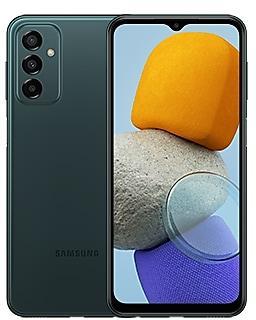
Samsung Galaxy F23 5G
SM-E236B
- https://samfirm.shop/model/SM-E135F
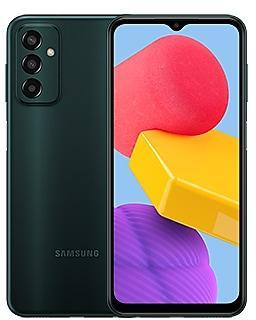
Samsung Galaxy F13
SM-E135F
- https://samfirm.shop/model/SM-E426S

Samsung Galaxy Wide5
SM-E426S
- https://samfirm.shop/model/SM-E025F

Samsung Galaxy F02s
SM-E025F
- https://samfirm.shop/model/SM-E145F

Samsung Galaxy F14
SM-E145F


Frequently Asked Questions
What is the latest Android version for SM-E225F?
The newest firmware for SM-E225F runs Android 13: build E225FXXSCDYE1, released on May 29, 2025.
When did SM-E225F get its last update?
The latest build for SM-E225F, E225FXXSCDYE1, was released on May 29, 2025 (1 year ago).
How often does SM-E225F get updates?
SM-E225F has had no new firmware for 17 months, so regular updates have most likely ended.
Is the firmware for SM-E225F official?
Yes, all firmware files for SM-E225F are 100% official, original, and obtained directly from Samsung servers.
How to flash Samsung SM-E225F using Odin?
To flash SM-E225F, you need to download the appropriate firmware, put your device into Download Mode, and use the Odin tool to load the BL, AP, CP, and CSC files.
Can I downgrade the Android version on SM-E225F?
Downgrading is only possible if the bootloader version (binary bit) of the old firmware matches the current one. Always check the binary version before flashing SM-E225F.