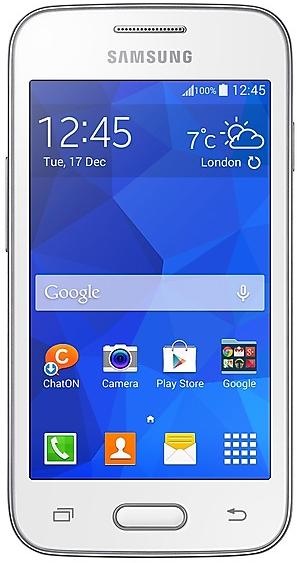
Download Samsung Firmware SM-G313ML
Samsung Galaxy Ace4
The latest firmware for Samsung Galaxy Ace4 (SM-G313ML) is G313MLUBU0AQC1 with Android 4.4.2 (KitKat), released on March 7, 2017 for 1 region (CSC). Every official firmware build for SM-G313ML, newest first: one row per build with all regions (CSC) that received it.
- Builds
- 28 builds
- Regions (CSC)
- 20 regions
Firmware builds for SM-G313ML
- JDI
- CHTCOBEBE
- THW
- SKYTNX
- THW
- SKYTNX
- THW
- CDRCRCPGU
- COOZTO
- BVO
- TPATTT
- BVOCOOTCEZTO
- COB
- COOPGU
- ZTO
- SKYTNX
- CHT
- CDRPGUTGP
- THW
- CRC
- JDI
- CHE
Each firmware build has its own page at https://samfirm.shop/build/{PDA}, where {PDA} is the build number from the list above. Example: https://samfirm.shop/build/G313MLUBU0AQC1
SM-G313ML update history
All 28 builds in our database run Android 4.4.2 (KitKat). The newest build, G313MLUBU0AQC1, was released on March 7, 2017. No new build has appeared for 117 months, so regular updates for this model have most likely ended.
Device specifications
- Launched with
- Android 4.4
- Display diagonal
- 10.2 cm (4")
- Display resolution
- 480 x 800 pixels
- Display type
- TFT
- RAM
- 0.5 GB
- Rear camera resolution
- 5 MP
- Rear camera type
- Single camera
- Weight
- 124 g
Specifications of SM-G313M, a regional variant of the same device. Chipset and SIM lines are left out: they can differ by region.
Similar Models
- https://samfirm.shop/model/SM-G313MY

Samsung Galaxy Ace 4
SM-G313MY
- https://samfirm.shop/model/SM-G316MY

Samsung Galaxy Ace4
SM-G316MY
- https://samfirm.shop/model/SM-G318MZ
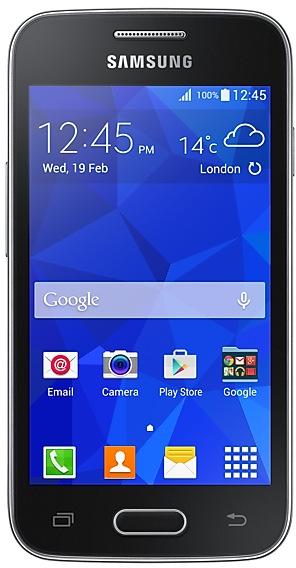
Samsung Galaxy Ace4 Lite
SM-G318MZ
- https://samfirm.shop/model/SM-G310HN

Samsung Galaxy Ace Style
SM-G310HN
- https://samfirm.shop/model/SM-G5109

Samsung Galaxy Core Max
SM-G5109


Frequently Asked Questions
What is the latest Android version for SM-G313ML?
The newest firmware for SM-G313ML runs Android 4.4.2 (KitKat): build G313MLUBU0AQC1, released on March 7, 2017.
When did SM-G313ML get its last update?
The latest build for SM-G313ML, G313MLUBU0AQC1, was released on March 7, 2017 (9 years ago).
How often does SM-G313ML get updates?
SM-G313ML has had no new firmware for 117 months, so regular updates have most likely ended.
Is the firmware for SM-G313ML official?
Yes, all firmware files for SM-G313ML are 100% official, original, and obtained directly from Samsung servers.
How to flash Samsung SM-G313ML using Odin?
To flash SM-G313ML, you need to download the appropriate firmware, put your device into Download Mode, and use the Odin tool to load the BL, AP, CP, and CSC files.
Can I downgrade the Android version on SM-G313ML?
Downgrading is only possible if the bootloader version (binary bit) of the old firmware matches the current one. Always check the binary version before flashing SM-G313ML.