
Download Samsung Firmware SM-G9209
Samsung Galaxy S6
Every official firmware build for SM-G9209, newest first: one row per build with all regions (CSC) that received it.
- Builds
- 19 builds
- Regions (CSC)
- 1 region
Firmware builds for SM-G9209
- CTC
- CTC
- CTC
- CTC
- CTC
- CTC
- CTC
- CTC
- CTC
- CTC
- CTC
- CTC
- CTC
- CTC
- CTC
- CTC
- CTC
- CTC
- CTC
Each firmware build has its own page at https://samfirm.shop/build/{PDA}, where {PDA} is the build number from the list above. Example: https://samfirm.shop/build/G9209KES2ETI1
Device specifications
- Launched with
- Android 5.0
- Display diagonal
- 12.9 cm (5.1")
- Display resolution
- 2560 x 1440 pixels
- Display type
- SAMOLED
- RAM
- 3 GB
- Rear camera resolution
- 16 MP
- Rear camera type
- Single camera
- Battery capacity
- 2550 mAh
- Weight
- 138 g
Specifications of SM-G920F, a regional variant of the same device. Chipset and SIM lines are left out: they can differ by region.
Changelog for SM-G9209
- "OperaMax" service will be terminated. "OperaMax" application will no longer be available and will be deleted.
- The latest Android security patch has been applied.
ㆍDevice security has been further enhanced.
- The latest Android security patch has been applied.
ㆍDevice security has been further enhanced.
- OS upgrade - Android 7.0 Nougat
- Provides new UX
- Improved usability of the Notification feature and Quick settings button
- Improved usability of the Multi window and setting menu
- Efficient space for installation of downloaded apps, improved speed of system upgrade and app installation
- Clock usability has been improved
- A new app Samsung Members has been added
- The apps eWallet / 悦Me will not update anymore, and they will be deleted if you make Factory data reset.
- The latest Android...
- The latest Android security patch has been applied.
ㆍDevice security has been further enhanced.
- G9209KEU2DQG2Aug 1, 2017
- G9209KEU2DQD1May 11, 2017
- Improved performance.
ㆍThe Stability of Samsung Pay Function has been improved.
ㆍSmart manager function improved.
ㆍImproves the functionality of the various appㆍspecific.(My File, Message, contact etc.)
- Other bug fixes
ㆍFixes an issue that screen lock type display error
ㆍFixes an issue that force close happened when security policy updates.
ㆍFixes an issue that AiYueDu app is not performed
- The latest Android security patch has been applied.
ㆍDevice security has been further enhanced.
Show 8 older builds
- Added new feature
ㆍ"Samsung pay" function has been added.
- Improved performance
ㆍHaptic vibration improvements
ㆍWLAN Security improvements
- Other bug fixes
ㆍFixed an issue that the screen flickered while using auto brightness under strong sunshine
ㆍFixed an issue that terminated when using the contact widget
ㆍFixed an issue that Taobao app is terminated when using multiㆍwidows
ㆍFixed the issue that VIP mode topbar tips can not be closed after update to android 6.0.
ㆍFixed the issue that CTC...
- OS upgrade : Android 6.0 Marshmallow
ㆍThe new TouchWiz provides a brandㆍnew visual design and enhanced usability
ㆍQuick connect makes device connection more convenient
ㆍFingerprints combined with pattern, PIN and password provide enhanced security for lock screen function
ㆍAdvanced Network power saving mode restricts background data and extends battery life
ㆍApply the new vibration mode
※ After upgrade, please update Gear manager to latest version when Galaxy Gear, Gear Fit are to be used. (...
- Sogou Engine Porting in Samsung Keypad.
- Improved performance with efficient memory management
ㆍOptimized closing unused applications
- SW Update improvement ( Schedule Update, Update Notice function )
- Upgrade the Smart Manager
- Improved the FOTA speed
- Improved heating problem in some cases(playing specific game)
- Apply the Andriod regular security patch
- Performance improvement by efficient system management
- Performance improvement by efficient system management
ㆍOptimize period of closing unused applications
- Icons of some preload applications are changed
- Eㆍmail function is stablized
- Add new browser function (Night mode and etc)
- Improved fingerprint recognition
- Enhanced eㆍmail security
- Optimized battery consumption
- Noise reduction over speakerphone
- OS upgrade : 5.1.1 (Lollipop)
- Performance improvement by efficient memory management
ㆍClosing applications which have not been used for a long time automatically
ㆍAutomatic removal of unnecessary files
ㆍNotifying unstable applications
- Optimization of battery usage time
- Security Enhancements
- Improved the User Interface and stability
- New and / or enhanced features.
- Improved Fingerprint recognition process
- Added new feature in Photo editor
- Improved compatibility with accessories
- Enhanced interface of Email, Music, S planner and other apps
Similar Models
- https://samfirm.shop/model/SM-G920X

Samsung Galaxy S6
SM-G920X
- https://samfirm.shop/model/SM-G928A

Samsung Galaxy S6 edge+
SM-G928A
- https://samfirm.shop/model/SM-G925A

Samsung Galaxy S6 edge
SM-G925A
- https://samfirm.shop/model/SM-G9298
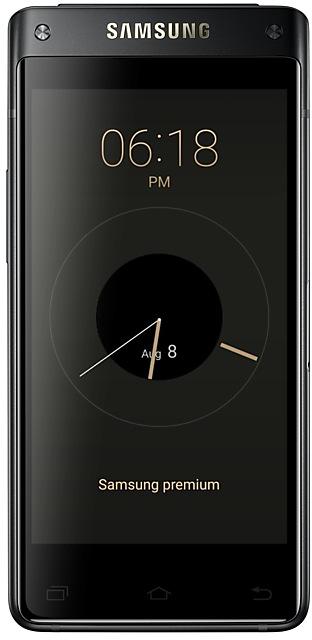
Samsung Galaxy
SM-G9298
- https://samfirm.shop/model/SM-G935TZK

Samsung Galaxy S7 edge 32GB Certified Re-Newed
SM-G935TZK


Frequently Asked Questions
🤗 Where can I find the Samsung firmware for model SM-G9209?
You can find the firmware on the model: SM-G9209 page.
Is the firmware for SM-G9209 official?
Yes, all firmware files for SM-G9209 are 100% official, original, and obtained directly from Samsung servers.
How to flash Samsung SM-G9209 using Odin?
To flash SM-G9209, you need to download the appropriate firmware, put your device into Download Mode, and use the Odin tool to load the BL, AP, CP, and CSC files.
Can I downgrade the Android version on SM-G9209?
Downgrading is only possible if the bootloader version (binary bit) of the old firmware matches the current one. Always check the binary version before flashing SM-G9209.