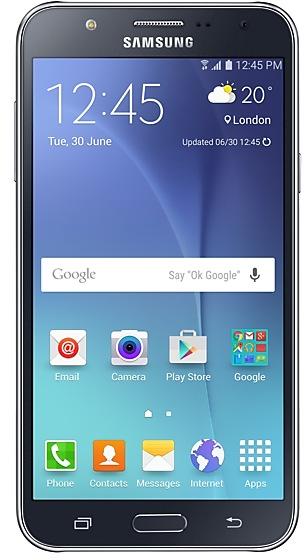
Download Samsung Firmware SM-J700M
Samsung Galaxy J7
Every official firmware build for SM-J700M, newest first: one row per build with all regions (CSC) that received it.
- Builds
- 84 builds
- Regions (CSC)
- 50 regions
Firmware builds for SM-J700M
- ZTA
- CTIEBEUFNZTR
- UFU
- DOR
- 13 regions
- SAM
- COL
- CGUCOBCOECOLCOMCOO+2
- ZTM
- CRM
- CHX
- TGU
- ANCPETPSN
- ICE
- BVVTCE
- BVOCOOPCWPEOPNTPVT+3
- SAM
- CHE
- 13 regions
- ZTO
- BVOCOB
- AROPCW
- PNT
- CHLIUSSAM
- CPACRM
- UFN
- CTI
- TCE
- UFU
- TPA
- COB
- ZTR
- COMECOTGU
- CHX
- ANCCDREBEICEPCTUYO+2
- PSNZTO
- BVOCHOCOECOLEONPVT+3
- TGU
- UFN
- TCE
- CTIEBEICE
- ANC
- PNT
- COL
- UFU
- COMCRMECO
- CHX
- CDRPCTTPAZTAZTM
- PSNZTO
- BVOCHOCOECOOEONPVT+2
Each firmware build has its own page at https://samfirm.shop/build/{PDA}, where {PDA} is the build number from the list above. Example: https://samfirm.shop/build/J700MUBU2BSH1
Changelog for SM-J700M
· OS upgrade - Android 6.0.1 Marshmallow
· The new TouchWiz provides enhanced usability and an updated visual design.
· Quick connect helps you easily find and connect to nearby devices by showing currently connected devices and previous connections.
· Fingerprints are securely protected. An alternative unlock method (pattern, PIN, or password) is required to add fingerprints.
· Advanced power saving mode restricts background data and extends battery life.
※ Android 6.0.1 Marshmallow does not su...
· Device stability improvements, bug fixes.
· New and / or enhanced features.
· Further improvements to performance.
· Device stability improvements, bug fixes.
· New and / or enhanced features.
· Further improvements to performance.
· Device stability improvements, bug fixes.
· New and / or enhanced features.
· Further improvements to performance.
Similar Models
- https://samfirm.shop/model/SM-J327VPP

Samsung Galaxy J3 Mission
SM-J327VPP
- https://samfirm.shop/model/SM-J100VPP
Samsung GALAXY J1
SM-J100VPP
- https://samfirm.shop/model/SM-J260A

Samsung Galaxy J2 Core
SM-J260A
- https://samfirm.shop/model/SM-J120P

Samsung Galaxy J1
SM-J120P
- https://samfirm.shop/model/SM-J737A

Samsung Galaxy J7
SM-J737A
- https://samfirm.shop/model/SM-J727A

Samsung Galaxy J7 Pop
SM-J727A
- https://samfirm.shop/model/SM-J727VPP

Samsung Galaxy J7 Pop
SM-J727VPP
- https://samfirm.shop/model/SM-J327A

Samsung Galaxy J3 Pop
SM-J327A


Frequently Asked Questions
🤗 Where can I find the Samsung firmware for model SM-J700M?
You can find the firmware on the model: SM-J700M page.
Is the firmware for SM-J700M official?
Yes, all firmware files for SM-J700M are 100% official, original, and obtained directly from Samsung servers.
How to flash Samsung SM-J700M using Odin?
To flash SM-J700M, you need to download the appropriate firmware, put your device into Download Mode, and use the Odin tool to load the BL, AP, CP, and CSC files.
Can I downgrade the Android version on SM-J700M?
Downgrading is only possible if the bootloader version (binary bit) of the old firmware matches the current one. Always check the binary version before flashing SM-J700M.