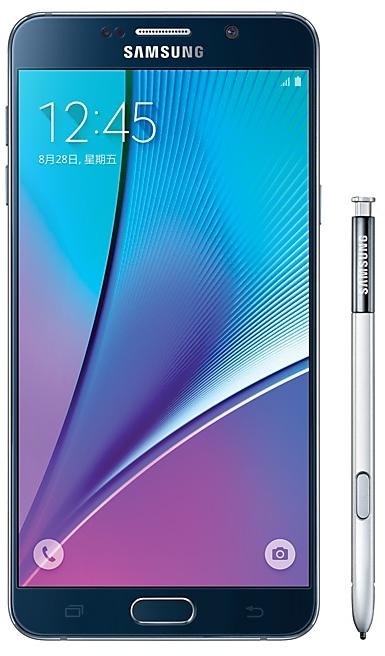
Download Samsung Firmware SM-N9200
Samsung Galaxy Note5
The latest firmware for Samsung Galaxy Note5 (SM-N9200) is N9200ZCS3DRH1 with Android 7.0 (Nougat), released on August 28, 2018 for 1 region (CSC). Every official firmware build for SM-N9200, newest first: one row per build with all regions (CSC) that received it.
- Builds
- 64 builds
- Regions (CSC)
- 2 regions
Firmware builds for SM-N9200
- CHC
- TGY
- TGY
- CHC
- CHC
- TGY
- CHC
- TGY
- CHC
- CHC
- TGY
- TGY
- TGY
- CHC
- TGY
- CHC
- TGY
- CHC
- TGY
- TGY
- CHC
- TGY
- TGY
- TGY
- CHC
- CHC
- CHC
- CHC
- TGY
- TGY
- CHC
- CHC
- TGY
- TGY
- CHC
- CHC
- CHC
- TGY
- TGY
- CHC
- TGY
- CHC
- CHC
- TGY
- CHC
- CHC
- TGY
- CHC
- TGY
- CHC
Each firmware build has its own page at https://samfirm.shop/build/{PDA}, where {PDA} is the build number from the list above. Example: https://samfirm.shop/build/N9200ZCS3DRH1
SM-N9200 update history
SM-N9200 started on Android 5 and has received 2 major Android upgrades; it now runs Android 7.0 (Nougat). The newest build, N9200ZCS3DRH1, was released on August 28, 2018 with the August 2018 security patch. No new build has appeared for 99 months, so regular updates for this model have most likely ended.
Device specifications
- Launched with
- Android 5.1.1
- Display diagonal
- 14.5 cm (5.7")
- Display resolution
- 2560 x 1440 pixels
- Display type
- SAMOLED
- RAM
- 4 GB
- Rear camera resolution
- 16 MP
- Rear camera type
- Single camera
- Battery capacity
- 3000 mAh
- Weight
- 170.9476 g
Specifications of SM-N920, a regional variant of the same device. Chipset and SIM lines are left out: they can differ by region.
Changelog for SM-N9200
- Other bug fixes
ㆍThe stability of samsung keyboard is improved.
- The latest Android security patch has been applied.
ㆍDevice security has been further enhanced.
- The latest Android security patch has been applied.
ㆍDevice security has been further enhanced.
- N9200ZCS3DRH1Aug 28, 2018
- N9200ZHS3DRG2Jul 27, 2018
- N9200ZCS3DRG1Jul 27, 2018
- Added new feature
ㆍSamsung Reader application will be added. (Can be deleted if customer wants)
- The latest Android security patch has been applied.
ㆍDevice security has been further enhanced.
- The latest Android security patch has been applied.
ㆍDevice security has been further enhanced.
- N9200ZHU3DRF2Jul 3, 2018
- N9200ZHU3DRD1May 2, 2018
- N9200ZCS3DRD1May 2, 2018
- N9200ZHS3DRC1Mar 27, 2018
- N9200ZCS3DRC3Mar 27, 2018
- N9200ZHU3DRB1Mar 19, 2018
- N9200ZCU3DRC2Mar 19, 2018
- N9200ZHU3DRA2Feb 5, 2018
- Other bug fixes
ㆍWhen in Kids mode, can switch to another application by pressing Recent key.
- The latest Android security patch has been applied.
ㆍDevice security has been further enhanced.
Show 16 older builds
- Other bug fixes
ㆍThe stability of the gallery app is improved.
ㆍThe stability of the TouchWiz Home is improved.
- The latest Android security patch has been applied.
ㆍDevice security has been further enhanced.
- Improved performance
ㆍThe quality of Mobile networks has been improved.
- The latest Android security patch has been applied.
ㆍDevice security has been further enhanced.
- Improved performance
ㆍThe quality of Mobile has been improved.
- The latest Android security patch has been applied.
ㆍDevice security has been further enhanced.
- Improved performance
ㆍThe quality of Mobile networks has been improved.
- The latest Android security patch has been applied.
ㆍDevice security has been further enhanced.
- Other bug fixes
ㆍFixed an issue that of forcibly terminating when you click the search button in the gallery application.
ㆍFixed an issue that can not download theme in theme store.
ㆍFixed an issue that icon display abnormal in Launcher.
- Improved performance
ㆍThe stability of Samsung input apparatus is improved.
- The latest Android security patch has been applied.
ㆍDevice security has been further enhanced.
- The Email application will be changed to an application that can be deleted.
- Improved performance
ㆍThe stability of Samsung input apparatus is improved.
- Other bug fixes
ㆍFixed an issue that of forcibly terminating when you click the search button in the gallery application.
ㆍFixed an issue that of forced termination when entering Handwriting with single character mode.
ㆍFixed an issue where Translation app will not work due to network connectivity issues while in sleep mode.
ㆍFixed an issu...
- OS upgrade - Android 7.0 Nougat
- Provides new UX and various performance modes
- Improved usability of the Notification feature and Quick settings button
- Improved usability of the Multi window and setting menu
- Improved setting menu and AOD feature
- Efficient space for installation of downloaded apps, improved speed of system upgrade and app installation
- "Music" upgrades to "Samsung Music", supports native music player and online music store. Both "Music" and "Samsung Music" can be gene...
- Other bug fixes
ㆍFixed incoming/ outgoing call failure problem when using specific Macau SIM in Macau region.
ㆍResolved intermittent Samsung IME problem.
· OS upgrade - Android 7.0 Nougat
· Provides new UX and various performance modes
· Improved usability of the Notification feature and Quick settings button
· Improved usability of the Multi window
· Improved setting menu
· Efficient space for installation of downloaded apps, improved speed of system upgrade and app installation
※ If you are using Gear IconX, please make sure to update to the latest version before upgrading to the Nougat OS.
※ Some apps that haven't been optimised for Android N...
- New application added
ㆍ"Samsung pay".
- The latest Android security patch has been applied.
ㆍDevice security has been further enhanced.
- The latest Android security patch has been applied.
ㆍDevice security has been further enhanced.
- N9200ZHU3CQC3Apr 11, 2017
- N9200ZCS3CQC2Mar 30, 2017
- Other bug fixes
• Fixed an issue that could not charge a device when was closed screen occasionally.
• Problem that the temperature mark of the Weather widget goes wrong is solved.
• Whenever I connect WLAN, the problem that the login page or the error pop up happens is solved.
- The latest Android security patch has been applied.
• Device security has been further enhanced.
- The latest Android security patch has been applied.
ㆍDevice security has been further enhanced.
- Samsung Cloud service is terminated after On January 20 day in 2017.
• Wish to download data stored in the cloud and move with backup.
- Other bug fixes
• Problem that the temperature mark of the Weather widget goes wrong is solved.
• It is modified in order to appear for the use order by frequency of the contact number in which I make frequent use.
- The latest Android security patch has been applied.
• Device security has been further enhanced.
- The latest Android security patch has been applied.
ㆍDevice security has been further enhanced.
Similar Models
- https://samfirm.shop/model/SM-N920AZW

Samsung Galaxy Note5 32GB Certified Pre-Owned
SM-N920AZW
- https://samfirm.shop/model/SM-N930V
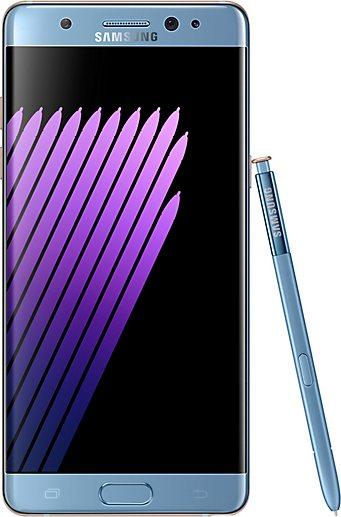
Samsung Galaxy Note7
SM-N930V
- https://samfirm.shop/model/SM-N910V
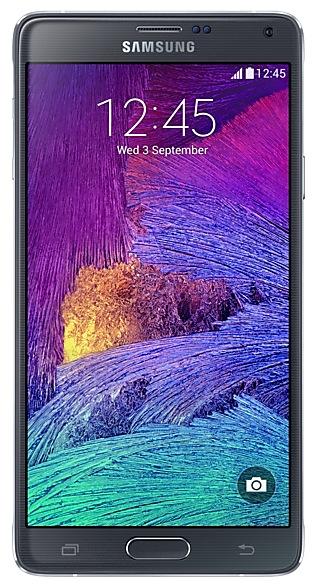
Samsung Galaxy Note4
SM-N910V
- https://samfirm.shop/model/SM-N915V
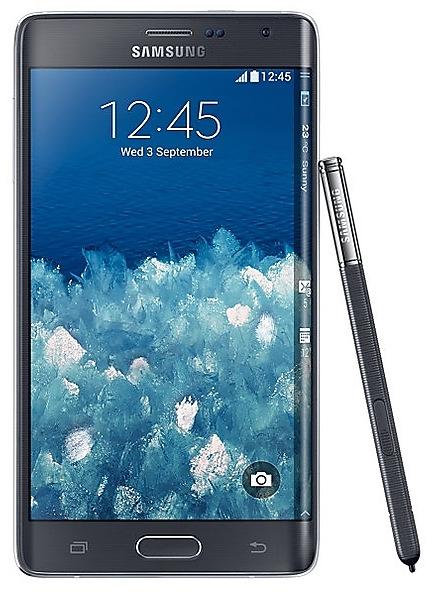
Samsung Galaxy Note Edge
SM-N915V
- https://samfirm.shop/model/SM-N916S

Samsung Galaxy Note4 S-LTE
SM-N916S


Frequently Asked Questions
What is the latest Android version for SM-N9200?
The newest firmware for SM-N9200 runs Android 7.0 (Nougat): build N9200ZCS3DRH1, released on August 28, 2018.
When did SM-N9200 get its last update?
The latest build for SM-N9200, N9200ZCS3DRH1, was released on August 28, 2018 (8 years ago).
How often does SM-N9200 get updates?
SM-N9200 has had no new firmware for 99 months, so regular updates have most likely ended.
Is the firmware for SM-N9200 official?
Yes, all firmware files for SM-N9200 are 100% official, original, and obtained directly from Samsung servers.
How to flash Samsung SM-N9200 using Odin?
To flash SM-N9200, you need to download the appropriate firmware, put your device into Download Mode, and use the Odin tool to load the BL, AP, CP, and CSC files.
Can I downgrade the Android version on SM-N9200?
Downgrading is only possible if the bootloader version (binary bit) of the old firmware matches the current one. Always check the binary version before flashing SM-N9200.