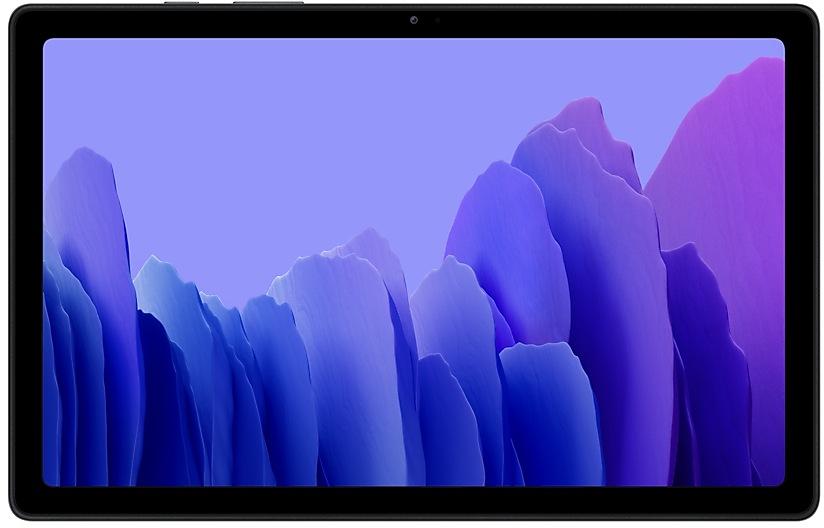
Download Samsung Firmware SM-T505N
Samsung Galaxy Tab A7
The latest firmware for Samsung Galaxy Tab A7 (SM-T505N) is T505NKOS7CXG1 with Android 12, released on July 17, 2024 for 1 region (CSC). Every official firmware build for SM-T505N, newest first: one row per build with all regions (CSC) that received it.
- Builds
- 45 builds
- Regions (CSC)
- 19 regions
Firmware builds for SM-T505N
- KOO
- KOO
- KOO
- KOO
- KOO
- KOO
- KOO
- KOO
- KOO
- KOO
- KOO
- KOO
- KOO
- EGY
- KOO
- KOO
- KOO
- KOO
- KOO
- KOO
- KOO
- KOO
- KOO
- KOO
Each firmware build has its own page at https://samfirm.shop/build/{PDA}, where {PDA} is the build number from the list above. Example: https://samfirm.shop/build/T505NKOS7CXG1
SM-T505N update history
SM-T505N started on Android 10 and has received 2 major Android upgrades; it now runs Android 12. The newest build, T505NKOS7CXG1, was released on July 17, 2024. No new build has appeared for 27 months, so regular updates for this model have most likely ended.
Device specifications
- Launched with
- Android 10
- Display diagonal
- 26.4 cm (10.4")
- Display resolution
- 2000 x 1200 pixels
- Processor frequency
- 2 GHz
- Processor family
- Qualcomm Snapdragon
- Rear camera resolution
- 8 MP
- Rear camera type
- Single camera
- Front camera resolution
- 5 MP
- Wi-Fi standard
- Wi-Fi 5 (802.11ac)
- Weight
- 476 g
Changelog for SM-T505N
• Security
The device is protected with improved security.
• The security of your device has been improved.
- T505NDXS6CXB1Mar 27, 2024
- T505NDXS5CWI2Oct 27, 2023
• Security
The device is protected with improved security.
• Stability and reliability
Device behavior has been improved.
• The security of your device has been improved.
Show 15 older builds
• Overall stability of your device has been improved.
One UI 4.1 brings you a wide array of new features and enhancements for your Galaxy devices. More intuitive, more fun, more secure, and easier than ever.
Check out the changes below.
Customize your tablet with unique colors based on your wallpaper. Your colors will be applied to menus, buttons, backgrounds, and apps throughout your tablet.
One UI 4.1 offers strong privacy protection to make sure your personal information doesn’t fall...
• Overall stability of your device has been improved.
- T505NDXU3BVE1May 31, 2022
- T505NDXU3BVC6Apr 22, 2022
• Following applications or features added: Private Share
• Overall stability of your device has been improved.
• The security of your device has been improved.
• Overall stability of your device has been improved.
• The security of your device has been improved.
• Overall stability of your device has been improved.
• Overall stability of your device has been improved.
• The security of your device has been improved.
• Enhanced Quick Share
- Improve file sharing between Galaxy devices using Quick Share.
• The boot screen layout has been changed from portrait orientation to landscape orientation.
One UI Core 3.1 Upgrade (Android 11)
One UI Core 3.1 is designed to help you focus on what matters. Our visual redesign has improved the places you visit the most, like the Home screen and quick panel, to reduce distractions, highlight important information, and make your experience more consistent. Performance improvements will help apps run quicker while using less battery power. And One UI Core 3.1 puts control in your hands with new privacy controls, one-time permissions, and enhanced Digit...
• The stability of Smart View has been improved.
• The security of your device has been improved.
• The stability of Knox has been improved.
• The stability of Camera has been improved.
• The security of your device has been improved.
• Improved stability. - Knox
• The security of your device has been improved.
• Overall stability of functions improved.
• Improved battery charging algorithm and stability
• The security of your device has been improved.
22 retail codes (SKU)
Box codes of SM-T505N for different colors and markets. Firmware is chosen by the model code SM-T505N and your region (CSC), not by the SKU.
- SM-T505NZDEEUB
- SM-T505NZAAEUH
- SM-T505NZDAEUA
- SM-T505NZSAEUA
- SM-T505NZAAEUA
- SM-T505NSAAEUE
- SM-T505NZAAEUD
- SM-T505NZAAEUB
- SM-T505NZSANEE
- SM-T505NZAANEE
- SM-T505NZAAEUE
- SM-T505NZSAEUD
- SM-T505NZSAEUB
- SM-T505NZDAEUB
- SM-T505NZAEEUH
- SM-T505NZAEEUB
- SM-T505NZAAEUC
- SM-T505NZADXSG
- SM-T505NZDAEUC
- SM-T505NZDDXSG
- SM-T505NZSAEUC
- SM-T505NZSDXSG
Similar Models
- https://samfirm.shop/model/SM-T505C

Samsung Galaxy Tab A7
SM-T505C
- https://samfirm.shop/model/SM-T517P
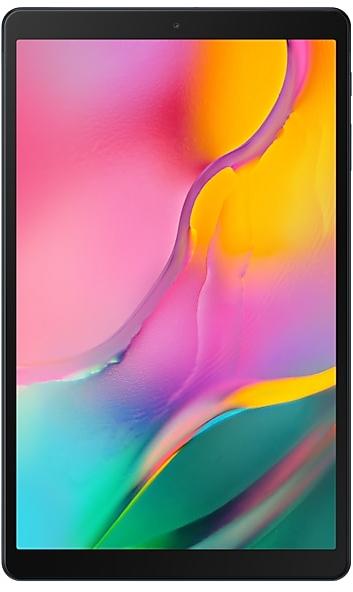
Samsung Galaxy Tab A
SM-T517P
- https://samfirm.shop/model/SM-T707V

Samsung Galaxy Tab S 8.4
SM-T707V
- https://samfirm.shop/model/SM-T705W
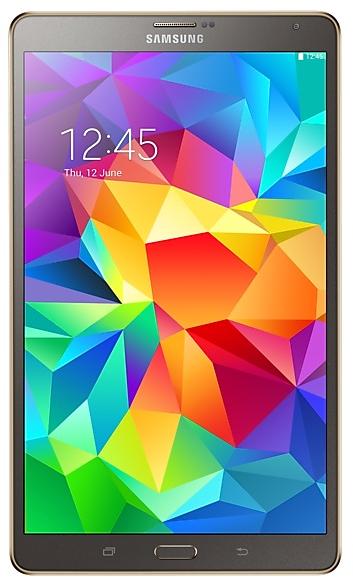
Samsung Galaxy TabS 8.4
SM-T705W
- https://samfirm.shop/model/SM-T525

Samsung Galaxy Tab Pro 10.1
SM-T525


Frequently Asked Questions
What is the latest Android version for SM-T505N?
The newest firmware for SM-T505N runs Android 12: build T505NKOS7CXG1, released on July 17, 2024.
When did SM-T505N get its last update?
The latest build for SM-T505N, T505NKOS7CXG1, was released on July 17, 2024 (2 years ago).
How often does SM-T505N get updates?
SM-T505N has had no new firmware for 27 months, so regular updates have most likely ended.
Is the firmware for SM-T505N official?
Yes, all firmware files for SM-T505N are 100% official, original, and obtained directly from Samsung servers.
How to flash Samsung SM-T505N using Odin?
To flash SM-T505N, you need to download the appropriate firmware, put your device into Download Mode, and use the Odin tool to load the BL, AP, CP, and CSC files.
Can I downgrade the Android version on SM-T505N?
Downgrading is only possible if the bootloader version (binary bit) of the old firmware matches the current one. Always check the binary version before flashing SM-T505N.