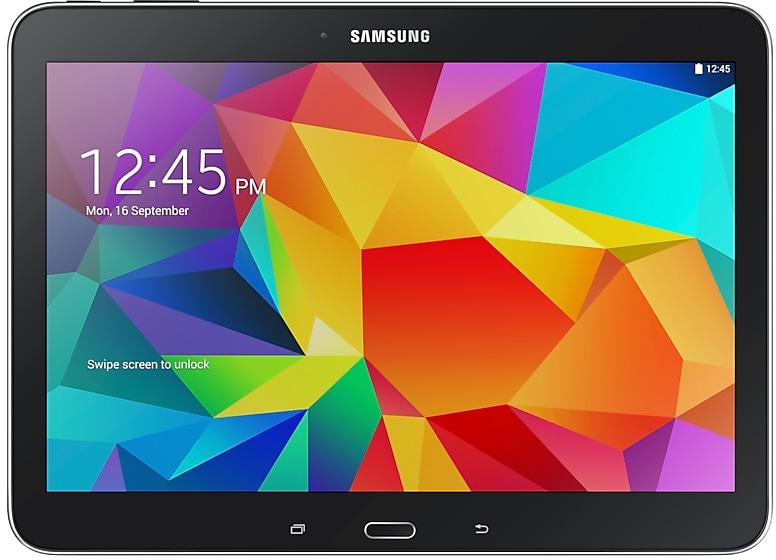
Download Samsung Firmware SM-T531
Samsung Galaxy Tab4 10.0
The latest firmware for Samsung Galaxy Tab4 10.0 (SM-T531) is T531XXS1BRH3 with Android 5.0.2 (Lollipop), released on August 16, 2018 for 4 regions (CSC). Every official firmware build for SM-T531, newest first: one row per build with all regions (CSC) that received it.
- Builds
- 47 builds
- Regions (CSC)
- 59 regions
Firmware builds for SM-T531
- BNGINUNPLSLK
- AFRCACCAUKENSEKSER
- CAMTHLXIDXSEXXV
- BNGINUNPLSLK
- AFRCACCAUKENSEKSER
- INU
- CAC
- CAMTHLXIDXSEXXV
- XSG
- BNG
- INUNPLSLK
- CAUSEKSER
- COMCTICTPCTUPCTPGU
- XID
- CHN
- ZTO
- PGUPVT
- COM
- CTICTPCTUPCT
- CHOPEOTGP
- UPO
- COBEONUFU
- COOTPA
- CHOPEOTGP
- PGUPVT
- COM
- EBE
- BNGINUNPLSLK
- CACCAUSEKSER
- CAC
- CHN
- XFA
- AROBVOCOOTPATTT
- CTICTPPCT
- SAC
- AROCTUUPO
- COBEONTGPUFU
Each firmware build has its own page at https://samfirm.shop/build/{PDA}, where {PDA} is the build number from the list above. Example: https://samfirm.shop/build/T531XXS1BRH3
SM-T531 update history
SM-T531 started on Android 4 and has received 1 major Android upgrade; it now runs Android 5.0.2 (Lollipop). The newest build, T531XXS1BRH3, was released on August 16, 2018. No new build has appeared for 99 months, so regular updates for this model have most likely ended.
Device specifications
- Launched with
- Android 4.4
- Display diagonal
- 25.6 cm (10.1")
- Display resolution
- 1280 x 800 pixels
- Processor frequency
- 1.2 GHz
- Rear camera resolution
- 3 MP
- Rear camera type
- Single camera
- Front camera resolution
- 1.3 MP
- Wi-Fi standard
- Wi-Fi 4 (802.11n)
- Weight
- 495 g
1 retail code (SKU)
Box codes of SM-T531 for different colors and markets. Firmware is chosen by the model code SM-T531 and your region (CSC), not by the SKU.
- SM-T531NZWAZTO
Similar Models
- https://samfirm.shop/model/SM-T537A

Samsung Galaxy Tab 4 10.1 LTE (AT&T)
SM-T537A
- https://samfirm.shop/model/SM-T530X

Samsung Galaxy Tab4 10.1
SM-T530X
- https://samfirm.shop/model/SM-T535
Samsung Galaxy Tab4 10.0
SM-T535
- https://samfirm.shop/model/SM-T532

Samsung GALAXY Tab4
SM-T532
- https://samfirm.shop/model/SM-T638B

Samsung Galaxy Tab Active4 Pro 5G
SM-T638B


Frequently Asked Questions
What is the latest Android version for SM-T531?
The newest firmware for SM-T531 runs Android 5.0.2 (Lollipop): build T531XXS1BRH3, released on August 16, 2018.
When did SM-T531 get its last update?
The latest build for SM-T531, T531XXS1BRH3, was released on August 16, 2018 (8 years ago).
How often does SM-T531 get updates?
SM-T531 has had no new firmware for 99 months, so regular updates have most likely ended.
Is the firmware for SM-T531 official?
Yes, all firmware files for SM-T531 are 100% official, original, and obtained directly from Samsung servers.
How to flash Samsung SM-T531 using Odin?
To flash SM-T531, you need to download the appropriate firmware, put your device into Download Mode, and use the Odin tool to load the BL, AP, CP, and CSC files.
Can I downgrade the Android version on SM-T531?
Downgrading is only possible if the bootloader version (binary bit) of the old firmware matches the current one. Always check the binary version before flashing SM-T531.