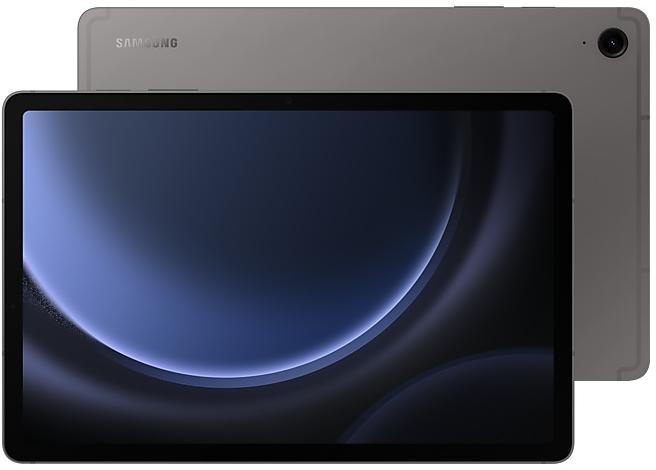
Download Samsung Firmware SM-X516B
Samsung Galaxy Tab S9 FE 5G
The latest firmware for Samsung Galaxy Tab S9 FE 5G (SM-X516B) is X516BXXSGEZI3 with Android 16, released on September 22, 2026 for 49 regions (CSC). Every official firmware build for SM-X516B, newest first: one row per build with all regions (CSC) that received it.
- Builds
- 29 builds
- Regions (CSC)
- 49 regions
Firmware builds for SM-X516B
- BRITGY
- EUXEUY
- EUXEUY
- BRICHOTGY
Each firmware build has its own page at https://samfirm.shop/build/{PDA}, where {PDA} is the build number from the list above. Example: https://samfirm.shop/build/X516BXXSGEZI3
SM-X516B update history
SM-X516B started on Android 13 and has received 3 major Android upgrades; it now runs Android 16. The newest build, X516BXXSGEZI3, was released on September 22, 2026 with the September 2026 security patch. That patch (SMR Sep-2026) fixes 80 vulnerabilities, 20 of them critical. Over the last 12 months SM-X516B received 10 builds, spread over 8 different months. Samsung guarantees security updates for this model until July 26, 2028.
Changelog for SM-X516B
• Security
The device is protected with improved security.
These changes may vary depending on the model, country, or network operator of the customer environment.
- X516BXXSGEZI3Sep 22, 2026
- X516BXXSFEZH5Sep 10, 2026
- X516BXXSEEZG3Jul 30, 2026
- X516BXXSDEZF1Jun 29, 2026
Fresh new look
One UI seamlessly integrates into your daily routine by combining immersive visuals with meaningful personalization for a more refined and sophisticated design. Transparent blur effects add depth and make content easier to navigate, while floating elements react organically to your workflow for a more focused experience. Through familiar and intuitive data visualization, One UI delivers a design that feels both personal and relatable, helping you focus...
• Security
The device is protected with improved security.
These changes may vary depending on the model, country, or network operator of the customer environment.
- X516BXXSCDZD6May 14, 2026
- X516BXXSBDZB4Mar 9, 2026
- X516BXXSADZA3Feb 5, 2026
- X516BXXS9DYK1Dec 18, 2025
Enhanced Lock screen widgets
Do more on your Lock screen with brief widgets. 2 x 2 size widgets are now available, and the widget area is now larger so you can add even more widgets. You can choose either a horizontal or vertical widget layout.
Check stock prices without unlocking
Stocks you follow on Google Finance with big price changes will appear on your Now bar at the end of the trading day.
Easier file sharing with Quick Share
I...
• Security
The device is protected with improved security.
These changes may vary depending on the model, country, or network operator of the customer environment.
Show 18 older builds
Visual enhancements
Enjoy a more sophisticated and unique look. One UI 7 introduces a stunning redesign to key components including buttons, menus, notifications and control bars, providing a more consistent visual experience with curves and circles. Beautiful new colors, soft animations, and an innovative blur effect that's unique to One UI make information hierarchy clearer and help you focus on important information.
Reimagined Home screen
Fr...
• Stability and reliability
Device behavior has been improved.
• Security
The device is protected with improved security.
- X516BXXS7BYB7Feb 27, 2025
- X516BXXS7BYB6Feb 25, 2025
- X516BXXU7BXL8Jan 13, 2025
- X516BXXU7BXL7Jan 9, 2025
- X516BXXU7BXK1Dec 11, 2024
• Security
The device is protected with improved security.
Suggested actions for Smart select
Take action quickly based on what's shown on your screen. When you select something on your screen with Smart select, you'll now get suggested actions related to your selection. You can quickly call phone numbers, locate addresses, enhance images, and more. Smart select can now be accessed in the Apps Edge panel.
Enhanced multi window experience
It's easier than ever to switch between picture-in-picture and split scre...
• Circle to Search
Circle to Search with Google lets you easily learn more about anything shown on your screen without switching apps. Just touch and hold the Home button or navigation handle, then circle anything on the screen to start a Google search.
• The latest Android security patch has been applied.
- Device security has been further enhanced.
• Circle to Search
Circle to Search with Google lets you easily learn more about anything shown on your screen without switching apps. Just touch and hold the Home button or navigation handle, then circle anything on the screen to start a Google search.
• Security
The device is protected with improved security.
• Stability and reliability
Device behavior has been improved.
• Security
The device is protected with improved security.
Copy and paste from one image to another
Add a missing element to your picture. Just clip an object from an image in Gallery, then go to the image where you want to paste it and choose Paste from clipboard in the More options menu.
More accurate image clipping
Get exactly the area you need to clip without any unwanted parts. When you clip an image in Gallery, you have the option of editing the selected area before you save it so you can get your selecti...
• Regional LTE TDD band support has been updated.
Please note that models purchased in Germany cannot receive signals in LTE TDD bands in the following countries: Belgium, Denmark, Germany, France, Luxemburg, Netherlands, Austria, Poland, Switzerland, Czech Republic.
• Stability and reliability
Device behavior has been improved.
• Security
The device is protected with improved security.
New button layout
The quick panel has a new layout that makes it easier to access the features you use most. Wi-Fi and Bluetooth now have their own dedicated buttons at the top of the screen, while visual features, like Dark mode and Eye comfort shield have been moved to the bottom. Other quick settings buttons appear in a customizable area in the middle.
Instantly access the full quick panel
By default, a compact quick panel with notifications appears when yo...
• Overall stability of your device has been improved.
Similar Models
- https://samfirm.shop/model/SM-X516N

Samsung Galaxy Tab S9 FE 5G
SM-X516N
- https://samfirm.shop/model/SM-X510N

Samsung Galaxy Tab S9 FE, 6GB RAM +
SM-X510N
- https://samfirm.shop/model/SM-X610N

Samsung Galaxy Tab S9 FE+, 8GB RAM +
SM-X610N
- https://samfirm.shop/model/SM-X520N

Samsung Galaxy Tab S10 FE, 128GB, Blue
SM-X520N
- https://samfirm.shop/model/SM-X528U

Samsung Galaxy Tab S10 FE 5G
SM-X528U


Frequently Asked Questions
What is the latest Android version for SM-X516B?
The newest firmware for SM-X516B runs Android 16: build X516BXXSGEZI3, released on September 22, 2026.
When did SM-X516B get its last update?
The latest build for SM-X516B, X516BXXSGEZI3, was released on September 22, 2026 (1 month ago).
How often does SM-X516B get updates?
Over the last 12 months SM-X516B received 10 builds, with at least one new build in 8 different months.
Is the firmware for SM-X516B official?
Yes, all firmware files for SM-X516B are 100% official, original, and obtained directly from Samsung servers.
How to flash Samsung SM-X516B using Odin?
To flash SM-X516B, you need to download the appropriate firmware, put your device into Download Mode, and use the Odin tool to load the BL, AP, CP, and CSC files.
Can I downgrade the Android version on SM-X516B?
Downgrading is only possible if the bootloader version (binary bit) of the old firmware matches the current one. Always check the binary version before flashing SM-X516B.