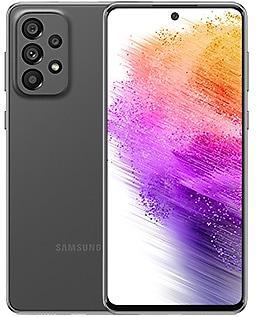
Samsung Galaxy A13 5G A136BXXU2AVH2 Firmware
Samsung Galaxy A13 5G A136BXXU2AVH2 is an Android 12 firmware for 7 countries, 17 CSC codes. It is the same firmware configured per region and carrier (CSC). Find your country below, verify the file and download for free. Compared with the previous build A136BXXU1AVG4 https://samfirm.shop/build/A136BXXU1AVG4: bootloader binary raised from 1 to 2, so after installing it there is no way back to older builds. A newer build for SM-A136B is available: A136BXXSDDZC1 https://samfirm.shop/build/A136BXXSDDZC1.
Bootloader binary 2. Flashing firmware with a lower binary is usually blocked by Samsung anti-rollback.
All regional downloads
Pick your region (CSC) to download the matching firmware package.
| Model | Region | CSC Version | Release date | Size | File name | Download |
|---|---|---|---|---|---|---|
| SM-A136B |
GLB, XTC Philippines
MM1, SIN, STH, XSP Singapore
OPP, OPS, TEL, TLP, VAP, VAU, XSA Australia
THL Thailand +3 more countries
XME Malaysia
XNZ New Zealand
CAL | A136BOLM2AVH2 | 2022-08-10 | 4.646 GiB | SM-A136B_1_20220804193841_0ixpazl9m9_fac.zip | Download |
No matching downloads
How to flash A136BXXU2AVH2
- A136BXXU2AVH2 has bootloader binary 2. Your device must run binary 2 or lower: it is the 5th character from the end of your current build number.
- CSC: Use CSC for a clean install, to change the region (CSC code), to downgrade or to repair a device that does not boot.
- HOME_CSC: Use HOME_CSC to update the same model and region while keeping your data. Back up anyway: a failed update can still require a reset.
- The Download Mode key combo depends on the model: see all combos.
What's new in A136BXXU2AVH2
• Settings
When updated, the 'Finger sensor gestures' setting under Advanced Features will be removed.
• Security
The device is protected with improved security.
Rollout of A136BXXU2AVH2 by region
- First release
- August 10, 2022
- Last region
- August 31, 2022
- Duration
- 22 days
- Regions
- 17
- Day 1 · · 1 regionMalaysiaXME
- Day 3 · · 4 regionsPhilippinesGLBXTCThailandTHLCAL
- Day 14 · · 4 regionsSingaporeMM1SINSTHXSP
- Day 17 · · 4 regionsAustraliaTELTLPVAPVAU
- Day 22 · · 4 regionsAustraliaOPPOPSXSANew ZealandXNZ
Device specifications
- Display diagonal16.5 cm (6.5")
- Display resolution720 x 1600 pixels
- Processor frequency2 GHz
- Processor familyMediaTek Dimensity
- Processor modelDimensity 700
- RAM4 GB
- Rear camera resolution50 MP
- Rear camera typeTriple camera
- SIM cardsDual SIM
- Battery capacity5000 mAh
- Weight195 g
Frequently Asked Questions
Other builds and changelog for Samsung Galaxy A13 5G
• Security
The device is protected with improved security.
These changes may vary depending on the model, country, or network operator of the customer environment.
- A136BXXSDDZC1Mar 25, 2026
- A136BXXSDDYK4Nov 27, 2025
- A136BZHSDDYK4Dec 4, 2025
- A136BXXSDDYK2Nov 13, 2025
- A136BXXSCDYG2Aug 11, 2025
- A136BZHSCDYG2Aug 26, 2025
• The security of your device has been improved.
• Security
The device is protected with improved security.
• The security of your device has been improved.
• The latest Android security patch has been applied.
- Device security has been further enhanced.
Show 10 older builds
• Stability and reliability
Device behavior has been improved.
• Overall stability of your device has been improved.
• Security
The device is protected with improved security.
• The latest Android security patch has been applied.
- Device security has been further enhanced.
• Security
The device is protected with improved security.
• The latest Android security patch has been applied.
- Device security has been further enhanced.
• Stability and reliability
Device behavior has been improved.
• The security of your device has been improved.
• The latest Android security patch has been applied.
- Device security has been further enhanced.
New wallpaper editing features
Decorate your wallpaper however you like. When you select an image to use as your wallpaper, you can now apply frames and effects.
More widgets for your Lock screen
Additional widgets are available for your Lock screen so you can quickly check useful information without unlocking your phone. The new widgets include Weather, Samsung Health, Battery, Reminder, Calendar, and Clock.
Customize alarm alerts
Use an image, vid...