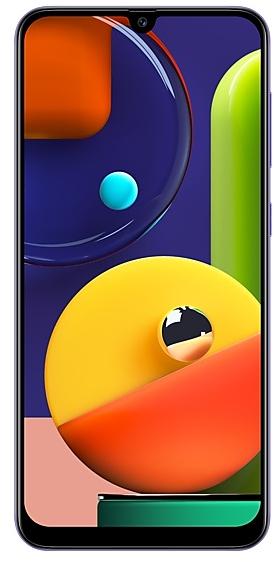
Samsung Galaxy A50s A507FNXXS2ASK5 Firmware
Samsung Galaxy A50s A507FNXXS2ASK5 is an Android 9 (Pie) firmware for 4 countries, 4 CSC codes. It is the same firmware configured per region and carrier (CSC). Find your country below, verify the file and download for free. Compared with the previous build A507FNXXS2ASK4 https://samfirm.shop/build/A507FNXXS2ASK4, Android and the bootloader binary are unchanged, so you can switch between the two in both directions. A newer build for SM-A507FN is available: A507FNXXS7DWD1 https://samfirm.shop/build/A507FNXXS7DWD1.
Bootloader binary 2. Flashing firmware with a lower binary is usually blocked by Samsung anti-rollback.
All regional downloads
Pick your region (CSC) to download the matching firmware package.
| Model | Region | CSC Version | Release date | Size | File name | Download |
|---|---|---|---|---|---|---|
| SM-A507FN |
BKD Bangladesh | A507FNODM2ASK5 | 2019-12-03 | — | — | Download |
| SM-A507FN |
INS India | A507FNODM2ASK5 | 2019-11-28 | — | — | Download |
| SM-A507FN |
NPB Nepal | A507FNODM2ASK5 | 2019-12-03 | — | — | Download |
| SM-A507FN |
SLK Sri Lanka | A507FNODM2ASK5 | 2019-12-03 | — | — | Download |
No matching downloads
How to flash A507FNXXS2ASK5
- A507FNXXS2ASK5 has bootloader binary 2. Your device must run binary 2 or lower: it is the 5th character from the end of your current build number.
- CSC: Use CSC for a clean install, to change the region (CSC code), to downgrade or to repair a device that does not boot.
- HOME_CSC: Use HOME_CSC to update the same model and region while keeping your data. Back up anyway: a failed update can still require a reset.
- The Download Mode key combo depends on the model: see all combos.
What's new in A507FNXXS2ASK5
· The security of your device has been improved.
Rollout of A507FNXXS2ASK5 by region
- First release
- November 28, 2019
- Last region
- December 3, 2019
- Duration
- 6 days
- Regions
- 4
- Day 1 · · 1 regionIndiaINS
- Day 6 · · 3 regionsBangladeshBKDNepalNPBSri LankaSLK
Frequently Asked Questions
Other builds and changelog for Samsung Galaxy A50s
· The security of your device has been improved.
• The security of your device has been improved.
• Overall stability of your device has been improved.
• Overall stability of your device has been improved.
• The security of your device has been improved.
• The security of your device has been improved.
Show 15 older builds
• Overall stability of your device has been improved.
• The security of your device has been improved.
- A507FNXXU6DVA2Jan 28, 2022
- A507FNXXU6DUJ2Nov 12, 2021
- A507FNXXU5DUG4Aug 17, 2021
• Added new feature. - Quick Share
• The security of your device has been improved.
• Overall stability of functions improved.
• The security of your device has been improved.
• The security of your device has been improved.
One UI 3 is designed to help you focus on what matters. Our visual redesign has improved the places you visit the most, like the Home screen and quick panel, to reduce distractions, highlight important information, and make your experience more consistent. Performance improvements will help apps run quicker while using less battery power. And One UI 3 puts control in your hands with new privacy controls, one-time permissions, and enhanced Digital Wellbeing.
Sc...
• The performance of Camera has been improved
• The security of your device has been improved.
- A507FNXXU5CUB3Feb 25, 2021
- A507FNXXU5CUB1Feb 22, 2021
Wi-Fi
- If quality information on nearby Wi-Fi routers can be measured, this information will appear as Very Fast, Fast, Normal, or Slow.
* This feature can be turned on or off in "Network Quality Information Display" settings.
- When attempting to access a Wi-Fi router with a password, a newly added feature now allows the user to request the password of the Wi-Fi router from someone nearby who is saved in their contact list and has already connected to that router.
* The "Request Passwo...
- A507FNXXU5CTK4Dec 2, 2020
- A507FNXXU5CTK3Nov 17, 2020
• The security of your device has been improved.
- A507FNXXS5BTI3Sep 24, 2020
- A507FNXXS5BTI2Sep 17, 2020
· The security of your device has been improved.
• The security of your device has been improved.