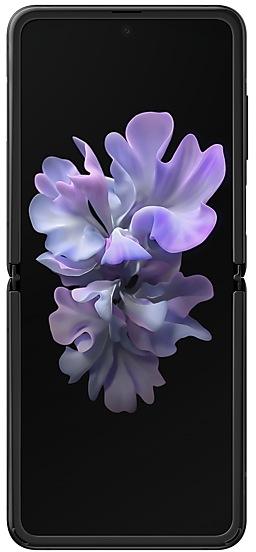
Samsung Galaxy Z Flip F7000ZCUAKWH9 Firmware
Samsung Galaxy Z Flip F7000ZCUAKWH9 is an Android 13 firmware for China (CHC). It is the same firmware configured per region and carrier (CSC). Find your country below, verify the file and download for free. Compared with the previous build F7000TBUAKWH9 https://samfirm.shop/build/F7000TBUAKWH9, Android and the bootloader binary are unchanged, so you can switch between the two in both directions. A newer build for SM-F7000 is available: F7000ZCUBKZE1 https://samfirm.shop/build/F7000ZCUBKZE1.
Bootloader binary A (10). Flashing firmware with a lower binary is usually blocked by Samsung anti-rollback.
All regional downloads
Pick your region (CSC) to download the matching firmware package.
| Model | Region | CSC Version | Release date | Size | File name | Download |
|---|---|---|---|---|---|---|
| SM-F7000 |
CHC China | F7000CHCAKWH9 | 2023-09-12 | 7.161 GiB | SM-F7000_5_20230831084741_undhgk3sng_fac.zip | Download |
No matching downloads
How to flash F7000ZCUAKWH9
- F7000ZCUAKWH9 has bootloader binary A (10). Your device must run binary A (10) or lower: it is the 5th character from the end of your current build number.
- CSC: Use CSC for a clean install, to change the region (CSC code), to downgrade or to repair a device that does not boot.
- HOME_CSC: Use HOME_CSC to update the same model and region while keeping your data. Back up anyway: a failed update can still require a reset.
- The Download Mode key combo depends on the model: see all combos.
What's new in F7000ZCUAKWH9
Better app previews on the Recents screen
The Recents screen now shows apps as they will appear after you open them. You can easily see if an app is opened in split screen, full screen, or as a pop-up.
Easily switch from pop-up view to split screen
Press and hold the handle at the top of the pop-up window, then drag the app to the side of the screen where you want it to be shown.
Restore pop-ups snapped to the edge of the screen
Drag an app in pop-up view to the edge of the screen to snap it to the edge and keep it out of the way. When you need it again, tap anywhere on the pop-up to bring it back to its previous location.
Use the Flex mode panel with more apps
More apps can now be used with the Flex mode panel. When the Flex mode panel is turned on, just fold your phone upright and tap the button that appears on the navigation bar.
Improved media controls
Buttons for skipping forward and backward 10 seconds are now available on the Flex mode panel. When you touch the time bar, the time you'll move to will be shown to help you find the right moment.
Customize the toolbar
Create your own personal layout to quickly access features like split screen view, screen capture, and more. Touch and hold an icon on the Flex mode panel toolbar to reorder the icons or move icons into or out of the toolbar.
Share with contacts
You can now send files to your contacts anytime, even if they're not near you.
Better workout summaries
New workout summaries help you focus on meaningful information from your exercise.
Stay on track to meet your goals
Rewards, badges, and personal best records have been enhanced to keep you motivated and help you meet your health goals.
More date and time styles for watermarks
Customize the date and time separately with more style options to get the perfect look for your watermark.
Enhanced remaster previews
Thumbnail images are now shown below the image you're remastering. Tap a thumbnail to compare the remastered image to the original with a larger view.
Apply effects more easily
Filter and tone effects in Gallery now use a dial instead of a slider making it easier to make precise adjustments with just one hand.
Copy and paste effects
You can now copy and paste filters and tones from one picture you’ve edited to another.
Drag and drop with two hands
Start dragging files, app icons, or other items with one hand, then use your other hand to navigate to the folder or location where you want to drop them. Supported in My Files and the Home screen.
Keep storage space available
When you’re running low on space in your internal storage, app cache information will be shown when you analyze storage in My Files. Clearing app caches can help you free up space without deleting files or apps.
Enhanced memory management in Smart manager
More information is provided about apps using memory on your phone, giving you the option to put apps to sleep if too much memory is being used.
Change your mode from the Lock screen
Change between Sleep mode, Driving mode, and other modes directly from the Lock screen.
Customize your layout in Samsung Internet
When you choose to show the address bar at the bottom of the screen, the tab bar and bookmark bar will also be shown at the bottom.
Device specifications
- Launched withAndroid 10.0
- Display diagonal17 cm (6.7")
- Display resolution2636 x 1080 pixels
- Display typeDynamic AMOLED
- RAM8 GB
- Rear camera resolution12 MP
- Rear camera typeDual camera
- Battery capacity3300 mAh
- Weight183 g
Specifications of SM-F700F, a regional variant of the same device. Chipset and SIM lines are left out: they can differ by region.
Frequently Asked Questions
Other builds and changelog for Samsung Galaxy Z Flip
• Stability and reliability
Device behavior has been improved.
These changes may vary depending on the model, country, or network operator of the customer environment.
• The latest Android security patch has been applied.
- Device security has been further enhanced.
• The latest Android security patch has been applied.
- Device security has been further enhanced.
Show 15 older builds
Better app previews on the Recents screen
The Recents screen now shows apps as they will appear after you open them. You can easily see if an app is opened in split screen, full screen, or as a pop-up.
Easily switch from pop-up view to split screen
Press and hold the handle at the top of the pop-up window, then drag the app to the side of the screen where you want it to be shown.
Restore pop-ups snapped to the edge of the screen
Drag an app in pop-up view t...
• The latest Android security patch has been applied.
- Device security has been further enhanced.
• The Camera and Gallery functions have been improved.
• Overall stability of your device has been improved.
• The latest Android security patch has been applied.
- Device security has been further enhanced.
One UI 5.1 takes your phone to the next level with new Gallery features as well as productivity and personalization enhancements.
More powerful search
You can now search your Gallery for more than one person or subject at the same time. You can even search for people without tagging their names just by tapping their faces.
Enhanced image remastering
Remastering does more to make your pictures look great by removing shadows and reflections. You can also remaster GI...
One UI 5 brings you more powerful personalization and makes it easier to get things done across your Galaxy devices.
New app icons and illustrations
Icon symbols are larger for a bolder look that's easier to scan. Subtle background gradients and improved contrast give a fresher, more natural feel. New help illustrations have been created to give a consistent look to all apps.
Smoother than ever before
New animations and transition effects make swi...
Touch pad navigation
Get PC-style touch control on the Flex mode panel when your phone is partially folded.
Extract text from any image or screen
Extract text using Samsung Keyboard, Internet, Gallery, or whenever you take a screenshot. Paste the result into a message, email, or document instead of typing.
Korean, English, French, Italian, German, Portuguese, Spanish, and Chinese text can be extracted.
Get suggestions ba...
• New carlink service : Baidu CarLife + Samsung version, can connect the mobile phone and car display, facilitate you to use the phone on the big screen, including navigation, listening music, calls, etc., for your travel convenience .
• Following applications or features added: 芒果TV三星版
• Overall stability of your device has been improved.
• The latest Android security patch has been applied.
- Device security has been further enhanced.
- F7000TBU6GVF1Jul 1, 2022
- F7000TBU6GVD2May 9, 2022
- F7000TBU6FVA5Feb 8, 2022