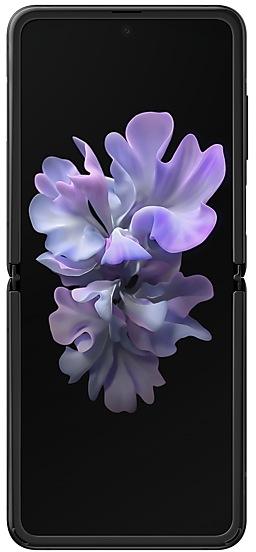
Download Samsung Firmware SM-F7000
Samsung Galaxy Z Flip
The latest firmware for Samsung Galaxy Z Flip (SM-F7000) is F7000TBUBKZE1 with Android 13, released on May 14, 2026 for 1 region (CSC). Every official firmware build for SM-F7000, newest first: one row per build with all regions (CSC) that received it.
- Builds
- 58 builds
- Regions (CSC)
- 1 region
Firmware builds for SM-F7000
- CHC
- CHC
- CHC
- CHC
- CHC
- CHC
- CHC
- CHC
- CHC
- CHC
- CHC
- CHC
- CHC
- CHC
- CHC
- CHC
- CHC
- CHC
- CHC
- CHC
- CHC
- CHC
- CHC
- CHC
- CHC
- CHC
- CHC
- CHC
- CHC
- CHC
- CHC
- CHC
- CHC
- CHC
- CHC
- CHC
- CHC
- CHC
- CHC
- CHC
- CHC
- CHC
- CHC
- CHC
- CHC
- CHC
- CHC
- CHC
- CHC
- CHC
Each firmware build has its own page at https://samfirm.shop/build/{PDA}, where {PDA} is the build number from the list above. Example: https://samfirm.shop/build/F7000TBUBKZE1
SM-F7000 update history
SM-F7000 started on Android 10 and has received 3 major Android upgrades; it now runs Android 13. The newest build, F7000TBUBKZE1, was released on May 14, 2026. Updates have become rare: SM-F7000 received 2 builds over the last 12 months, in 1 month.
Device specifications
- Launched with
- Android 10.0
- Display diagonal
- 17 cm (6.7")
- Display resolution
- 2636 x 1080 pixels
- Display type
- Dynamic AMOLED
- RAM
- 8 GB
- Rear camera resolution
- 12 MP
- Rear camera type
- Dual camera
- Battery capacity
- 3300 mAh
- Weight
- 183 g
Specifications of SM-F700F, a regional variant of the same device. Chipset and SIM lines are left out: they can differ by region.
Changelog for SM-F7000
• Stability and reliability
Device behavior has been improved.
These changes may vary depending on the model, country, or network operator of the customer environment.
• The latest Android security patch has been applied.
- Device security has been further enhanced.
- F7000ZCSBKXA1Jan 23, 2024
- F7000ZCUAKWJ1Nov 14, 2023
Better app previews on the Recents screen
The Recents screen now shows apps as they will appear after you open them. You can easily see if an app is opened in split screen, full screen, or as a pop-up.
Easily switch from pop-up view to split screen
Press and hold the handle at the top of the pop-up window, then drag the app to the side of the screen where you want it to be shown.
Restore pop-ups snapped to the edge of the screen
Drag an app in pop-up view t...
• The latest Android security patch has been applied.
- Device security has been further enhanced.
• The Camera and Gallery functions have been improved.
• Overall stability of your device has been improved.
• The latest Android security patch has been applied.
- Device security has been further enhanced.
Show 24 older builds
One UI 5.1 takes your phone to the next level with new Gallery features as well as productivity and personalization enhancements.
More powerful search
You can now search your Gallery for more than one person or subject at the same time. You can even search for people without tagging their names just by tapping their faces.
Enhanced image remastering
Remastering does more to make your pictures look great by removing shadows and reflections. You can also remaster GI...
One UI 5 brings you more powerful personalization and makes it easier to get things done across your Galaxy devices.
New app icons and illustrations
Icon symbols are larger for a bolder look that's easier to scan. Subtle background gradients and improved contrast give a fresher, more natural feel. New help illustrations have been created to give a consistent look to all apps.
Smoother than ever before
New animations and transition effects make swi...
Touch pad navigation
Get PC-style touch control on the Flex mode panel when your phone is partially folded.
Extract text from any image or screen
Extract text using Samsung Keyboard, Internet, Gallery, or whenever you take a screenshot. Paste the result into a message, email, or document instead of typing.
Korean, English, French, Italian, German, Portuguese, Spanish, and Chinese text can be extracted.
Get suggestions ba...
• New carlink service : Baidu CarLife + Samsung version, can connect the mobile phone and car display, facilitate you to use the phone on the big screen, including navigation, listening music, calls, etc., for your travel convenience .
• Following applications or features added: 芒果TV三星版
• Overall stability of your device has been improved.
• The latest Android security patch has been applied.
- Device security has been further enhanced.
One UI 4.1 Update
One UI 4.1 brings you the latest features for your Galaxy devices. More intuitive, more fun, more secure, and easier than ever.
Check out the changes below.
Gallery
Do more with your memories. Gallery brings enhanced features for remastering and organizing your pictures and videos, and sharing is now easier than ever.
Powerful remastering
Make your photos look better than ever. Sharpen blurry faces, fix distortion on TVs or computer screens, and increase brightness and resolu...
- The latest Android security patch has been applied.
ㆍDevice security has been further enhanced.
One UI 4 brings you a wide array of new features and enhancements for your Galaxy devices. More intuitive, more fun, more secure, and easier than ever.
Check out the changes below.
Customize your phone with unique colors based on your wallpaper. Your colors will be applied to menus, buttons, backgrounds, and apps throughout your phone.
One UI 4 offers strong privacy protection to make sure your personal information doesn’t fall into the...
- The latest Android security patch has been applied.
ㆍDevice security has been further enhanced.
• Overall stability of your device has been improved.
• The latest Android security patch has been applied.
- Device security has been further enhanced.
※ After the updating, it is needed to agree to the terms and conditions due to the enforcement of the Personal Information Protection act.
• Overall stability of your device has been improved.
• The latest Android security patch has been applied.
- Device security has been further enhanced.
One UI 3.1.1 for Galaxy Z Flip makes multi-tasking easier than ever with improved multi-window features. The new Flex mode panel gives you more control over media playback and video calls – with a viewing area on top and controls on the bottom. You can also discover new ways to take selfies and socialize. Explore these exciting new additions that make your Galaxy Z Flip easier and more fun to use.
Scroll down for a full list of changes.
Multi window
• Touch and hold text,...
- The latest Android security patch has been applied.
ㆍDevice security has been further enhanced.
The exact changes may differ depending on your device model, country/Region, and service provider.
• Other bug fixes
- Overall stability of functions improved.
• The latest Android security patch has been applied.
- Device security has been further enhanced.
- The latest Android security patch has been applied.
ㆍDevice security has been further enhanced.
The exact changes may differ depending on your device model, country/Region, and service provider.
• The performance of Camera has been improved
• Enhanced Quick Share
- Improve file sharing between Galaxy devices using Quick Share.
• The latest Android security patch has been applied.
- Device security has been further enhanced.
· Improved performance. - Camera
· The security of your device has been improved.
- The latest Android security patch has been applied.
ㆍDevice security has been further enhanced.
The exact changes may differ depending on your device model, country/Region, and service provider.
• Calendar
- Extract the date and address from the event title and recommend automatic registration.
- Receive notifications from SamsungConnect devices that also have specified schedule notifications.
• Camera
- The performance of Camera has been improved
• Display
- Eye comfort shield function has been added.
- The color temperature of the screen automatically adjusts for the time of day.
•...
One UI 3 Upgrade (Android 11)
One UI 3 is designed to help you focus on what matters. Our visual redesign has improved the places you visit the most, like the Home screen and quick panel, to reduce distractions, highlight important information, and make your experience more consistent. Performance improvements will help apps run quicker while using less battery power. And One UI 3 puts control in your hands with new privacy controls, one-time permissions, and enhanced Digital Wellbeing.
Scrol...
- The latest Android security patch has been applied.
ㆍDevice security has been further enhanced.
- F7000ZCS3BTL1Dec 17, 2020
- F7000ZCS3BTK1Nov 19, 2020
• Added new application : SearchWidget
• Other bug fixes
- The stability of WLAN has been improved.
- The stability of Camera has been improved.
• The latest Android security patch has been applied.
- Device security has been further enhanced.
- The latest Android security patch has been applied.
ㆍDevice security has been further enhanced.
• WLAN
- If quality information on nearby WLAN routers can be measured, this information will appear as Very Fast, Fast, Normal, or Slow.
* This feature can be turned on or off in "Network Quality Information Display" settings.
- When attempting to access a WLAN router with a password, a newly added feature now allows the user to request the password of the WLAN router from someone nearby who is saved in their contact list and has already connected to that router.
* The "Request Password...
Similar Models
- https://samfirm.shop/model/SM-F700W
Samsung Galaxy Z Flip
SM-F700W
- https://samfirm.shop/model/SM-F707W
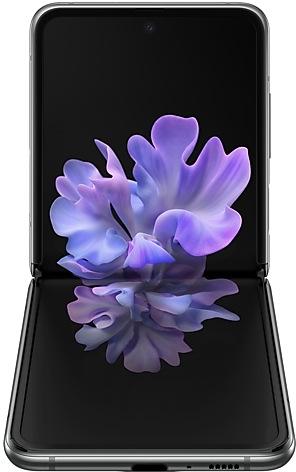
Samsung Galaxy Z Flip 5G
SM-F707W
- https://samfirm.shop/model/SM-F711U
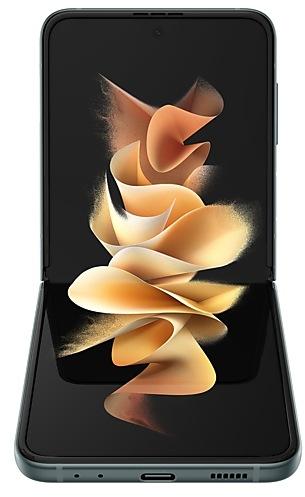
Samsung Galaxy Z Flip3 5G
SM-F711U
- https://samfirm.shop/model/SM-F900U

Samsung Galaxy Fold
SM-F900U
- https://samfirm.shop/model/SM-F721C

Samsung Galaxy Z Flip4
SM-F721C


Frequently Asked Questions
What is the latest Android version for SM-F7000?
The newest firmware for SM-F7000 runs Android 13: build F7000TBUBKZE1, released on May 14, 2026.
When did SM-F7000 get its last update?
The latest build for SM-F7000, F7000TBUBKZE1, was released on May 14, 2026 (5 months ago).
How often does SM-F7000 get updates?
Over the last 12 months SM-F7000 received 2 builds, with at least one new build in 1 month.
Is the firmware for SM-F7000 official?
Yes, all firmware files for SM-F7000 are 100% official, original, and obtained directly from Samsung servers.
How to flash Samsung SM-F7000 using Odin?
To flash SM-F7000, you need to download the appropriate firmware, put your device into Download Mode, and use the Odin tool to load the BL, AP, CP, and CSC files.
Can I downgrade the Android version on SM-F7000?
Downgrading is only possible if the bootloader version (binary bit) of the old firmware matches the current one. Always check the binary version before flashing SM-F7000.