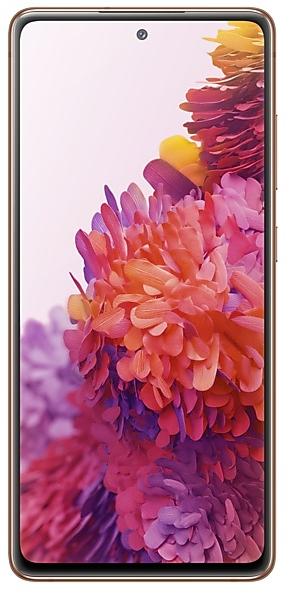
Samsung Galaxy S20 FE 5G G781VSQS2DUC1 Firmware
Samsung Galaxy S20 FE 5G G781VSQS2DUC1 is an Android 11 firmware for CHA. It is the same firmware configured per region and carrier (CSC). Find your country below, verify the file and download for free. Compared with the previous build G781VSQU1ATII https://samfirm.shop/build/G781VSQU1ATII: Android updated from Android 10 to Android 11; bootloader binary raised from 1 to 2, so after installing it there is no way back to older builds. A newer build for SM-G781V is available: G781VSQSLHYI1 https://samfirm.shop/build/G781VSQSLHYI1.
Bootloader binary 2. Flashing firmware with a lower binary is usually blocked by Samsung anti-rollback.
All regional downloads
Pick your region (CSC) to download the matching firmware package.
| Model | Region | CSC Version | Release date | Size | File name | Download |
|---|---|---|---|---|---|---|
| SM-G781V |
CHA | G781VOYN2DUC1 | 2021-03-17 | 5.723 GiB | SM-G781V_1_20210305101735_i1lbofzu0h_fac.zip | Download |
No matching downloads
How to flash G781VSQS2DUC1
- G781VSQS2DUC1 has bootloader binary 2. Your device must run binary 2 or lower: it is the 5th character from the end of your current build number.
- CSC: Use CSC for a clean install, to change the region (CSC code), to downgrade or to repair a device that does not boot.
- HOME_CSC: Use HOME_CSC to update the same model and region while keeping your data. Back up anyway: a failed update can still require a reset.
- The Download Mode key combo depends on the model: see all combos.
What's new in G781VSQS2DUC1
· The security of your device has been improved.
Device specifications
- Launched withAndroid 10.0
- Display diagonal16.5 cm (6.5")
- Display resolution2400 x 1080 pixels
- Display typeSAMOLED
- RAM6 GB
- RAM typeLPDDR5
- Rear camera resolution12 MP
- Rear camera typeTriple camera
- Battery capacity4500 mAh
- Weight190 g
Specifications of SM-G781B, a regional variant of the same device. Chipset and SIM lines are left out: they can differ by region.
Frequently Asked Questions
Other builds and changelog for Samsung Galaxy S20 FE 5G
• Security
The device is protected with improved security.
These changes may vary depending on the model, country, or network operator of the customer environment.
- G781VSQSLHYI1Oct 30, 2025
- G781VSQSKHYH1Aug 19, 2025
• The security of your device has been improved.
- G781VSQSJHYC7Apr 30, 2025
- G781VSQSIHXL2Jan 16, 2025
- G781VSQSHHXJ3Oct 22, 2024
- G781VSQSGHXH3Sep 12, 2024
• Security
The device is protected with improved security.
- G781VSQSGHXG1Aug 14, 2024
- G781VSQSFHXF1Jul 11, 2024
· Device stability improvements, bug fixes.
· New and / or enhanced features.
· Further improvements to performance.
• Security
The device is protected with improved security.
Show 10 older builds
· Device stability improvements, bug fixes.
· New and / or enhanced features.
· Further improvements to performance.
- G781VSQSDHXD2Apr 18, 2024
- G781VSQSCHXC1Mar 18, 2024
• The security of your device has been improved.
- G781VSQSCHXA1Feb 14, 2024
- G781VSQSCHWL1Jan 18, 2024
- G781VSQSCHWK1Dec 19, 2023
- G781VSQSBHWJ1Nov 22, 2023
- G781VSQSBHWI1Oct 16, 2023
- G781VSQSBHWHASep 21, 2023
Better app previews on the Recents screen
The Recents screen now shows apps as they will appear after you open them. You can easily see if an app is opened in split screen, full screen, or as a pop-up.
Easily switch from pop-up view to split screen
Press and hold the handle at the top of the pop-up window, then drag the app to the side of the screen where you want it to be shown.
Restore pop-ups snapped to the edge of the screen
Drag an app in pop-up view t...
• The security of your device has been improved.