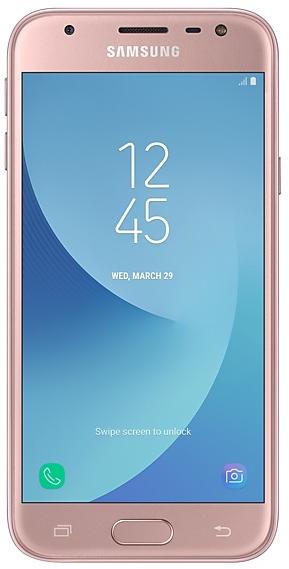
Samsung Galaxy J3 Pro J330GDXU3CSG7 Firmware
Samsung Galaxy J3 Pro J330GDXU3CSG7 is an Android 9 (Pie) firmware for 13 countries, 20 CSC codes. It is the same firmware configured per region and carrier (CSC). Find your country below, verify the file and download for free. Compared with the previous build J330GDXS3BSF6 https://samfirm.shop/build/J330GDXS3BSF6: Android updated from Android 8.0.0 (Oreo) to Android 9 (Pie). A newer build for SM-J330G is available: J330GDXU3CZC1 https://samfirm.shop/build/J330GDXU3CZC1.
Bootloader binary 3. Flashing firmware with a lower binary is usually blocked by Samsung anti-rollback.
All regional downloads
Pick your region (CSC) to download the matching firmware package.
No matching downloads
Device specifications
- Display diagonal12.7 cm (5")
- Display resolution720 x 1280 pixels
- Display typeTFT-LCD
- RAM2 GB
- Rear camera resolution13 MP
- Rear camera typeSingle camera
- Battery capacity2400 mAh
- Weight142 g
Specifications of SM-J330, a regional variant of the same device. Chipset and SIM lines are left out: they can differ by region.
What's new in J330GDXU3CSG7
One UI brings you Android Pie 9.0, with exciting new features and a whole new look and feel based on feedback from users in Samsung and Google.
We recommend that you back up your important data to keep it safe before the upgrade.
Some apps, including Calculator, Samsung Internet, Samsung Health, Samsung Notes, and Samsung Members, need to be updated individually after you update your OS.
To use the Remote unlock function in Find My Mobile on an Android Pie 9.0 device, the screen lock password (or PIN/pattern) backup process is required. So please make sure that you remember the screen lock password (or PIN/pattern) before starting the update process. If you've forgotten the password (or PIN/pattern), reset it before starting the update process.
Here’s what’s new.
One UI
- Content, settings, and other information have been reorganized to keep you focused on the task at hand.
- Interactive elements have been moved to the bottom of the screen so they're always within reach.
- New designs and features such as Night mode help keep your eyes comfortable.
Notifications
- You can reply to messages directly in the notification panel.
- Image thumbnails are included in message notifications.
- In an app's notification settings, tap the switch once to turn on or off all the notifications in a category.
Samsung Keyboard
- New Unicode 11.0 emojis are available.
- New adaptive theme changes your keyboard look based on the colors of the surrounding app.
- Floating keyboard is available in all apps and has new size and transparency settings.
- You can set a custom touch and hold delay.
Device care (formerly Device maintenance)
- Performance modes are streamlined and integrated into power saving modes.
Settings
- Menus have been reorganized to make settings easier to find.
Phone
- You can now sort your call history by incoming and outgoing calls.
- Your call history can include up to 2000 entries (increased from 500 entries).
Contacts
- The new drawer menu makes it easier to manage contacts from various accounts.
Gallery
- Photo Editor Pro's editing tools have been added to Gallery, so you can make all your edits and touchups without leaving the app.
My Files
- The new storage analysis tool has been added to help you monitor your storage usage and save space.
- You can now show or hide items on the My Files Home screen.
Samsung Health
- Your daily step count will be shown in the notification panel. To hide it, press and hold the notification, then turn off Current steps.
Other improvements and changes
- Access Kids Home on the quick panel.
- Call stickers has been discontinued.
- HEIF images are now supported.
- The following applications have been deleted : Flipboard Briefing
How to flash J330GDXU3CSG7
- Install Samsung USB Drivers:Download Official Drivers
- Download Odin Flash Tool:
- J330GDXU3CSG7 has bootloader binary 3. Your device must run binary 3 or lower: it is the 5th character from the end of your current build number.
- CSC: Use CSC for a clean install, to change the region (CSC code), to downgrade or to repair a device that does not boot.
- HOME_CSC: Use HOME_CSC to update the same model and region while keeping your data. Back up anyway: a failed update can still require a reset.
- The Download Mode key combo depends on the model: see all combos.
Frequently Asked Questions
Other builds and changelog for Samsung Galaxy J3 Pro
• The security of your device has been improved.
The exact changes may differ depending on your device model, country/Region, and service provider.
• The latest Android security patch has been applied.
- Device security has been further enhanced.
· The security of your device has been improved.
- The latest Android security patch has been applied.
ㆍDevice security has been further enhanced.
Show 15 older builds
One UI brings you Android Pie 9.0, with exciting new features and a whole new look and feel based on feedback from users in Samsung and Google.
We recommend that you back up your important data to keep it safe before the upgrade.
Some apps, including Calculator, Samsung Internet, Samsung Health, Samsung Notes, and Samsung Members, need to be updated individually after you update your OS.
To use the Remote unlock function in Find My Mobile on an Android Pie 9....
- The latest Android security patch has been applied.
ㆍDevice security has been further enhanced.
· The security of your device has been improved.
· The security of your device has been improved.
- Other bug fixes
ㆍThe stability of device is improved.
ㆍBluetooth connectivity and stability has been improved.
- The latest Android security patch has been applied.
ㆍDevice security has been further enhanced.
- The latest Android security patch has been applied.
ㆍDevice security has been further enhanced.
Samsung Experience 9.0 brings you Android Oreo, with exciting new features from Samsung and Google based on feedback from users like you.
We recommend that you back up your important data to keep it safe during the upgrade.
Some apps, including Samsung Internet, Samsung Notes, and Email, should be updated individually before you can update your OS.
Here’s what’s new.
Quick Panel
- Manage notifications for each app with notification categories...
- The latest Android security patch has been applied.
ㆍDevice security has been further enhanced.
- The latest Android security patch has been applied.
ㆍDevice security has been further enhanced.