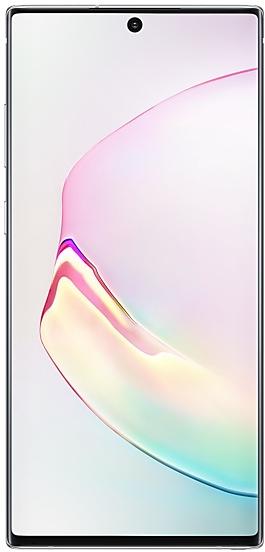
Samsung Galaxy Note10+ 5G N9760ZCU1BTA1 Firmware
Samsung Galaxy Note10+ 5G N9760ZCU1BTA1 is an Android 10 firmware for China (CHC). It is the same firmware configured per region and carrier (CSC). Find your country below, verify the file and download for free. Compared with the previous build N9760ZCU1ASL1 https://samfirm.shop/build/N9760ZCU1ASL1: Android updated from Android 9 (Pie) to Android 10; security patch 2020-01-01 instead of 2019-12-01. A newer build for SM-N9760 is available: N9760ZCU6HZE1 https://samfirm.shop/build/N9760ZCU6HZE1.
Bootloader binary 1. Flashing firmware with a lower binary is usually blocked by Samsung anti-rollback.
All regional downloads
Pick your region (CSC) to download the matching firmware package.
| Model | Region | CSC Version | MODEM/CP Version | Build Date | Release date | Size | File name | Download |
|---|---|---|---|---|---|---|---|---|
| SM-N9760 |
CHC China | N9760CHC1BTA1 | N9760ZCU1BSLK | 2020-01-08 | 2020-02-19 | 5.879 GiB | SM-N9760_2_20201224130534_a6vo6zg9cu_fac.zip | Download |
| SM-N9760 |
CHC China | N97601BTA1 | N9760ZCU1BTA1 | 2020-01-07 | 2020-02-19 | — | — | Download |
No matching downloads
How to flash N9760ZCU1BTA1
- N9760ZCU1BTA1 has bootloader binary 1. Your device must run binary 1 or lower: it is the 5th character from the end of your current build number.
- CSC: Use CSC for a clean install, to change the region (CSC code), to downgrade or to repair a device that does not boot.
- HOME_CSC: Use HOME_CSC to update the same model and region while keeping your data. Back up anyway: a failed update can still require a reset.
- The Download Mode key combo depends on the model: see all combos.
What's new in N9760ZCU1BTA1
One UI 2 brings you Android 10, with exciting new features from Samsung based on feedback from users like you.
We recommend that you back up your important data to keep it safe during the upgrade.
Some apps, including Samsung Music, Calculator, Samsung Internet, Samsung Health and Samsung Notes, need to be updated individually after you update your OS.
Here's what's new.
Dark mode
- Enhanced image, text, and color adjustments for day and night environments.
- Darkened wallpapers, widgets, and alarms while Dark mode is on.
Icons and colors
- Clearer app icons and system colors.
- Improved layouts for titles and buttons to eliminate wasted screen space.
Smoother animations
- Enhanced animations with a playful touch.
Refined interactions
- Navigate more comfortably on large screens with minimal finger movement.
- Easily focus on what matters with clearly highlighted buttons.
One-handed mode
- New ways to access One-handed mode: double tap the Home button or swipe down in the center of the bottom of the screen.
- Settings moved to Settings > Advanced features > One-handed mode.
Better text over wallpapers
- See text more clearly against wallpaper, as One UI automatically adjusts font colors based on light and dark areas and color contrast in the image below.
Biometrics
- Added options for showing the fingerprint icon when the screen is off. You can choose to show it whenever you tap or keep it visible when the Always On Display is shown.
Smart Manager
- The battery usage graph now provides more detailed information.
- Added battery limit setting and other enhancements for Wireless PowerShare.
Digital wellbeing
- Set goals to keep your phone usage in check.
- Use Focus mode to help avoid distractions from your phone.
Camera
- Added the ability to edit the modes that appear at the bottom of the screen.
- Provided a More tab so you can quickly access hidden modes from the preview screen.
- Improved the layout so you can focus on taking pictures without the settings getting in the way.
Internet
- Customize the quick menu to get instant access to the features you use the most.
- Get more information from the app bar.
- Install add-ons from the Galaxy Store to get even more features.
Samsung Contacts
- Added Trash feature for Contacts. Contacts that you delete will stay in the trash for 15 days before being deleted forever.
Calendar
- Stickers can be added to a date without creating an event.
- Ringtones can be used for event alerts.
Reminder
- More options are available for repeating reminders.
- Set location-based reminders for a specific period of time.
- Share reminders with your family group and other sharing groups.
- Set reminders for a specific date without an alert.
My Files
- Created a Trash feature so you can restore files if you delete something by mistake.
- Added more filters you can use while searching to help you find things quickly.
- You can now copy or move multiple files and folders to different destinations at the same time.
Calculator
- Added speed and time units to the unit converter.
Tips
- Added tips to help you get the most from your Galaxy.
Other improvements and changes
- Added QQ Music application.
- CMCC message feature is implemented.
- Push notification is implemented.
The following functions have been deleted : Bixby Voice unlock, Wechat Mini Programs Edge
Device specifications
- Launched withAndroid 9.0
- Display diagonal17.3 cm (6.8")
- Display resolution3040 x 1440 pixels
- Display typeDynamic AMOLED
- RAM12 GB
- Rear camera resolution16 MP
- Rear camera typeQuad camera
- Battery capacity4300 mAh
- Weight198 g
Specifications of SM-N976B, a regional variant of the same device. Chipset and SIM lines are left out: they can differ by region.
Frequently Asked Questions
Other builds and changelog for Samsung Galaxy Note10+ 5G
• Stability and reliability
Device behavior has been improved.
These changes may vary depending on the model, country, or network operator of the customer environment.
• The latest Android security patch has been applied.
- Device security has been further enhanced.
• Network
- New network operator(CBN) is supported.
• The latest Android security patch has been applied.
- Device security has been further enhanced.
• Overall stability of your device has been improved.
• The latest Android security patch has been applied.
- Device security has been further enhanced.
Show 15 older builds
- The latest Android security patch has been applied.
ㆍDevice security has been further enhanced.
• Following applications or features added:
- Message
Provide the feature to convert normal text messages to Rich Media Card and app messages.
- Wechat
Provide intelligent classification, search, and favorite image when choosing pictures to send to friends/channel in WeChat app
- JD IoT (京东小家)
IoT App to connected to home appliances, etc.
• Overall stability of your device has been improved.
• The latest Android security patch has been applied.
- Device security has been further enhanced.
• Following applications or features added: Call & text on other devices
- If the tablet and phone uses the same WLAN network, you can send or receive a call or a text message on the tablet. Don't miss important calls and messages while enjoying your tablet.
※ In order to use “Call & text on other devices” feature, both the tablet and phone must support this feature.
• Overall stability of your device has been improved.
• The latest Android security patch has been applied.
- Device security has...
• New carlink service : Baidu CarLife + Samsung version, can connect the mobile phone and car display, facilitate you to use the phone on the big screen, including navigation, listening music, calls, etc., for your travel convenience .
• Following applications or features added: 芒果TV三星版
• Overall stability of your device has been improved.
• The latest Android security patch has been applied.
- Device security has been further enhanced.
- The latest Android security patch has been applied.
ㆍDevice security has been further enhanced.
One UI 4.1 Update
One UI 4.1 brings you the latest features for your Galaxy devices. More intuitive, more fun, more secure, and easier than ever.
Check out the changes below.
Gallery
Add portrait effects
You can now add background blur to any picture with a person in view.
Convert unnecessary motion photos to still images
Save storage space by converting motion photos to still images. Gallery will suggest pictures where motion isn't necessary, such as documents.
Share albums as links
No need t...
One UI 4 brings you a wide array of new features and enhancements for your Galaxy devices. More intuitive, more fun, more secure, and easier than ever.
Check out the changes below.
Customize your phone with unique colors based on your wallpaper. Your colors will be applied to menus, buttons, backgrounds, and apps throughout your phone.
One UI 4 offers strong privacy protection to make sure your personal information doesn’t fall into the...
- The latest Android security patch has been applied.
ㆍDevice security has been further enhanced.
- N9760ZCS5FULHJan 19, 2022
- N9760ZCS5FUKKDec 9, 2021
• Overall stability of your device has been improved.
• The latest Android security patch has been applied.
- Device security has been further enhanced.
※ After the updating, it is needed to agree to the terms and conditions due to the enforcement of the Personal Information Protection act.
• Overall stability of your device has been improved.
• The latest Android security patch has been applied.
- Device security has been further enhanced.
- The latest Android security patch has been applied.
ㆍDevice security has been further enhanced.
• The 5G icon on notification panel has been removed.
• Overall stability of your device has been improved.
• The security of your device has been improved.
• Other bug fixes
- Improved stability - Messages,Weather
• The latest Android security patch has been applied.
- Device security has been further enhanced.
- The latest Android security patch has been applied.
ㆍDevice security has been further enhanced.
New firmware for other devices
- Galaxy Z Fold8SM-F9710 https://samfirm.shop/model/SM-F9710CHC
- Galaxy S24 UltraSM-S928U https://samfirm.shop/model/SM-S928UTMB
- Galaxy Tab A9SM-X115 https://samfirm.shop/model/SM-X115
- Galaxy A07 5GSM-A076E https://samfirm.shop/model/SM-A076E
- Galaxy S25 UltraSM-S938N https://samfirm.shop/model/SM-S938N
- Galaxy A16 5GSM-A166U1 https://samfirm.shop/model/SM-A166U1
- Galaxy M15 5GSM-M156B https://samfirm.shop/model/SM-M156B
- Galaxy A54 5GSM-A546E https://samfirm.shop/model/SM-A546E