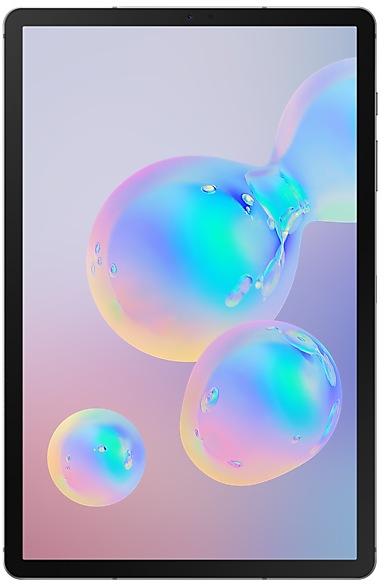
Samsung Galaxy Tab S6 T860XXS1ASK2 Firmware
Samsung Galaxy Tab S6 T860XXS1ASK2 is an Android 9 (Pie) firmware for Hong Kong SAR China (TGY), South Korea (KOO), Taiwan (BRI). It is the same firmware configured per region and carrier (CSC). Find your country below, verify the file and download for free. Compared with the previous build T860XXS1ASK1 https://samfirm.shop/build/T860XXS1ASK1, Android and the bootloader binary are unchanged, so you can switch between the two in both directions. A newer build for SM-T860 is available: T860XXU5DXJ1 https://samfirm.shop/build/T860XXU5DXJ1.
Bootloader binary 1. Flashing firmware with a lower binary is usually blocked by Samsung anti-rollback.
All regional downloads
Pick your region (CSC) to download the matching firmware package.
| Model | Region | CSC Version | Build Date | Release date | Size | File name | Download |
|---|---|---|---|---|---|---|---|
| SM-T860 |
BRI Taiwan
TGY Hong Kong SAR China | T860OXM1ASK2 | 2019-11-06 | 2019-11-21 | 5.407 GiB | SM-T860_1_20191209181241_jii2ehz9s5_fac.zip | Download |
| SM-T860 |
KOO South Korea | T860OXM1ASK2 | 2019-11-04 | 2019-11-08 | 5.846 GiB | SM-T860_1_20201228192134_9stakz55zx_fac.zip MD5:3929c0859282a662a51a5eb56dc30f54 SHA1:705abd6ca71f7d4a6dca6b8ae0677ba636310933 | Download |
No matching downloads
How to flash T860XXS1ASK2
- T860XXS1ASK2 has bootloader binary 1. Your device must run binary 1 or lower: it is the 5th character from the end of your current build number.
- CSC: Use CSC for a clean install, to change the region (CSC code), to downgrade or to repair a device that does not boot.
- HOME_CSC: Use HOME_CSC to update the same model and region while keeping your data. Back up anyway: a failed update can still require a reset.
- The Download Mode key combo depends on the model: see all combos.
What's new in T860XXS1ASK2
- Other bug fixes
ㆍImproved fingerprint recognition algorithm
※ For better recognition, we recommend that you remove your fingerprints and register them again.
- The latest Android security patch has been applied.
ㆍDevice security has been further enhanced.
Rollout of T860XXS1ASK2 by region
- First release
- November 8, 2019
- Last region
- November 21, 2019
- Duration
- 14 days
- Regions
- 3
- Day 1 · · 1 regionSouth KoreaKOO
- Day 14 · · 2 regionsHong Kong SAR ChinaTGYTaiwanBRI
Device specifications
- Launched withAndroid 9.0
- Display diagonal26.7 cm (10.5")
- Display resolution2560 x 1600 pixels
- Display technologySuper AMOLED
- Processor frequency2.8 GHz
- Processor familyQualcomm Snapdragon
- Processor model8150
- Rear camera resolution13 MP
- Front camera resolution8 MP
- Wi-Fi standardWi-Fi 5 (802.11ac)
- Weight420 g
Frequently Asked Questions
Other builds and changelog for Samsung Galaxy Tab S6
- T860XXU5DXJ1Oct 3, 2024
- T860ZCU5DXJ1Oct 4, 2024
• The latest Android security patch has been applied.
- Device security has been further enhanced.
• Security
The device is protected with improved security.
• Stability and reliability
Device behavior has been improved.
• Security
The device is protected with improved security.
• Overall stability of your device has been improved.
• The latest Android security patch has been applied.
- Device security has been further enhanced.
- T860ZCU4DWC4Apr 13, 2023
- T860ZCU4DWA2Jan 18, 2023
Show 13 older builds
• Overall stability of your device has been improved.
• The security of your device has been improved.
- T860XXU4DVJ4Oct 25, 2022
- T860XXU4DVJ3Oct 20, 2022
Switch between apps quickly
A taskbar now appears at the bottom of the screen for quicker navigation between apps.
Quickly open apps in split screen or a pop-up window
Drag apps from the taskbar or Recents screen to open them however is most convenient for you. Drag to the top, bottom, left, or right edge of the screen to open in split screen. Drag to the center of the screen to open in a pop-up.
Open app pairs quickly
Pair apps that you often use together,...
Switch between apps quickly
A taskbar now appears at the bottom of the screen for quicker navigation between apps.
Quickly open apps in split screen or a pop-up window
Drag apps from the taskbar or Recents screen to open them however is most convenient for you. Drag to the top, bottom, left, or right edge of the screen to open in split screen. Drag to the center of the screen to open in a pop-up.
Open app pairs quickly
Pair apps that you often use together,...
• Overall stability of your device has been improved.
• The security of your device has been improved.
• Overall stability of your device has been improved.
One UI 4.1 brings you a wide array of new features and enhancements for your Galaxy devices. More intuitive, more fun, more secure, and easier than ever.
Check out the changes below.
Customize your tablet with unique colors based on your wallpaper. Your colors will be applied to menus, buttons, backgrounds, and apps throughout your tablet.
One UI 4.1 offers strong privacy protection to make sure your personal information doesn’t fall...
- T860ZCU4DVE1May 20, 2022
- T860XXU4DVD6Apr 25, 2022
- T860XXU4DVD1Apr 15, 2022
- T860XXU4DVC3Mar 24, 2022
• The security of your device has been improved.
- The latest Android security patch has been applied.
ㆍDevice security has been further enhanced.