Download Samsung Firmware SCG14
Samsung Galaxy S22 Ultra
The latest firmware for Samsung Galaxy S22 Ultra (SCG14) is SCG14KDS1EZH1 with Android 16, released on September 27, 2026 for 1 region (CSC). Every official firmware build for SCG14, newest first: one row per build with all regions (CSC) that received it.
- Builds
- 20 builds
- Regions (CSC)
- 1 region
Firmware builds for SCG14
- KDI
- KDI
- KDI
- KDI
- KDI
- KDI
- KDI
- KDI
- KDI
- KDI
- KDI
- KDI
- KDI
- KDI
- KDI
- KDI
- KDI
- KDI
- KDI
- KDI
Each firmware build has its own page at https://samfirm.shop/build/{PDA}, where {PDA} is the build number from the list above. Example: https://samfirm.shop/build/SCG14KDS1EZH1
SCG14 update history
SCG14 started on Android 12 and has received 4 major Android upgrades; it now runs Android 16. The newest build, SCG14KDS1EZH1, was released on September 27, 2026 with the August 2026 security patch. That patch (SMR Aug-2026) fixes 54 vulnerabilities, 8 of them critical. Over the last 12 months SCG14 received 4 builds, spread over 4 different months.
Changelog for SCG14
· Device stability improvements, bug fixes.
· New and / or enhanced features.
· Further improvements to performance.
- SCG14KDS1EZH1Sep 27, 2026
- SCG14KDS1EZE3Jun 8, 2026
- SCG14KDS1EZB4Mar 9, 2026
Check stock prices without unlocking
Stocks you follow on Google Finance with big price changes will appear on your Now bar at the end of the trading day.
Easier file sharing with Quick Share
It's never been easier to send and receive files. Tap the Quick Share button in quick settings to get started. You can receive files while the Quick Share screen is open and send files to others directly from Quick Share.
Sticky notes
Add quick annotations on top o...
Visual enhancements
Enjoy a more sophisticated and unique look. One UI 7 introduces a stunning redesign to key components including buttons, menus, notifications and control bars, providing a more consistent visual experience with curves and circles. Beautiful new colors, soft animations, and an innovative blur effect that's unique to One UI make information hierarchy clearer and help you focus on important information.
Reimagined Home screen
Fr...
· Device stability improvements, bug fixes.
· New and / or enhanced features.
· Further improvements to performance.
- SCG14KDU1CYC4Apr 1, 2025
- SCG14KDU1CXK4Dec 8, 2024
- SCG14KDS1CXJ2Nov 5, 2024
- SCG14KDU1CXH8Sep 25, 2024
Instantly search for anything on your screen
Circle to Search with Google lets you easily learn more about anything shown on your screen without switching apps. Just touch and hold the Home button or navigation handle, then circle anything on the screen to start a Google search.
Translate phone calls in real time
Need to call someone who doesn't speak your language? No problem! Live translate provides real-time translation during calls. The other person on the c...
Show 14 older builds
· Device stability improvements, bug fixes.
· New and / or enhanced features.
· Further improvements to performance.
- SCG14KDS1CXD1 Apr 16, 2024
- SCG14KDS1CXB5 Mar 25, 2024
- SCG14KDS1CXA1 Feb 5, 2024
■OS update notice■
Android™ 14 OS update is now available.
The implementation of the OS update will add new functions, improve usability, and change the names of functions and items.
Please check the details and notes about the update on the website of au in advances, and then implement the update.
Please back up data before implementing the OS update.
After implementing the OS update, you cannot revert to the old one.
As the update file size is large, please use Wi-Fi®.
During the OS update...
· Device stability improvements, bug fixes.
· New and / or enhanced features.
· Further improvements to performance.
- SCG14KDS1BWK1Nov 22, 2023
- SCG14KDU1BWI1Sep 19, 2023
- SCG14KDU1BWF3Jul 5, 2023
- SCG14KDU1BWD1Apr 19, 2023
- SCG14KDU1BWC2Apr 11, 2023
- SCG14KDS1BWA2Jan 25, 2023
■OS update notice■
Android™ 13 OS update is now available.
The implementation of the OS update will add new functions, improve usability, and change the names of functions and items.
Please check the details and notes about the update on the website of au in advances, and then implement the update.
(https://www.au.com/information/notice_mobile/update/update-202212-scg14/)
Please back up data before implementing the OS update.
After implementing the OS update, you cannot revert to the old one....
· Device stability improvements, bug fixes.
· New and / or enhanced features.
· Further improvements to performance.
- SCG14KDU1AVJ3Nov 14, 2022
- SCG14KDU1AVH7Sep 5, 2022
- SCG14KDU1AVF1Jun 15, 2022
Similar Models
- https://samfirm.shop/model/SCG18

Samsung Galaxy A23 5G
SCG18
- https://samfirm.shop/model/SCG16

Samsung Galaxy Z Fold4
SCG16
- https://samfirm.shop/model/SCG15

Samsung Galaxy A53 5G
SCG15
- https://samfirm.shop/model/SCG12

Samsung Galaxy Z Flip3 5G
SCG12
- https://samfirm.shop/model/SCG11
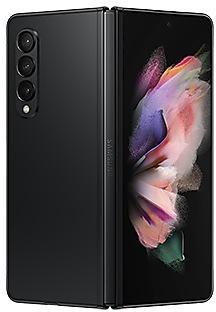
Samsung Galaxy Z Fold3 5G
SCG11


Frequently Asked Questions
What is the latest Android version for SCG14?
The newest firmware for SCG14 runs Android 16: build SCG14KDS1EZH1, released on September 27, 2026.
When did SCG14 get its last update?
The latest build for SCG14, SCG14KDS1EZH1, was released on September 27, 2026 (1 month ago).
How often does SCG14 get updates?
Over the last 12 months SCG14 received 4 builds, with at least one new build in 4 different months.
Is the firmware for SCG14 official?
Yes, all firmware files for SCG14 are 100% official, original, and obtained directly from Samsung servers.
How to flash Samsung SCG14 using Odin?
To flash SCG14, you need to download the appropriate firmware, put your device into Download Mode, and use the Odin tool to load the BL, AP, CP, and CSC files.
Can I downgrade the Android version on SCG14?
Downgrading is only possible if the bootloader version (binary bit) of the old firmware matches the current one. Always check the binary version before flashing SCG14.