
Download Samsung Firmware SM-A136M
Samsung Galaxy A13 5G
The latest firmware for Samsung Galaxy A13 5G (SM-A136M) is A136MUBSEDZC1, released on March 30, 2026 for 4 regions (CSC). Every official firmware build for SM-A136M, newest first: one row per build with all regions (CSC) that received it.
- Builds
- 28 builds
- Regions (CSC)
- 10 regions
Firmware builds for SM-A136M
- GLONBSPGUTPA
- GLONBSPGUTPA
- GLONBSPGUTPA
- GLONBSPGUTPA
- GLONBSPGUTPA
- GLONBSPGUTPA
- GLONBSPGU
- GLONBSPGUTPA
- GLONBSPGUTPA
- GLONBSPGUTPA
- TPA
- GLONBSPGUTPA
- GLONBSPGUTPA
- GLONBSPGUTPA
- GLONBSPGUTPA
- GLONBSPGUTPA
- GLONBSPGUTPA
- GLONBSPGUTPA
- GLONBSPGUTPA
- GLONBSPGUTPA
- GLONBSPGUTPA
- GLONBSPGU
- TPA
- GLONBSPGU
- DORNBSPGU
- DORPGUTPA
- DORPGUTPA
- CHECHLCHOCHTCHXDOR
Each firmware build has its own page at https://samfirm.shop/build/{PDA}, where {PDA} is the build number from the list above. Example: https://samfirm.shop/build/A136MUBSEDZC1
SM-A136M update history
SM-A136M started on Android 12 and has received 2 major Android upgrades; it now runs Android 14. The newest build, A136MUBSEDZC1, was released on March 30, 2026 with the November 2025 security patch. That patch (SMR Nov-2025) fixes 33 vulnerabilities, 2 of them critical. No new build has appeared for 7 months, so regular updates for this model have most likely ended. Builds of this model reach 10 regions (CSC); TPA (Panama) usually gets a new build first (57% of recent builds).
Device specifications
- Display diagonal
- 16.5 cm (6.5")
- Display resolution
- 720 x 1600 pixels
- RAM
- 4 GB
- Rear camera resolution
- 50 MP
- Rear camera type
- Triple camera
- Battery capacity
- 5000 mAh
- Weight
- 195 g
Specifications of SM-A136B, a regional variant of the same device. Chipset and SIM lines are left out: they can differ by region.
Changelog for SM-A136M
• Security
The device is protected with improved security.
These changes may vary depending on the model, country, or network operator of the customer environment.
- A136MUBSEDZC1Mar 30, 2026
- A136MUBSEDYK4Dec 1, 2025
- A136MUBSDDYG2Aug 25, 2025
• The security of your device has been improved.
- A136MUBSCDYD1May 12, 2025
- A136MUBSBDYC2Apr 7, 2025
- A136MUBSBDYA1Jan 27, 2025
- A136MUBUBDXL1Jan 13, 2025
- A136MUBSBDXK1Dec 17, 2024
- A136MUBSADXJ1Nov 4, 2024
- A136MUBS9DXI1Sep 26, 2024
Copy and paste from one image to another
Add a missing element to your picture. Just clip an object from an image in Gallery, then go to the image where you want to paste it and choose Paste from clipboard in the More options menu.
More accurate image clipping
Get exactly the area you need to clip without any unwanted parts. When you clip an image in Gallery, you have the option of editing the selected area before you save it so you can get your selecti...
• The security of your device has been improved.
Copy and paste from one image to another
Add a missing element to your picture. Just clip an object from an image in Gallery, then go to the image where you want to paste it and choose Paste from clipboard in the More options menu.
More accurate image clipping
Get exactly the area you need to clip without any unwanted parts. When you clip an image in Gallery, you have the option of editing the selected area before you save it so you can get your selecti...
Show 16 older builds
• The security of your device has been improved.
- A136MUBS7DXD3Apr 30, 2024
- A136MUBS6DXC2Mar 20, 2024
New button layout
The quick panel has a new layout that makes it easier to access the features you use most. Wi-Fi and Bluetooth now have their own dedicated buttons at the top of the screen, while visual features, like Dark mode and Eye comfort shield have been moved to the bottom. Other quick settings buttons appear in a customizable area in the middle.
Instantly access the full quick panel
By default, a compact quick panel with notifications ap...
New button layout
The quick panel has a new layout that makes it easier to access the features you use most. Wi-Fi and Bluetooth now have their own dedicated buttons at the top of the screen, while visual features, like Dark mode and Eye comfort shield have been moved to the bottom. Other quick settings buttons appear in a customizable area in the middle.
Instantly access the full quick panel
By default, a compact quick panel with notifications appears when yo...
• The security of your device has been improved.
· Device stability improvements, bug fixes.
· New and / or enhanced features.
· Further improvements to performance.
• The security of your device has been improved.
- A136MUBU5CWH4Sep 20, 2023
- A136MUBS5CWH1Aug 23, 2023
- A136MUBU4CWF1Jul 6, 2023
One UI 5.1 takes your phone to the next level with new Gallery features as well as productivity and personalization enhancements.
More powerful search
You can now search your Gallery for more than one person or subject at the same time. You can even search for people without tagging their names just by tapping their faces.
Enhanced image remastering
Remastering does more to make your pictures look great by removing shadows and reflections. You can also...
One UI 5 brings you more powerful personalization and makes it easier to get things done across your Galaxy devices.
New app icons and illustrations
Icon symbols are larger for a bolder look that's easier to scan. Subtle background gradients and improved contrast give a fresher, more natural feel. New help illustrations have been created to give a consistent look to all apps.
Smoother than ever before
New animations and transition effects make sw...
• The security of your device has been improved.
One UI Core 5 brings you more powerful personalization and makes it easier to get things done across your Galaxy devices.
New app icons and illustrations
Icon symbols are larger for a bolder look that's easier to scan. Subtle background gradients and improved contrast give a fresher, more natural feel. New help illustrations have been created to give a consistent look to all apps.
Smoother than ever before
New animations and transition effec...
• The security of your device has been improved.
· Device stability improvements, bug fixes.
· New and / or enhanced features.
· Further improvements to performance.
• The security of your device has been improved.
Similar Models
- https://samfirm.shop/model/SM-A136S

Samsung Galaxy A13 5G
SM-A136S
- https://samfirm.shop/model/SM-A135N
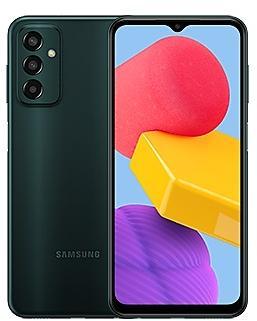
Samsung Galaxy A13
SM-A135N
- https://samfirm.shop/model/SM-A145MB
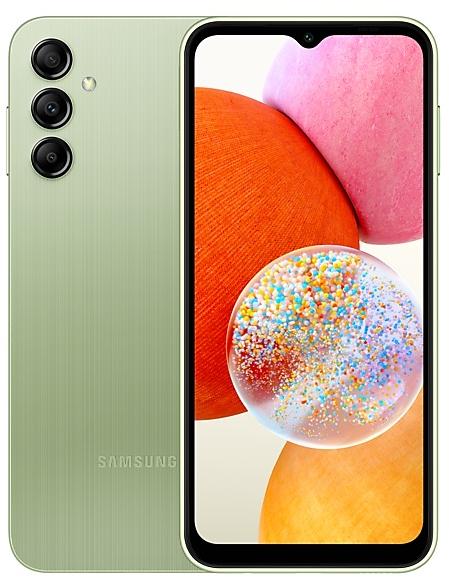
Samsung Galaxy A14
SM-A145MB
- https://samfirm.shop/model/SM-A236V

Samsung Galaxy A23 5G UW
SM-A236V
- https://samfirm.shop/model/SM-A146U1
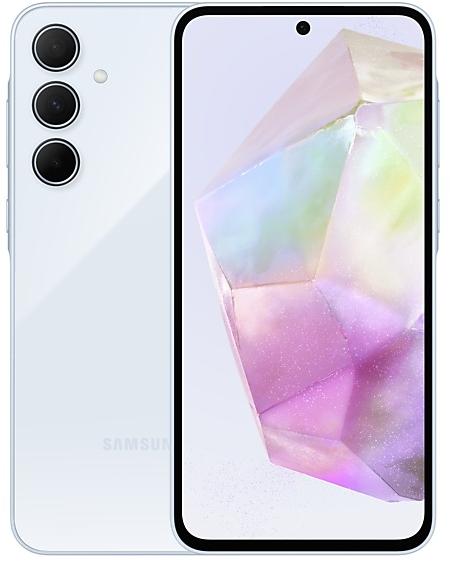
Samsung Galaxy A14 5G
SM-A146U1


Frequently Asked Questions
What is the latest Android version for SM-A136M?
The newest firmware for SM-A136M runs Android 14: build A136MUBSEDZC1, released on March 30, 2026.
When did SM-A136M get its last update?
The latest build for SM-A136M, A136MUBSEDZC1, was released on March 30, 2026 (6 months ago).
How often does SM-A136M get updates?
SM-A136M has had no new firmware for 7 months, so regular updates have most likely ended.
Is the firmware for SM-A136M official?
Yes, all firmware files for SM-A136M are 100% official, original, and obtained directly from Samsung servers.
How to flash Samsung SM-A136M using Odin?
To flash SM-A136M, you need to download the appropriate firmware, put your device into Download Mode, and use the Odin tool to load the BL, AP, CP, and CSC files.
Can I downgrade the Android version on SM-A136M?
Downgrading is only possible if the bootloader version (binary bit) of the old firmware matches the current one. Always check the binary version before flashing SM-A136M.