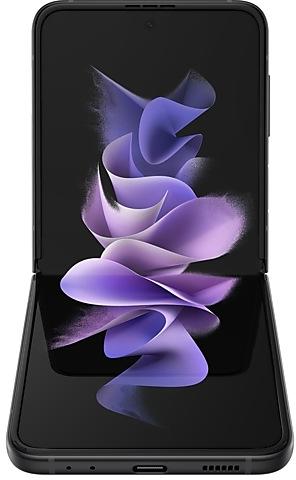
Download Samsung Firmware SM-F7110
Samsung Galaxy Z Flip3 5G
The latest firmware for Samsung Galaxy Z Flip3 5G (SM-F7110) is F7110ZSSIJZH2 with Android 15, released on September 9, 2026 for 2 regions (CSC). Every official firmware build for SM-F7110, newest first: one row per build with all regions (CSC) that received it.
- Builds
- 148 builds
- Regions (CSC)
- 3 regions
Firmware builds for SM-F7110
- BRITGY
- BRITGY
- CHC
- CHC
- BRITGY
- BRITGY
- CHC
- CHC
- BRITGY
- CHC
- CHC
- BRITGY
- CHC
- BRITGY
- BRITGY
- BRI
- BRITGY
- CHC
- CHC
- BRITGY
- BRITGY
- CHC
- BRITGY
- CHC
- CHC
- BRITGY
- BRITGY
- CHC
- BRITGY
- CHC
- BRI
- CHC
- BRITGY
- CHC
- BRITGY
- CHC
- BRITGY
- BRITGY
- CHC
- TGY
- CHC
- CHC
- BRI
- CHC
- TGY
- CHC
- BRI
- TGY
- BRI
- CHC
Each firmware build has its own page at https://samfirm.shop/build/{PDA}, where {PDA} is the build number from the list above. Example: https://samfirm.shop/build/F7110ZSSIJZH2
SM-F7110 update history
SM-F7110 started on Android 11 and has received 4 major Android upgrades; it now runs Android 15. The newest build, F7110ZSSIJZH2, was released on September 9, 2026 with the August 2026 security patch. That patch (SMR Aug-2026) fixes 54 vulnerabilities, 8 of them critical. Over the last 12 months SM-F7110 received 15 builds, spread over 7 different months.
Device specifications
- Launched with
- Android 11
- Display diagonal
- 17 cm (6.7")
- Display resolution
- 2640 x 1080 pixels
- RAM
- 8 GB
- RAM type
- LPDDR5
- Rear camera resolution
- 12 MP
- Rear camera type
- Dual camera
- Battery capacity
- 3300 mAh
- Weight
- 183 g
Specifications of SM-F711B, a regional variant of the same device. Chipset and SIM lines are left out: they can differ by region.
Changelog for SM-F7110
• Security
The device is protected with improved security.
These changes may vary depending on the model, country, or network operator of the customer environment.
- F7110ZSSIJZH2Sep 9, 2026
- F7110ZCSIJZH2Sep 9, 2026
- F7110ZSSHJZE1Jun 4, 2026
- F7110ZCSHJZE1Jun 4, 2026
- F7110ZSSGJZB6Mar 12, 2026
- F7110ZCSGJZB6Mar 12, 2026
- F7110ZSSFJYK1Dec 2, 2025
- F7110ZCSFJYK2Dec 2, 2025
- F7110ZSSEJYGBAug 28, 2025
- F7110ZCSEJYGBAug 28, 2025
- F7110ZSSEJYFDJul 28, 2025
- F7110ZCSEJYG1Jul 28, 2025
- F7110ZSSDJYF3Jun 26, 2025
- F7110ZCSDJYF3Jun 26, 2025
• Security
The device is protected with improved security.
- F7110ZSSCJYE2May 29, 2025
- F7110ZCSCJYE2May 29, 2025
Visual enhancements
Enjoy a more sophisticated and unique look. One UI 7 introduces a stunning redesign to key components including buttons, menus, notifications and control bars, providing a more consistent visual experience with curves and circles. Beautiful new colors, soft animations, and an innovative blur effect that's unique to One UI make information hierarchy clearer and help you focus on important information.
Reimagined Home screen
Fr...
- F7110ZSUBJYDAMay 7, 2025
- F7110ZCUBJYDAMay 7, 2025
• The latest Android security patch has been applied.
- Device security has been further enhanced.
- F7110ZSSBIYB3Mar 20, 2025
- F7110ZCSBIYB3Mar 20, 2025
- F7110ZSSAIYB1Feb 27, 2025
- F7110ZCSAIYB1Feb 27, 2025
- F7110ZCSAIXKAFeb 10, 2025
- F7110ZSSAIXLAFeb 5, 2025
- F7110ZSSAIXK9Dec 30, 2024
- F7110ZCSAIXK5Nov 21, 2024
- F7110ZSSAIXK5Nov 21, 2024
- F7110ZSS9IXJ1Oct 21, 2024
- F7110ZCS9IXJ1Oct 21, 2024
Discover new insights and stay motivated
Stay inspired throughout your health experience with new wellness tips in Samsung Health. Wellness tips offer valuable insights and encouragement to help you achieve your health goals.
Get more detailed sleep analysis
New sleep insights give you more detailed and accurate analysis of your sleep quality. Your comprehensive sleep report now includes your heart rate, respiratory rate, and the amount of time it...
Similar Models
- https://samfirm.shop/model/SM-F711U
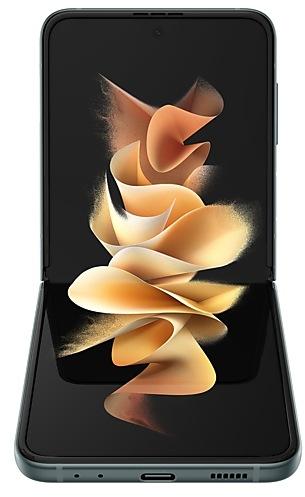
Samsung Galaxy Z Flip3 5G
SM-F711U
- https://samfirm.shop/model/SM-F721C

Samsung Galaxy Z Flip4
SM-F721C
- https://samfirm.shop/model/SM-F707W
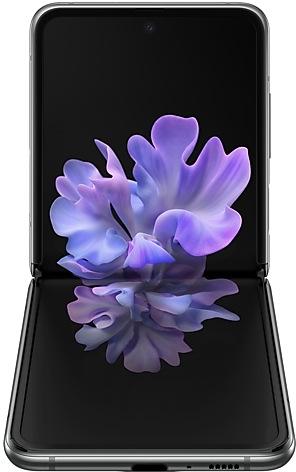
Samsung Galaxy Z Flip 5G
SM-F707W
- https://samfirm.shop/model/SM-F700W
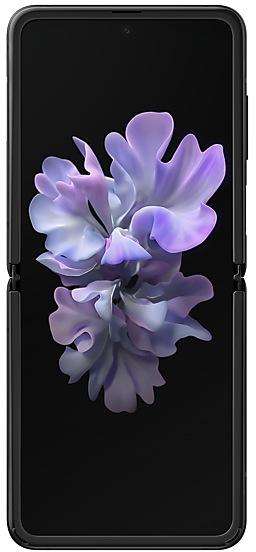
Samsung Galaxy Z Flip
SM-F700W
- https://samfirm.shop/model/SM-F731Q

Samsung Galaxy Z Flip5
SM-F731Q


Frequently Asked Questions
What is the latest Android version for SM-F7110?
The newest firmware for SM-F7110 runs Android 15: build F7110ZSSIJZH2, released on September 9, 2026.
When did SM-F7110 get its last update?
The latest build for SM-F7110, F7110ZSSIJZH2, was released on September 9, 2026 (1 month ago).
How often does SM-F7110 get updates?
Over the last 12 months SM-F7110 received 15 builds, with at least one new build in 7 different months.
Is the firmware for SM-F7110 official?
Yes, all firmware files for SM-F7110 are 100% official, original, and obtained directly from Samsung servers.
How to flash Samsung SM-F7110 using Odin?
To flash SM-F7110, you need to download the appropriate firmware, put your device into Download Mode, and use the Odin tool to load the BL, AP, CP, and CSC files.
Can I downgrade the Android version on SM-F7110?
Downgrading is only possible if the bootloader version (binary bit) of the old firmware matches the current one. Always check the binary version before flashing SM-F7110.