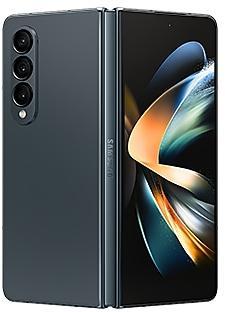
Samsung Galaxy Z Fold4 SM-F9360 firmware
The latest firmware for Samsung Galaxy Z Fold4 (SM-F9360) is F9360ZCSAIZH2 with Android 16, released on September 9, 2026 for 1 region (CSC). Every official firmware build for SM-F9360, newest first: one row per build with all regions (CSC) that received it.
- Builds
- 90 builds
- Regions (CSC)
- 3 regions
Firmware builds for SM-F9360
- CHC
- BRITGY
- BRITGY
- BRITGY
- CHC
- CHC
- BRITGY
- BRITGY
- CHC
- CHC
- BRITGY
- CHC
- BRITGY
- BRITGY
- CHC
- BRITGY
- CHC
- CHC
- BRITGY
- BRITGY
- CHC
- BRITGY
- CHC
- BRITGY
- CHC
- BRITGY
- BRITGY
- CHC
- BRITGY
- CHC
- BRITGY
- BRITGY
- BRITGY
- CHC
- BRI
- CHC
- BRITGY
- BRITGY
- CHC
- BRITGY
- CHC
- CHC
- BRITGY
- CHC
- BRITGY
- CHC
- BRITGY
- BRITGY
- CHC
- BRITGY
Each firmware build has its own page at https://samfirm.shop/build/{PDA}, where {PDA} is the build number from the list above. Example: https://samfirm.shop/build/F9360ZCSAIZH2
SM-F9360 update history
SM-F9360 started on Android 12 and has received 4 major Android upgrades; it now runs Android 16. The newest build, F9360ZCSAIZH2, was released on September 9, 2026 with the August 2026 security patch. That patch (SMR Aug-2026) fixes 54 vulnerabilities, 8 of them critical. Over the last 12 months SM-F9360 received 19 builds, spread over 8 different months. Samsung guarantees security updates for this model until July 14, 2027.
Device specifications
- Display diagonal
- 19.3 cm (7.6")
- Display resolution
- 2176 x 1812 pixels
- RAM
- 12 GB
- Rear camera resolution
- 50 MP
- Rear camera type
- Triple camera
- Battery capacity
- 4400 mAh
- Weight
- 263 g
Specifications of SM-F936B, a regional variant of the same device. Chipset and SIM lines are left out: they can differ by region.
Changelog for SM-F9360
• Security
The device is protected with improved security.
These changes may vary depending on the model, country, or network operator of the customer environment.
- F9360ZCSAIZH2Sep 9, 2026
- F9360ZSSAIZH2Sep 9, 2026
- F9360ZSSAIZG1Jul 30, 2026
- F9360ZCSAIZF1Jul 2, 2026
- F9360ZSSAIZF1Jul 2, 2026
- F9360ZSSAIZE2May 28, 2026
- F9360ZCSAIZE2May 28, 2026
- F9360ZCS9IZD1Apr 27, 2026
- F9360ZSS9IZD1Apr 27, 2026
- F9360ZSS9IZC1Mar 30, 2026
- F9360ZCS9IZC1Mar 30, 2026
- F9360ZCS9IZB6Mar 3, 2026
- F9360ZSS9IZB6Mar 3, 2026
- F9360ZSS8IZA1Jan 29, 2026
- F9360ZCS8IZA1Jan 29, 2026
- F9360ZCS8IYL1Dec 22, 2025
- F9360ZSS8IYL1Dec 22, 2025
- F9360ZSS8IYK3Nov 27, 2025
- F9360ZCS8IYK3Nov 27, 2025
Wallpaper suggestions
Get help finding new wallpapers. Your phone will recommend the best photos from your Gallery in categories such as landscapes, cities, flowers, pets, and people.
Easier file sharing with Quick Share
It's never been easier to send and receive files. Tap the Quick Share button in quick settings to get started. You can receive files while the Quick Share screen is open and send files to others directly from Quick Sha...
Wallpaper suggestions
Get help finding new wallpapers. Your phone will recommend the best photos from your Gallery in categories such as landscapes, cities, flowers, pets, and people.
Check stock prices without unlocking
Stocks you follow on Google Finance with big price changes will appear on your Now bar at the end of the trading day.
Easier file sharing with Quick Share
It's never been easier to send and receive files. Tap the Quic...
• Security
The device is protected with improved security.
These changes may vary depending on the model, country, or network operator of the customer environment.
- F9360ZSS8HYI1Sep 24, 2025
- F9360ZSS8HYH3Aug 28, 2025
• Stability and reliability
Device behavior has been improved.
• Security
The device is protected with improved security.
These changes may vary depending on the model, country, or network operator of the customer environment.
Show 6 older builds
• Security
The device is protected with improved security.
These changes may vary depending on the model, country, or network operator of the customer environment.
- F9360ZCS8HYG1Jul 24, 2025
- F9360ZSS8HYFDJul 24, 2025
- F9360ZSS8HYF1Jun 26, 2025
- F9360ZCS8HYF1 Jun 26, 2025
• Security
The device is protected with improved security.
- F9360ZCS8HYE2May 29, 2025
- F9360ZSS8HYE2May 29, 2025
New firmware for other devices
- Galaxy Z Fold8 UltraSM-F976U1 https://samfirm.shop/model/SM-F976U1
- Galaxy Z Fold8 UltraSM-F976N https://samfirm.shop/model/SM-F976N
- Galaxy Z TriFoldSM-F968N https://samfirm.shop/model/SM-F968NKOO
- Galaxy XCover7 ProSM-G766U https://samfirm.shop/model/SM-G766UATTVZW
- Galaxy XCover7 ProSM-G766B https://samfirm.shop/model/SM-G766B
- Galaxy A37 5GSM-A376W https://samfirm.shop/model/SM-A376W
Similar Models
- https://samfirm.shop/model/SM-F936W
Samsung Galaxy Z Fold4
SM-F936W
- https://samfirm.shop/model/SM-F946Q

Samsung Galaxy Z Fold5
SM-F946Q
- https://samfirm.shop/model/SM-F9260
Samsung Galaxy Z Fold3 5G
SM-F9260
- https://samfirm.shop/model/SM-F956W

Samsung Galaxy Z Fold6
SM-F956W
- https://samfirm.shop/model/SM-F731Q

Samsung Galaxy Z Flip5
SM-F731Q


Frequently Asked Questions
What is the latest Android version for SM-F9360?
The newest firmware for SM-F9360 runs Android 16: build F9360ZCSAIZH2, released on September 9, 2026.
When did SM-F9360 get its last update?
The latest build for SM-F9360, F9360ZCSAIZH2, was released on September 9, 2026 (2 months ago).
How often does SM-F9360 get updates?
Over the last 12 months SM-F9360 received 19 builds, with at least one new build in 8 different months.
Is the firmware for SM-F9360 official?
Yes, all firmware files for SM-F9360 are 100% official, original, and obtained directly from Samsung servers.
How to flash Samsung SM-F9360 using Odin?
To flash SM-F9360, you need to download the appropriate firmware, put your device into Download Mode, and use the Odin tool to load the BL, AP, CP, and CSC files.
Can I downgrade the Android version on SM-F9360?
Downgrading is only possible if the bootloader version (binary bit) of the old firmware matches the current one. Always check the binary version before flashing SM-F9360.
Is this the stock ROM or flash file for SM-F9360?
Yes. Every build on this page is the official stock ROM for SM-F9360 from Samsung's update server, the same package other sites call the flash file or the software update. It installs with Odin on a Windows PC.
Does flashing firmware remove the FRP lock on SM-F9360?
No. Factory Reset Protection is tied to the Google account that was on the phone and survives a firmware flash. Sign in with that account or use the legal options in our FRP guide.