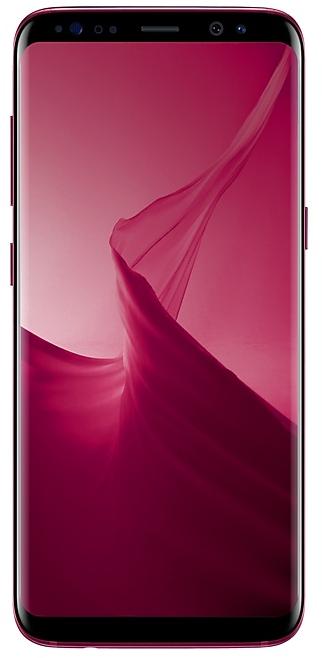
Download Samsung Firmware SM-G9550
Samsung Galaxy S8+
The latest firmware for Samsung Galaxy S8+ (SM-G9550) is G9550ZCS6DUD1 with Android 9 (Pie), released on April 28, 2021 for 1 region (CSC). Every official firmware build for SM-G9550, newest first: one row per build with all regions (CSC) that received it.
- Builds
- 66 builds
- Regions (CSC)
- 2 regions
Firmware builds for SM-G9550
- CHC
- TGY
- CHC
- CHC
- TGY
- TGY
- CHC
- TGY
- CHC
- TGY
- CHC
- TGY
- CHC
- TGY
- CHC
- CHC
- TGY
- CHC
- TGY
- CHC
- TGY
- TGY
- CHC
- CHC
- TGY
- CHC
- TGY
- CHC
- TGY
- CHC
- TGY
- TGY
- CHC
- TGY
- TGY
- CHC
- CHC
- TGY
- CHC
- TGY
- CHC
- TGY
- CHC
- CHC
- TGY
- TGY
- CHC
- CHC
- TGY
- CHC
Each firmware build has its own page at https://samfirm.shop/build/{PDA}, where {PDA} is the build number from the list above. Example: https://samfirm.shop/build/G9550ZCS6DUD1
SM-G9550 update history
SM-G9550 started on Android 7 and has received 2 major Android upgrades; it now runs Android 9 (Pie). The newest build, G9550ZCS6DUD1, was released on April 28, 2021 with the December 2020 security patch. No new build has appeared for 66 months, so regular updates for this model have most likely ended.
Device specifications
- Launched with
- Android 7.0
- Display diagonal
- 14.7 cm (5.8")
- Display resolution
- 1440 x 2960 pixels
- Display type
- SAMOLED
- RAM
- 4 GB
- RAM type
- LPDDR4
- Rear camera resolution
- 12 MP
- Rear camera type
- Single camera
- Battery capacity
- 3000 mAh
- Weight
- 155 g
Specifications of SM-G955F, a regional variant of the same device. Chipset and SIM lines are left out: they can differ by region.
Changelog for SM-G9550
• Stability and reliability
Device behavior has been improved.
These changes may vary depending on the model, country, or network operator of the customer environment.
- G9550ZHU6DZE1 Jun 2, 2026
- G9550ZCU6DZE1 Jun 2, 2026
- The latest Android security patch has been applied.
ㆍDevice security has been further enhanced.
- G9550ZHS6DUD1Apr 28, 2021
- G9550ZCS6DUD1Apr 28, 2021
The exact changes may differ depending on your device model, country/Region, and service provider.
• Add new apllication - Baidu Netdisk
• Other bug fixes
- Overall stability of functions improved.
The exact changes may differ depending on your device model, country/Region, and service provider.
• The latest Android security patch has been applied.
- Device security has been further enhanced.
• Added new application : SearchWidget, Trust Download
• The latest Android security patch has been applied.
- Device security has been further enhanced.
Show 23 older builds
The exact changes may differ depending on your device model, country/Region, and service provider.
• Other bug fixes
- Overall stability of functions improved.
• The latest Android security patch has been applied.
- Device security has been further enhanced.
- The latest Android security patch has been applied.
ㆍDevice security has been further enhanced.
The exact changes may differ depending on your device model, country/Region, and service provider.
• Other bug fixes
- The stability of GPS has been improved.
• Other bug fixes
- The stability of GPS has been improved.
The exact changes may differ depending on your device model, country/Region, and service provider.
• Other bug fixes
- Improved stability of Smart View connection with Samsung TV 2020 model.
- Fixes the issue that sometimes scroll is not smooth on call list screen.
• The latest Android security patch has been applied.
- Device security has been further enhanced.
• Other bug fixes
- Improved stability of Smart View connection with Samsung TV 2020 model.
- Fixes the issue that sometimes scroll is not smooth on call list screen.
• The latest Android security patch has been applied.
- Device security has been further enhanced.
- The latest Android security patch has been applied.
ㆍDevice security has been further enhanced.
- G9550ZHS5DTC1Apr 2, 2020
- G9550ZCS5DTC1Mar 31, 2020
- G9550ZHU5DTB1Mar 10, 2020
- G9550ZCU5DTB1Mar 10, 2020
- Other bug fixes
ㆍThe stability of Keyboard has been improved.
ㆍThe stability of Wi-Fi connetion has been improved.
- The latest Android security patch has been applied.
ㆍDevice security has been further enhanced.
- Other bug fixes
ㆍThe stability of Keyboard has been improved.
ㆍThe stability of WLAN connetion has been improved.
- The latest Android security patch has been applied.
ㆍDevice security has been further enhanced.
ㆍAdded new feature
- Call & Message Continuity function is added.
ㆍThe latest Android security patch has been applied.
- Device security has been further enhanced.
ㆍAdded new feature
- China mobile HD Video CRBT is supported.
- China Unicom VoLTE option enabled as default.
ㆍThe latest Android security patch has been applied.
- Device security has been further enhanced.
- The latest Android security patch has been applied.
ㆍDevice security has been further enhanced.
- G9550ZHS4DSJ2Nov 6, 2019
- G9550ZCS4DSJ2Oct 31, 2019
- G9550ZHU4DSI2Oct 15, 2019
- G9550ZCS4DSI1Sep 27, 2019
- G9550ZHU4DSH2Sep 4, 2019
- China Telecom VoLTE Option enabled as default. If your CTC SIM card does not support VoLTE, there can be issue in sending call or message so, please Turn off the VoLTE HD voice after upgrade. (Settings - Connections - Mobile networks)
or recommend contact operator to enable volte.
- The latest Android security patch has been applied.
ㆍDevice security has been further enhanced.
- Added new feature
ㆍA new Wi-Fi function has been added. (WLAN Power Saving Mode, Allow individual apps to switch)
- Other bug fixes
ㆍThe stability of Camera has been improved.
- The latest Android security patch has been applied.
ㆍDevice security has been further enhanced.
- Added new feature
ㆍA new WLAN function has been added. (WLAN Power Saving Mode, Allow individual apps to switch)
- Other bug fixes
ㆍThe stability of Camera has been improved.
- The latest Android security patch has been applied.
ㆍDevice security has been further enhanced.
- The latest Android security patch has been applied.
ㆍDevice security has been further enhanced.
Similar Models
- https://samfirm.shop/model/SM-G955FD
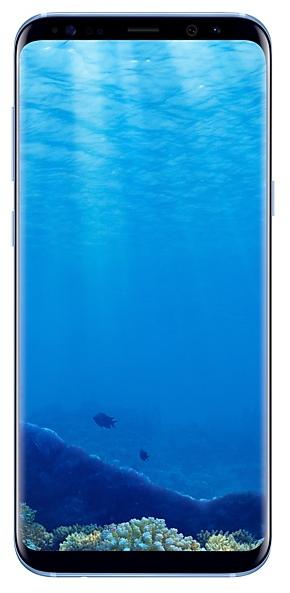
Samsung Galaxy S8+
SM-G955FD
- https://samfirm.shop/model/SM-G950FD
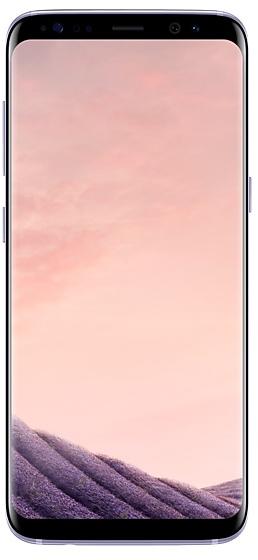
Samsung Galaxy S8
SM-G950FD
- https://samfirm.shop/model/SM-G850X

Samsung Galaxy Alpha
SM-G850X
- https://samfirm.shop/model/SM-G965W
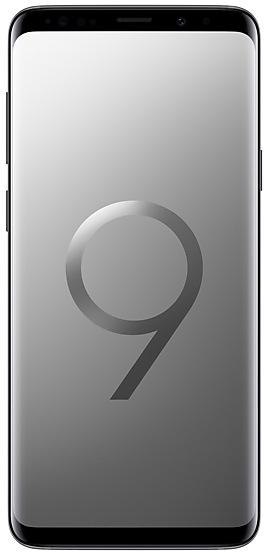
Samsung Galaxy S9+
SM-G965W
- https://samfirm.shop/model/SM-G960W
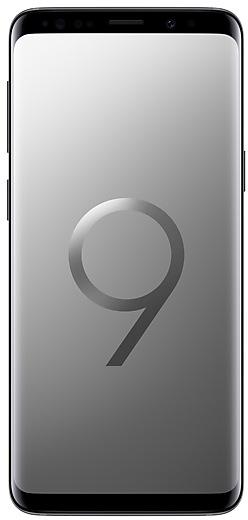
Samsung Galaxy S9
SM-G960W


Frequently Asked Questions
What is the latest Android version for SM-G9550?
The newest firmware for SM-G9550 runs Android 9 (Pie): build G9550ZCS6DUD1, released on April 28, 2021.
When did SM-G9550 get its last update?
The latest build for SM-G9550, G9550ZCS6DUD1, was released on April 28, 2021 (5 years ago).
How often does SM-G9550 get updates?
SM-G9550 has had no new firmware for 66 months, so regular updates have most likely ended.
Is the firmware for SM-G9550 official?
Yes, all firmware files for SM-G9550 are 100% official, original, and obtained directly from Samsung servers.
How to flash Samsung SM-G9550 using Odin?
To flash SM-G9550, you need to download the appropriate firmware, put your device into Download Mode, and use the Odin tool to load the BL, AP, CP, and CSC files.
Can I downgrade the Android version on SM-G9550?
Downgrading is only possible if the bootloader version (binary bit) of the old firmware matches the current one. Always check the binary version before flashing SM-G9550.