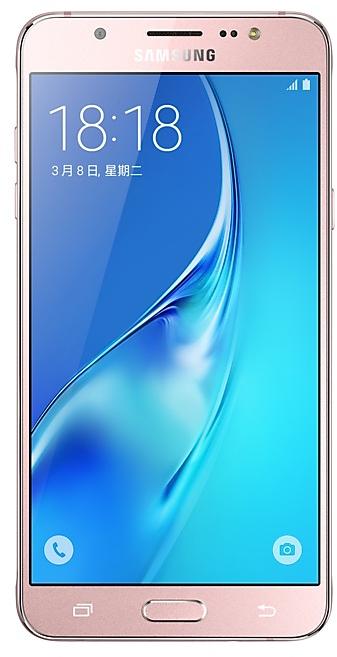
Download Samsung Firmware SM-J7108
Samsung Galaxy J7(2016)
The latest firmware for Samsung Galaxy J7(2016) (SM-J7108) is J7108ZMS2BRC1 with Android 6.0.1 (Marshmallow), released on April 4, 2018 for 1 region (CSC). Every official firmware build for SM-J7108, newest first: one row per build with all regions (CSC) that received it.
- Builds
- 7 builds
- Regions (CSC)
- 2 regions
Firmware builds for SM-J7108
- CHM
- TGY
- TGY
- CHM
- TGY
- CHM
- CHM
Each firmware build has its own page at https://samfirm.shop/build/{PDA}, where {PDA} is the build number from the list above. Example: https://samfirm.shop/build/J7108ZMS2BRC1
SM-J7108 update history
All 7 builds in our database run Android 6.0.1 (Marshmallow). The newest build, J7108ZMS2BRC1, was released on April 4, 2018. No new build has appeared for 104 months, so regular updates for this model have most likely ended.
Device specifications
- Display diagonal
- 14 cm (5.5")
- Display resolution
- 1280 x 720 pixels
- Display type
- SAMOLED
- RAM
- 2 GB
- Rear camera resolution
- 13 MP
- Rear camera type
- Single camera
- Battery capacity
- 3300 mAh
- Weight
- 169 g
Specifications of SM-J710F, a regional variant of the same device. Chipset and SIM lines are left out: they can differ by region.
Changelog for SM-J7108
- The latest Android security patch has been applied.
ㆍDevice security has been further enhanced.
- J7108ZHS2BRC1Apr 13, 2018
- J7108ZMS2BRC1Apr 4, 2018
- J7108ZHU2BRA2Feb 22, 2018
- My Knox service will terminate after 2017/12/19.
( Existing installation My Knox application can be used, you can use this function untill you uninstall it or make factory reset. )
- Improved performance
ㆍBroadcom Wlan firmware security patched.
- The latest Android security patch has been applied.
ㆍDevice security has been further enhanced.
- Other bug fixes
ㆍFixed the issue that alarm app terminated after back up from PC Smart Switch.
ㆍBattery capacity display error in Samsung member app has been resolved.
- The latest Android security patch has been applied.
ㆍDevice security has been further enhanced.
- The latest Android security patch has been applied.
ㆍDevice security has been further enhanced.
- J7108ZHS1BQI1Sep 26, 2017
- J7108ZHU1BQE3 Jul 19, 2017
ㆍThe latest Android security patch has been applied.
- Device security has been further enhanced.
Show 9 older builds
- The latest Android security patch has been applied.
ㆍDevice security has been further enhanced.
ㆍFacebook application has been installed.
ㆍOS upgrade - Android 6.0 Marshmallow
ㆍThe new TouchWiz provides enhanced usability and an updated visual design.
ㆍA new vibration pattern concept has been applied.
※ Android 6.0 Marshmallow does not support the Decrypt device function. If your mobile device is encrypted, encryption cannot be disabled after upgrading. If you want encryption to be disabled after upgrading, it must be disabled before you upgrade your device. To disable encryption go to Settings - Lock screen and security - Other s...
- The latest Android security patch has been applied.
ㆍDevice security has been further enhanced.
ㆍOS upgrade - Android 6.0.1 Marshmallow
ㆍThe new TouchWiz provides enhanced usability and an updated visual design.
ㆍAdvanced power saving mode restricts background data and extends battery life.
ㆍA new vibration pattern concept has been applied.
ㆍSettings for the following have been reset: Theme, Email, Icon/Widget
※ Android 6.0 Marshmallow does not support the Decrypt device function. If your mobile device is encrypted, encryption cannot be disabled after upgrading. If you want encryption to b...
ㆍDevice stability improvements, bug fixes.
ㆍNew and / or enhanced features.
ㆍFurther improvements to performance.
- The latest Android security patch has been applied.
ㆍDevice security has been further enhanced.
- Device stability improvements, bug fixes.
- Further improvements to performance.
- apply the Android regular security patch
- Enhance the speed to grab a red envelope
- Solve Play Video Click notification bar to play silent problem
- The flash flashes solve problems
- The Quick Setup NFC solve problems Error
Similar Models
- https://samfirm.shop/model/SM-J710FN
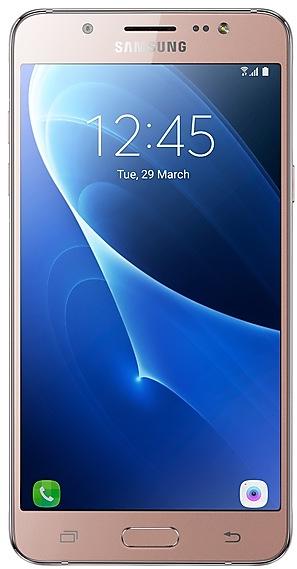
Samsung Galaxy On8
SM-J710FN
- https://samfirm.shop/model/SM-J727A

Samsung Galaxy J7 Pop
SM-J727A
- https://samfirm.shop/model/SM-J700T1

Samsung Galaxy J7(2016)
SM-J700T1
- https://samfirm.shop/model/SM-J810Y
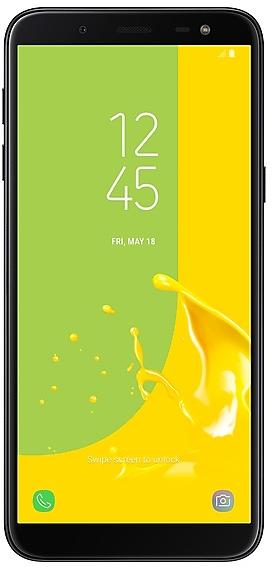
Samsung Galaxy J8
SM-J810Y
- https://samfirm.shop/model/SM-J720M
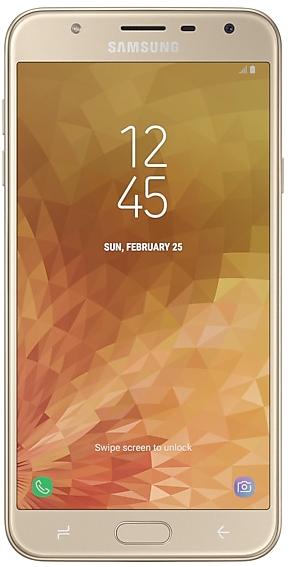
Samsung Galaxy J7 Duo
SM-J720M


Frequently Asked Questions
What is the latest Android version for SM-J7108?
The newest firmware for SM-J7108 runs Android 6.0.1 (Marshmallow): build J7108ZMS2BRC1, released on April 4, 2018.
When did SM-J7108 get its last update?
The latest build for SM-J7108, J7108ZMS2BRC1, was released on April 4, 2018 (8 years ago).
How often does SM-J7108 get updates?
SM-J7108 has had no new firmware for 104 months, so regular updates have most likely ended.
Is the firmware for SM-J7108 official?
Yes, all firmware files for SM-J7108 are 100% official, original, and obtained directly from Samsung servers.
How to flash Samsung SM-J7108 using Odin?
To flash SM-J7108, you need to download the appropriate firmware, put your device into Download Mode, and use the Odin tool to load the BL, AP, CP, and CSC files.
Can I downgrade the Android version on SM-J7108?
Downgrading is only possible if the bootloader version (binary bit) of the old firmware matches the current one. Always check the binary version before flashing SM-J7108.