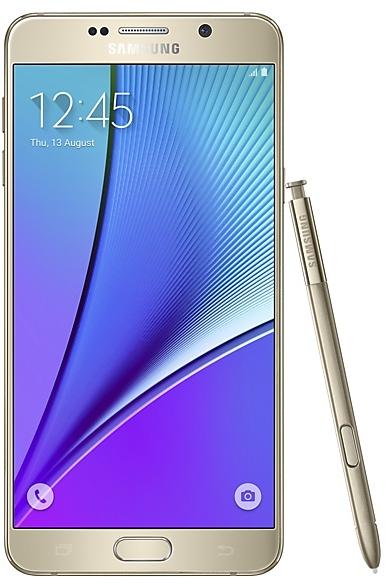
Download Samsung Firmware SM-N9208
Samsung Galaxy Note5
The latest firmware for Samsung Galaxy Note5 (SM-N9208) is N9208ZTU6CVG1 with Android 7.0 (Nougat), released on August 19, 2022 for 1 region (CSC). Every official firmware build for SM-N9208, newest first: one row per build with all regions (CSC) that received it.
- Builds
- 97 builds
- Regions (CSC)
- 12 regions
Firmware builds for SM-N9208
- BRI
- BNGINSNPLSLK
- GLBMYMSMAXIDXMEXTC
- BRI
- BNGINSNPLSLK
- BNGINSNPLSLK
- GLBMYMSMAXIDXMEXTC
- BRI
- BNGINSNPLSLK
- BRI
- GLBMYMSMAXIDXMEXTC
- GLBMYMSMAXIDXMEXTC
- BRI
- BNGINSNPLSLK
- BNGINSNPLSLK
- BRI
- GLBMYMSMAXIDXMEXTC
- GLBMYMSMAXIDXMEXTC
- BRI
- BNGINSNPLSLK
- BRI
- BNGINSNPLSLK
- GLBMYMSMAXIDXMEXTC
- BNGINSNPLSLK
- GLBMYMSMAXIDXMEXTC
- BRI
- GLBMYMSMAXIDXMEXTC
- BNGINSNPLSLK
- BRI
- BNGINSNPLSLK
- GLBMYMSMAXIDXMEXTC
- GLBMYMSMAXIDXMEXTC
- BNGINSNPLSLK
- BRI
- GLBMYMSMAXIDXMEXTC
- BNGINSNPLSLK
- GLBMYMSMAXIDXMEXTC
- BNGINSNPLSLK
- BNGINSNPLSLK
- GLBMYMSMAXIDXMEXTC
- BRI
- BNGINSNPLSLK
- GLBMYMSMAXIDXMEXTC
- GLBMYMSMAXIDXMEXTC
- BNGINSNPLSLK
- BNGINSNPLSLK
- XIDXME
- GLBMYMSMAXTC
- BRI
Each firmware build has its own page at https://samfirm.shop/build/{PDA}, where {PDA} is the build number from the list above. Example: https://samfirm.shop/build/N9208ZTU6CVG1
SM-N9208 update history
SM-N9208 started on Android 5 and has received 2 major Android upgrades; it now runs Android 7.0 (Nougat). The newest build, N9208ZTU6CVG1, was released on August 19, 2022 with the August 2018 security patch. No new build has appeared for 51 months, so regular updates for this model have most likely ended.
Device specifications
- Launched with
- Android 5.1.1
- Display diagonal
- 14.5 cm (5.7")
- Display resolution
- 2560 x 1440 pixels
- Display type
- SAMOLED
- RAM
- 4 GB
- Rear camera resolution
- 16 MP
- Rear camera type
- Single camera
- Battery capacity
- 3000 mAh
- Weight
- 170.9476 g
Specifications of SM-N920, a regional variant of the same device. Chipset and SIM lines are left out: they can differ by region.
Changelog for SM-N9208
• GPS
The stability has been improved.
• Security
The device is protected with improved security.
• GPS
The stability has been improved.
• The latest Android security patch has been applied.
- Device security has been further enhanced.
• GPS
The stability has been improved.
• Security
The device is protected with improved security.
- The latest Android security patch has been applied.
ㆍDevice security has been further enhanced.
- Other bug fixes
ㆍThe Stability of Wifi and Bluetooth has been improved.
ㆍThe stability of gallery app has been improved.
- The latest Android security patch has been applied.
ㆍDevice security has been further enhanced.
Show 25 older builds
- The latest Android security patch has been applied.
ㆍDevice security has been further enhanced.
- N9208ZTS4CRE2May 28, 2018
- N9208ZTS4CRD1Apr 26, 2018
- N9208ZTS4CRC1Mar 27, 2018
- Improved performance
ㆍWPA 2 Wi-Fi security is enhanced.
- Other bug fixes
ㆍFixed issue that the photo disappears in the gallery application.
ㆍFixed issue that the of anomaly of low battery message from Power saving mode.
- The latest Android security patch has been applied.
ㆍDevice security has been further enhanced.
- The latest Android security patch has been applied.
ㆍDevice security has been further enhanced.
- N9208ZTS4CRA2Jan 30, 2018
- N9208ZTS3CQL2Dec 21, 2017
- N9208ZTS3CQK1Nov 18, 2017
- Improved performance
ㆍThe stability of Samsung input apparatus is improved.
ㆍImproved the E-mail stabilty.
- Other bug fixes
ㆍFixed the issue that opened bookmark abnormal in Chrome browser.
ㆍThe problem error problem of the contact list scroll is solved.
ㆍFixed the issue that icon display abnormal in Launcher.
- The latest Android security patch has been applied.
ㆍDevice security has been further enhanced.
This update includes improvements to functions as listed below.
The exact changes may differ depending on your device model, country, and service provider.
· OS upgrade - Android 7.0 Nougat
· Provides new UX and various performance modes
· Provide new version camera, settings in camera will reset to default values after upgrade
· Improved usability of the Notification feature and Quick settings button
· Improved usability of the Multi window and setting menu
· Efficient space for installation...
- Improved performance
ㆍThe stability of Samsung input apparatus is improved.
- Added new feature
ㆍ"Samsung pay" function has been added.
- The latest Android security patch has been applied.
ㆍDevice security has been further enhanced.
- Improved performance
ㆍHigh-speed charge speed is improved.
- The latest Android security patch has been applied.
ㆍDevice security has been further enhanced.
- New UX (user experience)
ㆍA blue light filter is now supported to adjust the level of blue light emitted by the device.
ㆍNew Wallpapers and themes setting
ㆍIcon shapes and colours have been made simpler, smoother, and more consistent.
- The mySamsung app is added.
ㆍIt helps you easily set up, manage and optimize Samsung device.
ㆍGet customer service right at your fingertips.
- "Samsung GALAXY Life" server out of service."Samsung GALAXY Life" app will no longer be available.
- The latest And...
- The latest Android security patch has been applied.
ㆍDevice security has been further enhanced.
- N9208ZTS3BPJ1Oct 27, 2016
- N9208ZTS3BPI2Sep 29, 2016
- Other bug fixes
ㆍFixed an issue that device can not receive new message of PWS(Public Warning System).
ㆍFixed the issue that you could not be edited photos of Gallery in KNOX mode.
ㆍFixed the issue that not show some events when the cover is closed.
- The latest Android security patch has been applied.
ㆍDevice security has been further enhanced.
- The latest Android security patch has been applied.
ㆍDevice security has been further enhanced.
- N9208ZTS2BPG1Jul 20, 2016
- N9208ZTS2BPF1Jun 28, 2016
- Added "Restrict all background data" menu in Power Saving Mode
- Other bug fixes
ㆍFixed the issue that the auto complete function of samsung Keyboard in case of using Traditional Chinese Input combinations does not work correctly.
ㆍFixed the issue that can't show default number when search contact name.
ㆍFixed the channel names of PWS(Public Warning System) emergency message , and ringtone issue when receive emergency message.
- The latest Android security patch has been applied.
ㆍDevice secu...
- OS upgrade : Android 6.0 Marshmallow
- The new TouchWiz provides a brandㆍnew visual design and enhanced usability
- Quick connect makes device connection more convenient
- Fingerprints combined with pattern, PIN and password provide enhanced security for lock screen function
- Advanced power saving mode restricts background data and extends battery life
- Apply the new vibration mode
※ Android 6.0 Marshmallow does not support the Decrypt device function anymore.
If encryption function is no...
- ALERT: Patch for critical security vulnerability
- The security of your device has been improved.
- ALERT: Patch for critical security vulnerability
- The security of your device has been improved.
- The performance of S Voice, Voice Memo has been improved
- The stability of Voice call has been improved.
- Overall device performance has been improved.
- Battery life has been optimised.
- Improved performance with efficient memory management
- Security Enhancements
- After updating, you will not be able to downgrade to the old software because of updates to the security policy.
- Upgrade the Smart Manager
- Apply the Andriod regular Security patch
- Performance improvement by efficient system management
- Battery usage optimisation
- The stability of Wireless charging has been improved.
Similar Models
- https://samfirm.shop/model/SM-N920AZW

Samsung Galaxy Note5 32GB Certified Pre-Owned
SM-N920AZW
- https://samfirm.shop/model/SM-N930V
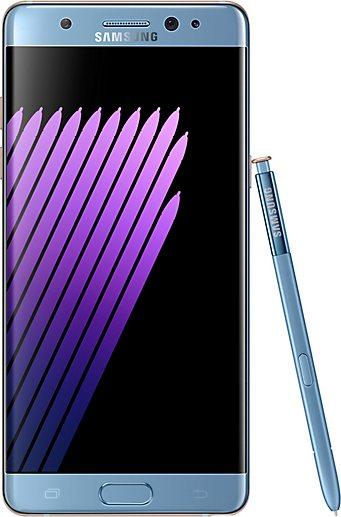
Samsung Galaxy Note7
SM-N930V
- https://samfirm.shop/model/SM-N910V
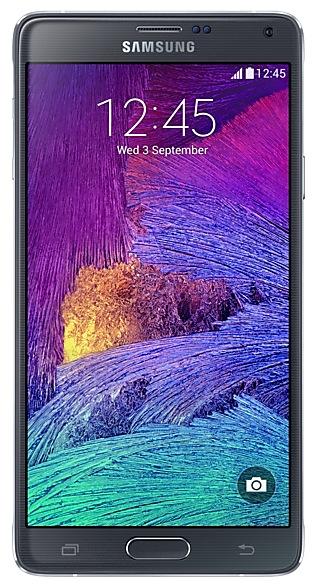
Samsung Galaxy Note4
SM-N910V
- https://samfirm.shop/model/SM-N915V
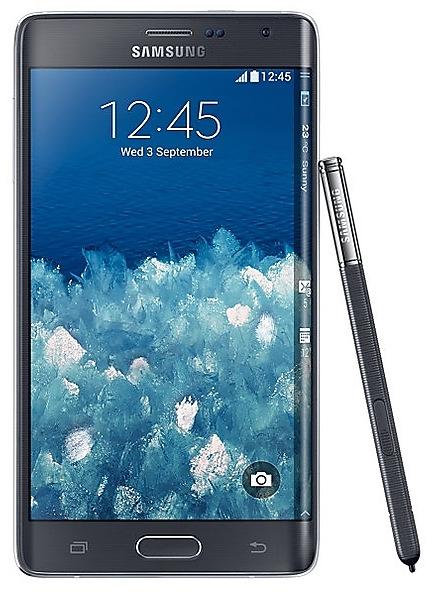
Samsung Galaxy Note Edge
SM-N915V
- https://samfirm.shop/model/SM-N916S

Samsung Galaxy Note4 S-LTE
SM-N916S


Frequently Asked Questions
What is the latest Android version for SM-N9208?
The newest firmware for SM-N9208 runs Android 7.0 (Nougat): build N9208ZTU6CVG1, released on August 19, 2022.
When did SM-N9208 get its last update?
The latest build for SM-N9208, N9208ZTU6CVG1, was released on August 19, 2022 (4 years ago).
How often does SM-N9208 get updates?
SM-N9208 has had no new firmware for 51 months, so regular updates have most likely ended.
Is the firmware for SM-N9208 official?
Yes, all firmware files for SM-N9208 are 100% official, original, and obtained directly from Samsung servers.
How to flash Samsung SM-N9208 using Odin?
To flash SM-N9208, you need to download the appropriate firmware, put your device into Download Mode, and use the Odin tool to load the BL, AP, CP, and CSC files.
Can I downgrade the Android version on SM-N9208?
Downgrading is only possible if the bootloader version (binary bit) of the old firmware matches the current one. Always check the binary version before flashing SM-N9208.