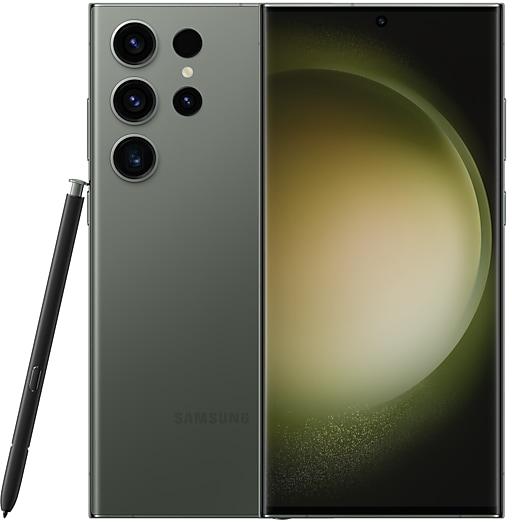
Download Samsung Firmware SM-S9180
Samsung Galaxy S23 Ultra
The latest firmware for Samsung Galaxy S23 Ultra (SM-S9180) is S9180ZHU8GZIF with Android 17, released on October 22, 2026 for 2 regions (CSC). Every official firmware build for SM-S9180, newest first: one row per build with all regions (CSC) that received it.
- Builds
- 88 builds
- Regions (CSC)
- 3 regions
Firmware builds for SM-S9180
- BRITGY
- BRITGY
- CHC
- BRITGY
- CHC
- BRITGY
- CHC
- CHC
- BRITGY
- BRITGY
- CHC
- BRITGY
- CHC
- CHC
- BRITGY
- CHC
- BRITGY
- CHC
- BRITGY
- CHC
- BRITGY
- BRITGY
- CHC
- BRITGY
- CHC
- BRITGY
- CHC
- CHC
- BRITGY
- BRITGY
- CHC
- BRITGY
- BRITGY
- CHC
- BRITGY
- CHC
- CHC
- BRITGY
- CHC
- BRITGY
- CHC
- BRITGY
- CHC
- BRITGY
- TGY
- CHC
- CHC
- BRITGY
- CHC
- BRITGY
Each firmware build has its own page at https://samfirm.shop/build/{PDA}, where {PDA} is the build number from the list above. Example: https://samfirm.shop/build/S9180ZHU8GZIF
SM-S9180 update history
SM-S9180 started on Android 13 and has received 4 major Android upgrades; it now runs Android 17. The upgrade to Android 17 started rolling out on October 22, 2026. The newest build, S9180ZHU8GZIF, was released on October 22, 2026 with the October 2026 security patch. That patch (SMR Oct-2026) fixes 62 vulnerabilities, 9 of them critical. Over the last 12 months SM-S9180 received 27 builds, with a new build in 11 of those months, in line with Samsung's monthly security updates. Samsung guarantees security updates for this model until January 29, 2028.
Device specifications
- Display diagonal
- 17.3 cm (6.8")
- Display resolution
- 3088 x 1440 pixels
- RAM
- 8 GB
- Rear camera resolution
- 200 MP
- Rear camera type
- Quad camera
- Battery capacity
- 5000 mAh
- Weight
- 233 g
Specifications of SM-S918B, a regional variant of the same device. Chipset and SIM lines are left out: they can differ by region.
Changelog for SM-S9180
Interpreter keeps your conversation in front of you
In conversation mode, you can scroll through the whole conversation while you’re still talking.
More customizable quick panel
You can now rearrange and customize the controls in your quick panel even more than before. You can change the size of the brightness and volume sliders as well as the media player. You can also separate the sound mode button from the volume slider.
Privacy, sec...
• Security
The device is protected with improved security.
These changes may vary depending on the model, country, or network operator of the customer environment.
- S9180ZCS8FZI1Sep 28, 2026
- S9180ZHS8FZI1Sep 28, 2026
- S9180ZHS8FZH3Sep 7, 2026
- S9180ZCS8FZH3Sep 7, 2026
- S9180ZCS8FZG1Jul 27, 2026
- S9180ZHS8FZG1Jul 27, 2026
- S9180ZHS8FZF5Jun 29, 2026
- S9180ZCS8FZF5Jun 29, 2026
- S9180ZCS8FZE3Jun 1, 2026
- S9180ZHS8FZE3Jun 1, 2026
Fresh new look
One UI seamlessly integrates into your daily routine by combining immersive visuals with meaningful personalization for a more refined and sophisticated design. Transparent blur effects add depth and make content easier to navigate, while floating elements react organically to your workflow for a more focused experience. Through familiar and intuitive data visualization, One UI delivers a design that feels both personal and relatable, helping you focus...
- S9180ZCU7FZDPMay 21, 2026
- S9180ZHU7FZDPMay 21, 2026
• Security
The device is protected with improved security.
These changes may vary depending on the model, country, or network operator of the customer environment.
- S9180ZHS7EZCIApr 21, 2026
- S9180ZCS7EZCIApr 21, 2026
- S9180ZCS7EZC1Mar 31, 2026
- S9180ZHS7EZC1Mar 31, 2026
- S9180ZHS7EZB6Mar 5, 2026
- S9180ZCS7EZB6Mar 5, 2026
- S9180ZCS6EZA1Jan 29, 2026
- S9180ZHS6EZA1Jan 29, 2026
- S9180ZHS6EYL1Dec 23, 2025
- S9180ZCS6EYL1Dec 23, 2025
- S9180ZCS6EYK3Nov 26, 2025
- S9180ZHS6EYK3Nov 26, 2025
- S9180ZHS6EYJ5Oct 30, 2025
- S9180ZCS6EYJ5Oct 30, 2025
See calls on the screen
Call captions show what each person says on the screen in real time during calls. Follow the conversation on your screen to make sure you don’t miss anything.
Create unique pet portraits
Bring out your pet's personality with Portrait studio. You can now apply portrait effects to pictures of dogs and cats in addition to people. Choose from styles like Fisheye lens, oil painting, and more.
New Lock screen clock
A st...
Show 2 older builds
See calls on the screen
Call captions show what each person says on the screen in real time during calls. Follow the conversation on your screen to make sure you don’t miss anything.
Create unique pet portraits
Bring out your pet's personality with Portrait studio. You can now apply portrait effects to pictures of dogs and cats in addition to people. Choose from styles like Fisheye lens, oil painting, and more.
More convenient AI results
When you summarize...
• Security
The device is protected with improved security.
These changes may vary depending on the model, country, or network operator of the customer environment.
Similar Models
- https://samfirm.shop/model/SM-S918Q
Samsung Galaxy S23 Ultra
SM-S918Q
- https://samfirm.shop/model/SM-S911C

Samsung Galaxy S23
SM-S911C
- https://samfirm.shop/model/SM-S916W
Samsung Galaxy S23+
SM-S916W
- https://samfirm.shop/model/SM-S921E

Samsung Galaxy S24
SM-S921E
- https://samfirm.shop/model/SM-S906L

Samsung Galaxy S6
SM-S906L


Frequently Asked Questions
What is the latest Android version for SM-S9180?
The newest firmware for SM-S9180 runs Android 17: build S9180ZHU8GZIF, released on October 22, 2026.
When did SM-S9180 get its last update?
The latest build for SM-S9180, S9180ZHU8GZIF, was released on October 22, 2026 (7 days ago).
How often does SM-S9180 get updates?
Over the last 12 months SM-S9180 received 27 builds, with at least one new build in 11 different months.
Is the firmware for SM-S9180 official?
Yes, all firmware files for SM-S9180 are 100% official, original, and obtained directly from Samsung servers.
How to flash Samsung SM-S9180 using Odin?
To flash SM-S9180, you need to download the appropriate firmware, put your device into Download Mode, and use the Odin tool to load the BL, AP, CP, and CSC files.
Can I downgrade the Android version on SM-S9180?
Downgrading is only possible if the bootloader version (binary bit) of the old firmware matches the current one. Always check the binary version before flashing SM-S9180.