
Samsung Galaxy S23 Ultra SM-S918N firmware
The latest firmware for Samsung Galaxy S23 Ultra (SM-S918N) is S918NKSU8GZIF with Android 17, released on September 28, 2026 for 4 regions (CSC). Every official firmware build for SM-S918N, newest first: one row per build with all regions (CSC) that received it.
- Builds
- 40 builds
- Regions (CSC)
- 4 regions
Firmware builds for SM-S918N
- KOOKTCLUCSKC
- KOOKTCLUCSKC
- KOOKTCLUCSKC
- KOOKTCLUCSKC
- KOOKTCLUCSKC
- KOOKTCLUCSKC
- KOOKTCLUCSKC
- KOOKTCLUCSKC
- KOOKTCLUCSKC
- KOOKTCLUCSKC
- KOOKTCLUCSKC
- KOOKTCLUCSKC
- KOOKTCLUCSKC
- KOOKTC
- KOOKTCLUCSKC
- KOOKTCLUCSKC
- KOOKTCLUCSKC
- KOOKTCLUCSKC
- KOOKTCLUCSKC
- KOOKTCLUCSKC
- KOOKTCLUCSKC
- KOOKTCLUCSKC
- KOOKTCLUCSKC
- KOOKTCLUCSKC
- KOOKTCLUCSKC
- KOOKTCLUCSKC
- KOOKTCLUCSKC
- KOOLUCSKC
- KOOKTCLUCSKC
- KOOKTCLUCSKC
- KOOKTCLUCSKC
- KOOKTCLUCSKC
- KOOKTCLUCSKC
- KOOKTCLUCSKC
- KOOKTCLUCSKC
- KOOKTCLUCSKC
- KOOKTCLUCSKC
- KOOKTCLUCSKC
- KOOKTCLUCSKC
- KOOKTCLUCSKC
Each firmware build has its own page at https://samfirm.shop/build/{PDA}, where {PDA} is the build number from the list above. Example: https://samfirm.shop/build/S918NKSU8GZIF
SM-S918N update history
SM-S918N started on Android 13 and has received 4 major Android upgrades; it now runs Android 17. The upgrade to Android 17 started rolling out on September 28, 2026. The newest build, S918NKSU8GZIF, was released on September 28, 2026. Over the last 12 months SM-S918N received 11 builds, with a new build in 10 of those months, in line with Samsung's monthly security updates. Samsung guarantees security updates for this model until January 19, 2028.
Device specifications
- Display diagonal
- 17.3 cm (6.8")
- Display resolution
- 3088 x 1440 pixels
- RAM
- 8 GB
- Rear camera resolution
- 200 MP
- Rear camera type
- Quad camera
- Battery capacity
- 5000 mAh
- Weight
- 233 g
Specifications of SM-S918B, a regional variant of the same device. Chipset and SIM lines are left out: they can differ by region.
Changelog for SM-S918N
- S918NKSS6EYL1Dec 18, 2025
- S918NKSS6EYK3Nov 17, 2025
- S918NKSS6EYJ7Oct 24, 2025
- S918NKSS6EYI9Oct 1, 2025
- S918NKSU6EYI7Sep 29, 2025
- S918NKSS6DYG8Aug 13, 2025
- S918NKSS6DYG1Jul 17, 2025
- S918NKSS6DYE5Jun 16, 2025
- S918NKSS6DYE1May 20, 2025
- S918NKSU6DYD9Apr 22, 2025
- S918NKSS6CYB3Mar 10, 2025
- S918NKSU5CYB1Feb 10, 2025
- S918NKSS5CXLSJan 16, 2025
- S918NKSS5CXKADec 12, 2024
- S918NKSU5CXK4Nov 21, 2024
- S918NKSS4CXJ1Oct 17, 2024
- S918NKSU4CXI1Sep 30, 2024
- S918NKSU4CXH7Sep 12, 2024
- S918NKSS4CXGJAug 19, 2024
- S918NKSS4CXG4Jul 18, 2024
- S918NKSS3CXE4Jun 17, 2024
- S918NKSS3CXE1May 22, 2024
- S918NKSS2CXD5Apr 18, 2024
- S918NKSU2CXCGMar 28, 2024
- S918NKSS2BXAFFeb 15, 2024
- S918NKSU2BWK7Nov 16, 2023
- S918NKSU2AWGJAug 16, 2023
- S918NKSU2AWF5Jun 28, 2023
- S918NKSU1AWC8Mar 30, 2023
- S918NKSU1AWBDFeb 21, 2023
New firmware for other devices
- Galaxy Tab S10 FESM-X520 https://samfirm.shop/model/SM-X520KOO
- Galaxy Z Fold8SM-F971U https://samfirm.shop/model/SM-F971U
- Galaxy S25 UltraSM-S938N https://samfirm.shop/model/SM-S938N
- Galaxy S24 FESM-S721U1 https://samfirm.shop/model/SM-S721U1
Similar Models
- https://samfirm.shop/model/SM-S918Q
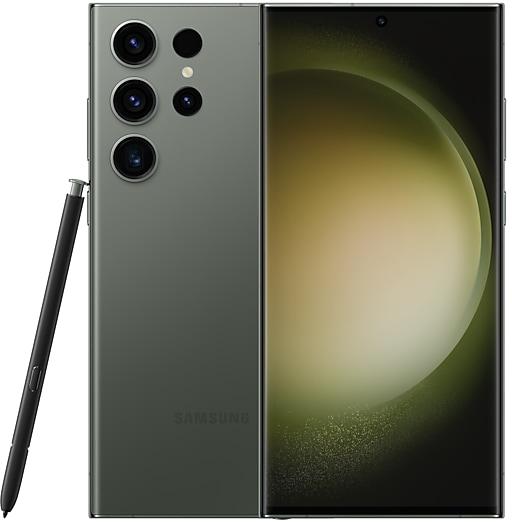
Samsung Galaxy S23 Ultra
SM-S918Q
- https://samfirm.shop/model/SM-S911C

Samsung Galaxy S23
SM-S911C
- https://samfirm.shop/model/SM-S916W
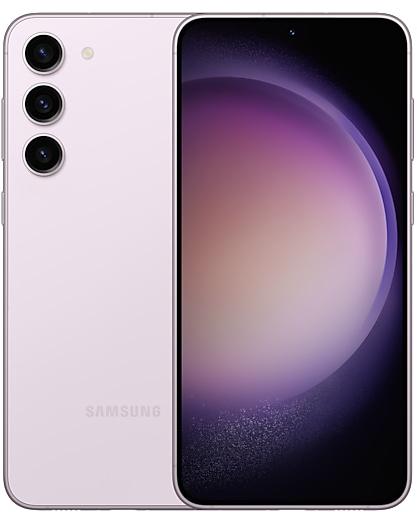
Samsung Galaxy S23+
SM-S916W
- https://samfirm.shop/model/SM-S921E

Samsung Galaxy S24
SM-S921E
- https://samfirm.shop/model/SM-S906L

Samsung Galaxy S6
SM-S906L


Frequently Asked Questions
What is the latest Android version for SM-S918N?
The newest firmware for SM-S918N runs Android 17: build S918NKSU8GZIF, released on September 28, 2026.
When did SM-S918N get its last update?
The latest build for SM-S918N, S918NKSU8GZIF, was released on September 28, 2026 (1 month ago).
How often does SM-S918N get updates?
Over the last 12 months SM-S918N received 11 builds, with at least one new build in 10 different months.
Is the firmware for SM-S918N official?
Yes, all firmware files for SM-S918N are 100% official, original, and obtained directly from Samsung servers.
How to flash Samsung SM-S918N using Odin?
To flash SM-S918N, you need to download the appropriate firmware, put your device into Download Mode, and use the Odin tool to load the BL, AP, CP, and CSC files.
Can I downgrade the Android version on SM-S918N?
Downgrading is only possible if the bootloader version (binary bit) of the old firmware matches the current one. Always check the binary version before flashing SM-S918N.
Is this the stock ROM or flash file for SM-S918N?
Yes. Every build on this page is the official stock ROM for SM-S918N from Samsung's update server, the same package other sites call the flash file or the software update. It installs with Odin on a Windows PC.
Does flashing firmware remove the FRP lock on SM-S918N?
No. Factory Reset Protection is tied to the Google account that was on the phone and survives a firmware flash. Sign in with that account or use the legal options in our FRP guide.