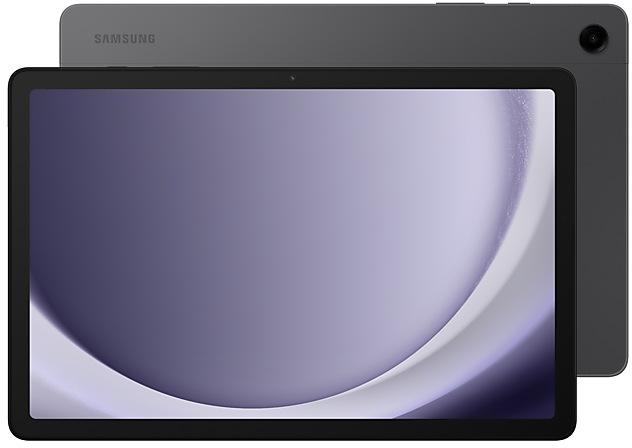
Samsung Galaxy Tab A9+ SM-X210 firmware
The latest firmware for Samsung Galaxy Tab A9+ (SM-X210) is X210ZCUDEZI1 with Android 16, released on October 22, 2026 for 1 region (CSC). Every official firmware build for SM-X210, newest first: one row per build with all regions (CSC) that received it.
- Builds
- 95 builds
- Regions (CSC)
- 21 regions
Firmware builds for SM-X210
- CHN
- XACXAR
- INSNPL
- XACXAR
- INSNPL
- ILOTURXSG
- BRICAUSEKTGYXIDXSP
- EUXEUYKOOXJP
- MXOZBRZTO
- XACXAR
- MXOZBRZTO
- INSNPL
- ILOTURXSG
- BRICAUSEKTGYXIDXSP
- CHN
- EUXEUYKOOXJP
- XACXAR
- MXOZBRZTO
- EUXEUYKOOXJP
- CHN
- INSNPL
- ILOTURXSG
- BRICAUSEKTGYXIDXSP
- XACXAR
- MXOZBRZTO
- INSNPL
- ILOTURXSG
- BRICAUSEKTGYXIDXSP
- EUXEUYKOOXJP
- CHN
- ILOTURXSG
- EUXEUYKOOXJP
- CHN
- BRICAUSEKTGYXIDXSP
- MXOZBRZTO
- INSNPL
- BRITGYXACXAR
- CHN
- EUXEUYKOO
- INSNPL
- XACXAR
- CHN
- INSNPL
- CHN
- XACXAR
- XACXAR
- INSNPL
Each firmware build has its own page at https://samfirm.shop/build/{PDA}, where {PDA} is the build number from the list above. Example: https://samfirm.shop/build/X210ZCUDEZI1
SM-X210 update history
SM-X210 started on Android 14 and has received 2 major Android upgrades; it now runs Android 16. The newest build, X210ZCUDEZI1, was released on October 22, 2026 with the August 2026 security patch. That patch (SMR Aug-2026) fixes 54 vulnerabilities, 8 of them critical. Over the last 12 months SM-X210 received 40 builds, spread over 8 different months. Samsung guarantees security updates for this model until October 14, 2027.
Device specifications
- Display diagonal
- 27.9 cm (11")
- Display resolution
- 1920 x 1200 pixels
- Rear camera resolution
- 8 MP
- Rear camera type
- Single camera
- Front camera resolution
- 5 MP
- Wi-Fi standard
- Wi-Fi 5 (802.11ac)
- Weight
- 480 g
Specifications of SM-X210N, a regional variant of the same device. Chipset and SIM lines are left out: they can differ by region.
Changelog for SM-X210
• Stability and reliability
Device behavior has been improved.
• Security
The device is protected with improved security.
These changes may vary depending on the model, country, or network operator of the customer environment.
• Stability and reliability
Device behavior has been improved.
• Security
The device is protected with improved security.
- X210XXUDEZGFOct 14, 2026
- X210XXUDEZI1Sep 23, 2026
- X210XXUDEZH1Sep 16, 2026
• Security
The device is protected with improved security.
These changes may vary depending on the model, country, or network operator of the customer environment.
- X210XXSCEZG7Aug 18, 2026
- X210XXSCEZGBJul 29, 2026
- X210XXSCEZGCJul 29, 2026
- X210XXSCEZG1Jul 28, 2026
- X210XXSCEZG6Jul 28, 2026
- X210XXSCEZG9Jul 28, 2026
- X210XXSCEZE9Jun 16, 2026
- X210ZCSCEZE8Jun 16, 2026
- X210XXSCEZEBJun 15, 2026
- X210XXSCEZEEJun 11, 2026
- X210XXSCEZEFJun 11, 2026
- X210XXSCEZE8Jun 11, 2026
- X210XXSCEZEDJun 11, 2026
- X210ZCSBEZBEMar 12, 2026
- X210XXSBEZBAMar 12, 2026
- X210XXSBEZBDMar 10, 2026
- X210XXSBEZBGMar 10, 2026
- X210XXSBEZBHMar 10, 2026
- X210XXSBEZBEMar 9, 2026
- X210XXSBEZBBMar 9, 2026
- X210XXSAEZA5Feb 2, 2026
- X210XXSAEZA7Jan 29, 2026
- X210XXSAEZA2Jan 29, 2026
- X210ZCSAEZA1Jan 29, 2026
- X210XXSAEZA6Jan 28, 2026
- X210XXSAEZA1Jan 27, 2026
1 retail code (SKU)
Box codes of SM-X210 for different colors and markets. Firmware is chosen by the model code SM-X210 and your region (CSC), not by the SKU.
- SM-X210NDBEEUE
New firmware for other devices
- Galaxy Watch9SM-L350 https://samfirm.shop/model/SM-L350
- Galaxy Tab S11 5GSM-X736B https://samfirm.shop/model/SM-X736B
- Galaxy Tab S11 UltraSM-X930 https://samfirm.shop/model/SM-X930
- Galaxy Tab S8 5GSM-X706C https://samfirm.shop/model/SM-X706CCHC
- Galaxy Z Flip7SM-F766B https://samfirm.shop/model/SM-F766B
- Galaxy Z Flip7SM-F766U https://samfirm.shop/model/SM-F766U
Similar Models
- https://samfirm.shop/model/SM-X210N

Samsung Galaxy Tab A9+
SM-X210N
- https://samfirm.shop/model/SM-X216R

Samsung Galaxy Tab A9+ 5G
SM-X216R
- https://samfirm.shop/model/SM-X110N

Samsung Galaxy Tab A9, 64GB, Gray
SM-X110N
- https://samfirm.shop/model/SM-X117U

Samsung Galaxy Tab A9 LTE
SM-X117U
- https://samfirm.shop/model/SM-X115N

Samsung Galaxy Tab A9
SM-X115N


Frequently Asked Questions
What is the latest Android version for SM-X210?
The newest firmware for SM-X210 runs Android 16: build X210ZCUDEZI1, released on October 22, 2026.
When did SM-X210 get its last update?
The latest build for SM-X210, X210ZCUDEZI1, was released on October 22, 2026 (24 days ago).
How often does SM-X210 get updates?
Over the last 12 months SM-X210 received 40 builds, with at least one new build in 8 different months.
Is the firmware for SM-X210 official?
Yes, all firmware files for SM-X210 are 100% official, original, and obtained directly from Samsung servers.
How to flash Samsung SM-X210 using Odin?
To flash SM-X210, you need to download the appropriate firmware, put your device into Download Mode, and use the Odin tool to load the BL, AP, CP, and CSC files.
Can I downgrade the Android version on SM-X210?
Downgrading is only possible if the bootloader version (binary bit) of the old firmware matches the current one. Always check the binary version before flashing SM-X210.
Is this the stock ROM or flash file for SM-X210?
Yes. Every build on this page is the official stock ROM for SM-X210 from Samsung's update server, the same package other sites call the flash file or the software update. It installs with Odin on a Windows PC.
Does flashing firmware remove the FRP lock on SM-X210?
No. Factory Reset Protection is tied to the Google account that was on the phone and survives a firmware flash. Sign in with that account or use the legal options in our FRP guide.