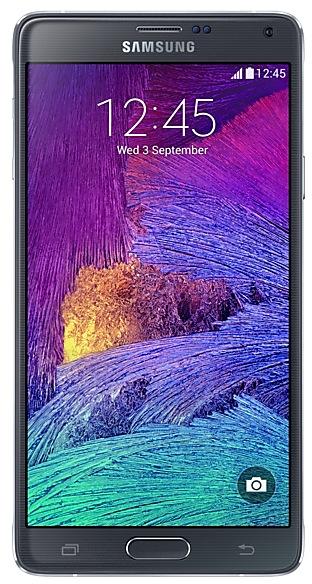
Download Samsung Firmware SM-N910C
Samsung Galaxy Note4
Every official firmware build for SM-N910C, newest first: one row per build with all regions (CSC) that received it.
- Builds
- 178 builds
- Regions (CSC)
- 77 regions
Firmware builds for SM-N910C
- ANCCGUCOLTGPZTOZTR
- COL
- PSP
- CDRCOMCRCCTUPET
- CDRCOBCRM
- CRCCTUTCEZTA
- COOTPATTTUPO
- TGUUFU
- COD
- ZTO
- ICE
- XEO
- ANCZTMZTRZVV
- COOTPATTTUPO
- ZTO
- XEO
- XEO
- CRCCTUTCEZTA
- CDRCOBCRM
- COOTPATTTUPOZTO
- SAMTGUUFU
- THR
- KSA
- CAMTHLXMEXXV
- XEO
- THR
- XEO
- KSA
- CRCCTUTCEZTA
- CDRCOBCRM
- COOTPATTTUPOZTO
- TGUUFU
- CAMTHLXMEXXV
- COM
- CAMTHLXMEXXV
- CRCCTUTCEZTA
- CDRCOBCRM
- COOTPATTTUPOZTO
- TGUUFU
- KSA
Each firmware build has its own page at https://samfirm.shop/build/{PDA}, where {PDA} is the build number from the list above. Example: https://samfirm.shop/build/N910CXXU2DSC1
Device specifications
- Display diagonal
- 14.5 cm (5.7")
- Display resolution
- 2560 x 1440 pixels
- Display type
- SAMOLED
- Processor frequency
- 1.9 GHz
- RAM
- 3 GB
- Rear camera resolution
- 16 MP
- Rear camera type
- Single camera
- SIM cards
- Single SIM
- Battery capacity
- 3220 mAh
- Weight
- 176 g
Changelog for SM-N910C
• GPS
The stability has been improved.
• Security
The device is protected with improved security.
- N910CXXU2DVH1 Sep 30, 2022
- N910CXXU2DVG2 Sep 13, 2022
- N910CXXU2DVG1 Aug 23, 2022
- N910CXXU2DVH2 Aug 19, 2022
·Battery usage optimisation
·Improved performance with efficient memory management
·Security Enhancements
·Improved the stability
·After updating, you will not be able to downgrade to the old software because of updates to the security policy.
1 retail code (SKU)
Box codes of SM-N910C for different colors and markets. Firmware is chosen by the model code SM-N910C and your region (CSC), not by the SKU.
- SM-N910CZDETUR
Similar Models
- https://samfirm.shop/model/SM-N910V
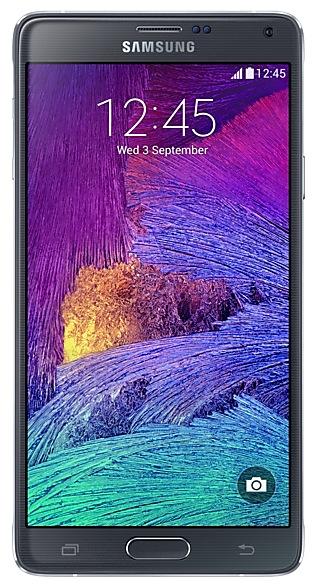
Samsung Galaxy Note4
SM-N910V
- https://samfirm.shop/model/SM-N915V
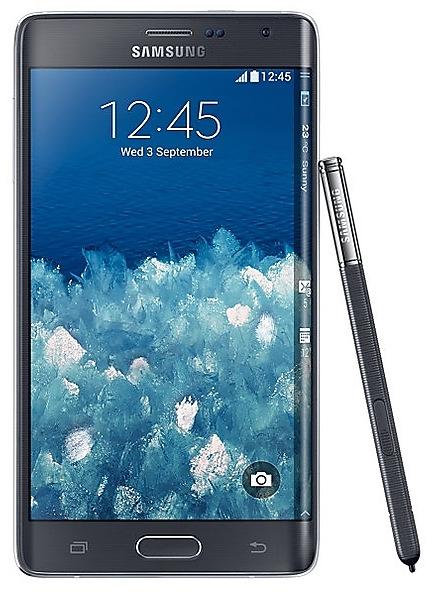
Samsung Galaxy Note Edge
SM-N915V
- https://samfirm.shop/model/SM-N916S

Samsung Galaxy Note4 S-LTE
SM-N916S
- https://samfirm.shop/model/SM-N920AZW

Samsung Galaxy Note5 32GB Certified Pre-Owned
SM-N920AZW
- https://samfirm.shop/model/SM-N900V

Samsung Galaxy Note3
SM-N900V


Frequently Asked Questions
🤗 Where can I find the Samsung firmware for model SM-N910C?
You can find the firmware on the model: SM-N910C page.
Is the firmware for SM-N910C official?
Yes, all firmware files for SM-N910C are 100% official, original, and obtained directly from Samsung servers.
How to flash Samsung SM-N910C using Odin?
To flash SM-N910C, you need to download the appropriate firmware, put your device into Download Mode, and use the Odin tool to load the BL, AP, CP, and CSC files.
Can I downgrade the Android version on SM-N910C?
Downgrading is only possible if the bootloader version (binary bit) of the old firmware matches the current one. Always check the binary version before flashing SM-N910C.