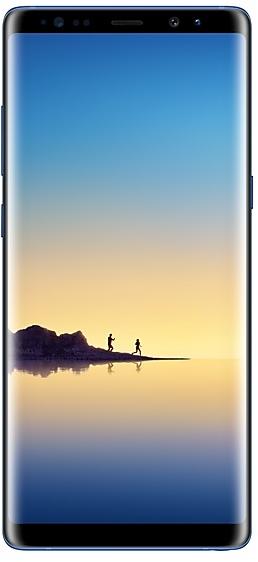
Samsung Galaxy Note8 N950WVLU3CRC2 البرنامج الثابت
Samsung Galaxy Note8 N950WVLU3CRC2 هو برنامج ثابت بنظام Android 8.0.0 (Oreo) متاح لـ: كندا (BMC, BWA, CHR, ESK, FMC, GLW, KDO, MTB, RWC, SPC, TLS, VMC, VTR, XAC). إنه البرنامج الثابت نفسه مع إعدادات لكل منطقة ومشغّل (CSC). ابحث عن بلدك أدناه، وتحقق من الملف، ونزّله مجانًا. مقارنةً بالإصدار السابق N950WVLS3BRB1 https://samfirm.shop/ar/build/N950WVLS3BRB1: تحديث Android من Android 7.1.1 (Nougat) إلى Android 8.0.0 (Oreo). يتوفر إصدار أحدث لـ SM-N950W: N950WVLU8DZE1 https://samfirm.shop/ar/build/N950WVLU8DZE1.
إصدار محمّل الإقلاع (binary) 3. عادةً ما تمنع حماية Samsung من الرجوع (anti-rollback) تثبيت برنامج ثابت بإصدار binary أقل.
جميع التنزيلات حسب المنطقة
اختر منطقتك (CSC) لتنزيل حزمة البرنامج الثابت المناسبة.
| نموذج | منطقة | نسخة سي إس سي | تاريخ البناء | تاريخ الإصدار | مقاس | اسم الملف | تحميل |
|---|---|---|---|---|---|---|---|
| SM-N950W |
BMC, BWA, CHR, ESK, FMC, KDO, MTB, RWC, SPC, TLS, VMC, VTR, XAC كندا | N950WOYV3CRC2 | 2018-03-19 | 2018-04-02 | ٣٫٦١٤ جيبيبايت | SM-N950W_1_20210527133837_9crkptt4a4_fac.zip MD5:d5bfa0a52854b5817b19a5a75875c1f1 SHA1:59a5f96db9d59a7cf67b9469be6928bd4fd14327 | تحميل |
| SM-N950W |
GLW كندا | N950WOYV3CRC2 | 2018-03-09 | 2018-04-02 | ٣٫٦١٤ جيبيبايت | SM-N950W_1_20210726121134_epnj5moh4h_fac.zip | تحميل |
لا توجد تنزيلات مطابقة
كيفية تفليش N950WVLU3CRC2
- إصدار binary لمحمّل الإقلاع في N950WVLU3CRC2 هو 3. يجب أن يكون جهازك على binary 3 أو أقل: وهو الحرف الخامس من نهاية رقم البنية الحالي.
- CSC: استخدم CSC للتثبيت النظيف، أو لتغيير المنطقة (رمز CSC)، أو للرجوع لإصدار أقدم، أو لإصلاح جهاز لا يقلع.
- HOME_CSC: استخدم HOME_CSC لتحديث الطراز نفسه والمنطقة نفسها مع الاحتفاظ ببياناتك. ومع ذلك خذ نسخة احتياطية: قد يتطلب التحديث الفاشل إعادة ضبط.
- تختلف مجموعة أزرار وضع Download حسب الطراز: عرض جميع المجموعات.
ما الجديد في N950WVLU3CRC2
Samsung Experience 9.0 brings you Android Oreo, with exciting new features from Samsung and Google based on feedback from users like you.
We recommend that you back up your important data to keep it safe during the upgrade.
Some apps, including Samsung Pay, Samsung Internet, Samsung Notes, and Email, should be updated individually before you can update your OS.
Here’s what’s new.
Biometrics
To improve your security, features that use biometrics (face, fingerprints, and irises) are only available when you use a secure screen lock type (pattern, PIN, or password). When you switch to a non-secure screen lock type (Swipe or None), biometric authentication is suspended for unlocking and for verification in apps like Samsung Pay and Samsung Pass. If you're using biometrics now without a secure screen lock type, you'll be able to continue after the upgrade, but changing to a secure screen lock type is recommended.
Quick Panel
- Manage notifications for each app with notification categories (supported apps only).
- Icons will be shown at the bottom of the notification panel for notifications that aren't currently visible.
Home Screen
- Touch and hold an app to display shortcuts to common or recommended tasks within the app (supported apps only).
- Notification badges on app icons are linked with the notification panel. Clear a notification in one location, and it will also be cleared in the other location.
Samsung Keyboard
- The toolbar gives quick access to useful functions.
- The GIF keyboard lets you send GIFs.
- More high-contrast keyboards are available.
System Performance
- Background services are limited to improve performance and battery life.
- Currently running apps will always be shown in the notification panel.
Edge screen
- Improved font size, color, and other settings for better Edge panel visibility.
- Touch and hold the Edge panel handle to change its position.
- Added 3 more Edge lighting effects and color customization for apps.
Lock Screen and Always On Display
- New clock styles for the Lock screen and Always On Display.
- Adjust the transparency of notifications to get the look you want.
Smart View
- Let your phone's screen go dark when mirroring to another screen.
Samsung account
- Control your account settings and profile information for multiple apps.
- Tap your profile picture on the main Settings page to access your profile information and account settings.
Samsung Cloud
- View and manage photos and notes stored only in Samsung Cloud.
- Store any type of file in Samsung Cloud Drive.
- Select specific items to delete or restore from your backups.
- See how big each backup is and how many items it contains.
Samsung Dual Messenger
- Install a second copy of a messaging app so you can use two accounts at the same time. For apps that verify accounts using phone numbers, you'll need a different phone number for each account.
- Touch and hold a messaging app on the Home or Apps screen to install the second account or go to Settings - Advanced features - Dual Messenger.
Find My Mobile
- Back up Secure Folder to Samsung Cloud remotely when your phone is lost.
- Lock Samsung Pass using Find My Mobile.
Samsung DeX
- Use your phone as a touchpad to control Samsung DeX without a mouse.
- Added support for multiple resolutions (HD+/FHD/WQHD) to better fit your screen.
Other improvements
- Bluetooth now supports high-quality audio codecs, including AAC and Sony LDAC.
- Video player includes auto repeat and 2x speed option.
- Voice Recorder provides smart tips to conveniently block calls while recording.
- Email lets you flag Microsoft Exchange ActiveSync emails.
- Samsung Health's new sticky notification lets you see your step count at a glance.
- Clock now includes a Landscape mode and timer sound options.
- The digital clock widget goes directly to the Clock app when you tap it.
- Samsung Pass added the ability to manage usernames and passwords in third-party apps.
طرح N950WVLU3CRC2 حسب المنطقة
- أول إصدار
- ٢ أبريل ٢٠١٨
- آخر منطقة
- ٣ أبريل ٢٠١٨
- المدة
- يومان
- عدد المناطق
- 14
- اليوم 1 · · ٥ مناطقكنداBMCBWAESKGLWVMC
- اليوم 2 · · ٩ مناطقكنداCHRFMCKDOMTBRWCSPCTLSVTRXAC
مواصفات الجهاز
- صدر معAndroid 7.1.1
- قطر الشاشة16 cm (6.3")
- دقة الشاشة2960 x 1440 بكسل
- نوع الشاشةSAMOLED
- الذاكرة العشوائية6 GB
- نوع الذاكرة العشوائيةLPDDR4
- دقة الكاميرا الخلفية12 MP
- الكاميرا الخلفيةكاميرا مزدوجة
- سعة البطارية3300 mAh
- الوزن195 g
hub_specs_from_variant
الأسئلة المتداولة
إصدارات أخرى وسجل التغييرات لـ Samsung Galaxy Note8
• الثبات والموثوقية
حُسّن سلوك الجهاز.
• الأمان
الجهاز محمي بأمان مُحسن.
قد تختلف هذه التغييرات حسب الطراز أو البلد أو مشغِّل الشبكة في بيئة العميل.
• تم تحسين أمان الجهاز.
- N950WVLU8DUE1٢٩/٠٦/٢٠٢١
- N950WVLU8DUD4٠٤/٠٥/٢٠٢١
- N950WVLU8DUA3٢٣/٠٢/٢٠٢١
· تم تحسين أمان الجهاز.
• تم تحسين أمان الجهاز.
عرض ١٣ إصدارًا أقدم
· تم تحسين أمان الجهاز.
- N950WVLS8DTG2١٩/٠٨/٢٠٢٠
- N950WVLS8DTF2٢٨/٠٧/٢٠٢٠
- N950WVLS7DTE5٢٣/٠٦/٢٠٢٠
- N950WVLU7DTC1٢٠/٠٤/٢٠٢٠
- N950WVLS7DTA1٢٥/٠٢/٢٠٢٠
- N950WVLS7DSL1٢١/٠١/٢٠٢٠
- N950WVLS7DSK5١٨/١٢/٢٠١٩
- N950WVLU7DSK3١٨/١١/٢٠١٩
- N950WVLS6DSI3١٧/١٠/٢٠١٩
- N950WVLS6DSI1٠١/١٠/٢٠١٩
- N950WVLU6DSH3٠٣/٠٩/٢٠١٩
- N950WVLS6DSG2٢٣/٠٧/٢٠١٩
- N950WVLS5DSF5٠٢/٠٧/٢٠١٩