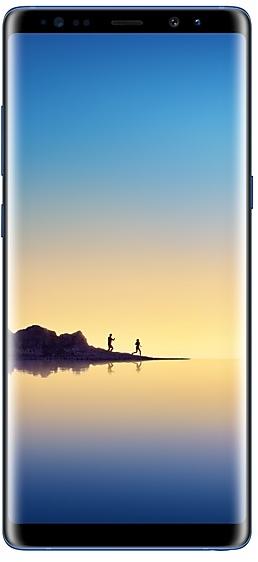
Samsung Galaxy Note8 N950WVLU3CRC2 Firmware
Samsung Galaxy Note8 N950WVLU3CRC2 là firmware Android 8.0.0 (Oreo) dành cho Canada (BMC, BWA, CHR, ESK, FMC, GLW, KDO, MTB, RWC, SPC, TLS, VMC, VTR, XAC). Đây là cùng một firmware, được cấu hình theo khu vực và nhà mạng (CSC). Tìm quốc gia của bạn bên dưới, kiểm tra tệp và tải về miễn phí. So với bản build trước N950WVLS3BRB1 https://samfirm.shop/vi/build/N950WVLS3BRB1: Android được cập nhật từ Android 7.1.1 (Nougat) lên Android 8.0.0 (Oreo). Đã có bản build mới hơn cho SM-N950W: N950WVLU8DZE1 https://samfirm.shop/vi/build/N950WVLU8DZE1.
Binary bootloader 3. Việc flash firmware có binary thấp hơn thường bị anti-rollback của Samsung chặn.
Tất cả bản tải theo khu vực
Chọn khu vực của bạn (CSC) để tải gói firmware phù hợp.
| Người mẫu | Vùng đất | Phiên bản CSC | Ngày xây dựng | Ngày phát hành | Kích cỡ | Tên tập tin | Tải xuống |
|---|---|---|---|---|---|---|---|
| SM-N950W |
BMC, BWA, CHR, ESK, FMC, KDO, MTB, RWC, SPC, TLS, VMC, VTR, XAC Canada | N950WOYV3CRC2 | 2018-03-19 | 2018-04-02 | 3,614 GiB | SM-N950W_1_20210527133837_9crkptt4a4_fac.zip MD5:d5bfa0a52854b5817b19a5a75875c1f1 SHA1:59a5f96db9d59a7cf67b9469be6928bd4fd14327 | Tải xuống |
| SM-N950W |
GLW Canada | N950WOYV3CRC2 | 2018-03-09 | 2018-04-02 | 3,614 GiB | SM-N950W_1_20210726121134_epnj5moh4h_fac.zip | Tải xuống |
Không có bản tải phù hợp
Cách flash N950WVLU3CRC2
- N950WVLU3CRC2 có binary bootloader 3. Thiết bị của bạn phải ở binary 3 hoặc thấp hơn: đó là ký tự thứ 5 tính từ cuối số bản dựng hiện tại.
- CSC: Dùng CSC để cài sạch, đổi vùng (mã CSC), hạ cấp hoặc sửa thiết bị không khởi động được.
- HOME_CSC: Dùng HOME_CSC để cập nhật cùng model và cùng vùng mà vẫn giữ dữ liệu. Vẫn nên sao lưu: cập nhật thất bại vẫn có thể cần khôi phục cài đặt gốc.
- Tổ hợp phím vào chế độ Download tùy theo model: xem tất cả tổ hợp.
Có gì mới trong N950WVLU3CRC2
Samsung Experience 9.0 brings you Android Oreo, with exciting new features from Samsung and Google based on feedback from users like you.
We recommend that you back up your important data to keep it safe during the upgrade.
Some apps, including Samsung Pay, Samsung Internet, Samsung Notes, and Email, should be updated individually before you can update your OS.
Here’s what’s new.
Biometrics
To improve your security, features that use biometrics (face, fingerprints, and irises) are only available when you use a secure screen lock type (pattern, PIN, or password). When you switch to a non-secure screen lock type (Swipe or None), biometric authentication is suspended for unlocking and for verification in apps like Samsung Pay and Samsung Pass. If you're using biometrics now without a secure screen lock type, you'll be able to continue after the upgrade, but changing to a secure screen lock type is recommended.
Quick Panel
- Manage notifications for each app with notification categories (supported apps only).
- Icons will be shown at the bottom of the notification panel for notifications that aren't currently visible.
Home Screen
- Touch and hold an app to display shortcuts to common or recommended tasks within the app (supported apps only).
- Notification badges on app icons are linked with the notification panel. Clear a notification in one location, and it will also be cleared in the other location.
Samsung Keyboard
- The toolbar gives quick access to useful functions.
- The GIF keyboard lets you send GIFs.
- More high-contrast keyboards are available.
System Performance
- Background services are limited to improve performance and battery life.
- Currently running apps will always be shown in the notification panel.
Edge screen
- Improved font size, color, and other settings for better Edge panel visibility.
- Touch and hold the Edge panel handle to change its position.
- Added 3 more Edge lighting effects and color customization for apps.
Lock Screen and Always On Display
- New clock styles for the Lock screen and Always On Display.
- Adjust the transparency of notifications to get the look you want.
Smart View
- Let your phone's screen go dark when mirroring to another screen.
Samsung account
- Control your account settings and profile information for multiple apps.
- Tap your profile picture on the main Settings page to access your profile information and account settings.
Samsung Cloud
- View and manage photos and notes stored only in Samsung Cloud.
- Store any type of file in Samsung Cloud Drive.
- Select specific items to delete or restore from your backups.
- See how big each backup is and how many items it contains.
Samsung Dual Messenger
- Install a second copy of a messaging app so you can use two accounts at the same time. For apps that verify accounts using phone numbers, you'll need a different phone number for each account.
- Touch and hold a messaging app on the Home or Apps screen to install the second account or go to Settings - Advanced features - Dual Messenger.
Find My Mobile
- Back up Secure Folder to Samsung Cloud remotely when your phone is lost.
- Lock Samsung Pass using Find My Mobile.
Samsung DeX
- Use your phone as a touchpad to control Samsung DeX without a mouse.
- Added support for multiple resolutions (HD+/FHD/WQHD) to better fit your screen.
Other improvements
- Bluetooth now supports high-quality audio codecs, including AAC and Sony LDAC.
- Video player includes auto repeat and 2x speed option.
- Voice Recorder provides smart tips to conveniently block calls while recording.
- Email lets you flag Microsoft Exchange ActiveSync emails.
- Samsung Health's new sticky notification lets you see your step count at a glance.
- Clock now includes a Landscape mode and timer sound options.
- The digital clock widget goes directly to the Clock app when you tap it.
- Samsung Pass added the ability to manage usernames and passwords in third-party apps.
Lộ trình phát hành N950WVLU3CRC2 theo khu vực
- Phát hành đầu tiên
- 2 tháng 4, 2018
- Khu vực cuối cùng
- 3 tháng 4, 2018
- Thời gian
- 2 ngày
- Số khu vực
- 14
- Ngày 1 · · 5 khu vựcCanadaBMCBWAESKGLWVMC
- Ngày 2 · · 9 khu vựcCanadaCHRFMCKDOMTBRWCSPCTLSVTRXAC
Thông số thiết bị
- Ra mắt vớiAndroid 7.1.1
- Đường chéo màn hình16 cm (6.3")
- Độ phân giải màn hình2960 x 1440 pixel
- Loại màn hìnhSAMOLED
- RAM6 GB
- Loại RAMLPDDR4
- Độ phân giải camera sau12 MP
- Camera sauCamera kép
- Dung lượng pin3300 mAh
- Trọng lượng195 g
hub_specs_from_variant
Câu hỏi thường gặp
Các bản build khác và nhật ký thay đổi của Samsung Galaxy Note8
• Tính ổn định và độ tin cậy
Hành vi của thiết bị đã được cải thiện.
• Bảo mật
Thiết bị được bảo vệ với mức độ bảo mật được cải thiện.
Những thay đổi này có thể khác nhau tùy thuộc vào kiểu máy, quốc gia hoặc nhà mạng trong môi trường khách hàng.
• Độ bảo mật của thiết bị của bạn đã được cải thiện.
- N950WVLU8DUE129 thg 6, 2021
- N950WVLU8DUD44 thg 5, 2021
- N950WVLU8DUA323 thg 2, 2021
· Độ bảo mật của thiết bị của bạn đã được cải thiện.
• Độ bảo mật của thiết bị của bạn đã được cải thiện.
Hiện 13 bản build cũ hơn
· Độ bảo mật của thiết bị của bạn đã được cải thiện.
- N950WVLS8DTG219 thg 8, 2020
- N950WVLS8DTF228 thg 7, 2020
- N950WVLS7DTE523 thg 6, 2020
- N950WVLU7DTC120 thg 4, 2020
- N950WVLS7DTA125 thg 2, 2020
- N950WVLS7DSL121 thg 1, 2020
- N950WVLS7DSK518 thg 12, 2019
- N950WVLU7DSK318 thg 11, 2019
- N950WVLS6DSI317 thg 10, 2019
- N950WVLS6DSI11 thg 10, 2019
- N950WVLU6DSH33 thg 9, 2019
- N950WVLS6DSG223 thg 7, 2019
- N950WVLS5DSF52 thg 7, 2019