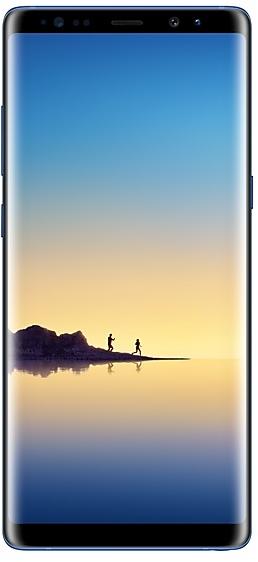
Samsung Galaxy Note8 N950WVLU3CRC2 Firmware
Samsung Galaxy Note8 N950WVLU3CRC2 é um firmware Android 8.0.0 (Oreo) para Canadá (BMC, BWA, CHR, ESK, FMC, GLW, KDO, MTB, RWC, SPC, TLS, VMC, VTR, XAC). É o mesmo firmware configurado por região e operadora (CSC). Encontre o seu país abaixo, verifique o arquivo e baixe grátis. Em comparação com a build anterior N950WVLS3BRB1 https://samfirm.shop/pt/build/N950WVLS3BRB1: Android atualizado de Android 7.1.1 (Nougat) para Android 8.0.0 (Oreo). Há uma build mais recente para SM-N950W: N950WVLU8DZE1 https://samfirm.shop/pt/build/N950WVLU8DZE1.
Binário do bootloader 3. Instalar um firmware com binário inferior geralmente é bloqueado pelo anti-rollback da Samsung.
Todos os downloads regionais
Escolha a sua região (CSC) para baixar o pacote de firmware correspondente.
| Modelo | Região | Versão CSC | Data de construção | Data de lançamento | Tamanho | Nome do arquivo | Download |
|---|---|---|---|---|---|---|---|
| SM-N950W |
BMC, BWA, CHR, ESK, FMC, KDO, MTB, RWC, SPC, TLS, VMC, VTR, XAC Canadá | N950WOYV3CRC2 | 2018-03-19 | 2018-04-02 | 3,614 GiB | SM-N950W_1_20210527133837_9crkptt4a4_fac.zip MD5:d5bfa0a52854b5817b19a5a75875c1f1 SHA1:59a5f96db9d59a7cf67b9469be6928bd4fd14327 | Download |
| SM-N950W |
GLW Canadá | N950WOYV3CRC2 | 2018-03-09 | 2018-04-02 | 3,614 GiB | SM-N950W_1_20210726121134_epnj5moh4h_fac.zip | Download |
Nenhum download correspondente
Como fazer o flash de N950WVLU3CRC2
- N950WVLU3CRC2 tem o binário de bootloader 3. O seu dispositivo deve estar no binário 3 ou inferior: é o 5.º caractere a partir do fim do número da compilação atual.
- CSC: Use CSC para uma instalação limpa, para mudar de região (código CSC), para fazer downgrade ou para recuperar um aparelho que não liga.
- HOME_CSC: Use HOME_CSC para atualizar o mesmo modelo e região mantendo seus dados. Faça backup mesmo assim: uma atualização com falha ainda pode exigir um reset.
- A combinação de teclas do modo Download depende do modelo: ver todas as combinações.
Novidades em N950WVLU3CRC2
Samsung Experience 9.0 brings you Android Oreo, with exciting new features from Samsung and Google based on feedback from users like you.
We recommend that you back up your important data to keep it safe during the upgrade.
Some apps, including Samsung Pay, Samsung Internet, Samsung Notes, and Email, should be updated individually before you can update your OS.
Here’s what’s new.
Biometrics
To improve your security, features that use biometrics (face, fingerprints, and irises) are only available when you use a secure screen lock type (pattern, PIN, or password). When you switch to a non-secure screen lock type (Swipe or None), biometric authentication is suspended for unlocking and for verification in apps like Samsung Pay and Samsung Pass. If you're using biometrics now without a secure screen lock type, you'll be able to continue after the upgrade, but changing to a secure screen lock type is recommended.
Quick Panel
- Manage notifications for each app with notification categories (supported apps only).
- Icons will be shown at the bottom of the notification panel for notifications that aren't currently visible.
Home Screen
- Touch and hold an app to display shortcuts to common or recommended tasks within the app (supported apps only).
- Notification badges on app icons are linked with the notification panel. Clear a notification in one location, and it will also be cleared in the other location.
Samsung Keyboard
- The toolbar gives quick access to useful functions.
- The GIF keyboard lets you send GIFs.
- More high-contrast keyboards are available.
System Performance
- Background services are limited to improve performance and battery life.
- Currently running apps will always be shown in the notification panel.
Edge screen
- Improved font size, color, and other settings for better Edge panel visibility.
- Touch and hold the Edge panel handle to change its position.
- Added 3 more Edge lighting effects and color customization for apps.
Lock Screen and Always On Display
- New clock styles for the Lock screen and Always On Display.
- Adjust the transparency of notifications to get the look you want.
Smart View
- Let your phone's screen go dark when mirroring to another screen.
Samsung account
- Control your account settings and profile information for multiple apps.
- Tap your profile picture on the main Settings page to access your profile information and account settings.
Samsung Cloud
- View and manage photos and notes stored only in Samsung Cloud.
- Store any type of file in Samsung Cloud Drive.
- Select specific items to delete or restore from your backups.
- See how big each backup is and how many items it contains.
Samsung Dual Messenger
- Install a second copy of a messaging app so you can use two accounts at the same time. For apps that verify accounts using phone numbers, you'll need a different phone number for each account.
- Touch and hold a messaging app on the Home or Apps screen to install the second account or go to Settings - Advanced features - Dual Messenger.
Find My Mobile
- Back up Secure Folder to Samsung Cloud remotely when your phone is lost.
- Lock Samsung Pass using Find My Mobile.
Samsung DeX
- Use your phone as a touchpad to control Samsung DeX without a mouse.
- Added support for multiple resolutions (HD+/FHD/WQHD) to better fit your screen.
Other improvements
- Bluetooth now supports high-quality audio codecs, including AAC and Sony LDAC.
- Video player includes auto repeat and 2x speed option.
- Voice Recorder provides smart tips to conveniently block calls while recording.
- Email lets you flag Microsoft Exchange ActiveSync emails.
- Samsung Health's new sticky notification lets you see your step count at a glance.
- Clock now includes a Landscape mode and timer sound options.
- The digital clock widget goes directly to the Clock app when you tap it.
- Samsung Pass added the ability to manage usernames and passwords in third-party apps.
Distribuição de N950WVLU3CRC2 por região
- Primeiro lançamento
- 2 de abril de 2018
- Última região
- 3 de abril de 2018
- Duração
- 2 dias
- Regiões
- 14
- Dia 1 · · 5 regiõesCanadáBMCBWAESKGLWVMC
- Dia 2 · · 9 regiõesCanadáCHRFMCKDOMTBRWCSPCTLSVTRXAC
Especificações do aparelho
- Lançado comAndroid 7.1.1
- Diagonal da tela16 cm (6.3")
- Resolução da tela2960 x 1440 pixels
- Tipo de telaSAMOLED
- RAM6 GB
- Tipo de RAMLPDDR4
- Resolução da câmera traseira12 MP
- Câmera traseiraCâmera dupla
- Capacidade da bateria3300 mAh
- Peso195 g
hub_specs_from_variant
Perguntas frequentes
Outras builds e changelog de Samsung Galaxy Note8
• Estabilidade e fiabilidade
O comportamento do dispositivo foi melhorado.
• Segurança
O dispositivo está protegido com segurança melhorada.
Estas alterações podem variar consoante o modelo, o país ou o operador de rede do ambiente do cliente.
• A segurança do seu dispositivo foi melhorada.
- N950WVLU8DUE129 de jun. de 2021
- N950WVLU8DUD44 de mai. de 2021
- N950WVLU8DUA323 de fev. de 2021
· A segurança do seu dispositivo foi melhorada.
• A segurança do seu dispositivo foi melhorada.
Mostrar 13 builds anteriores
· A segurança do seu dispositivo foi melhorada.
- N950WVLS8DTG219 de ago. de 2020
- N950WVLS8DTF228 de jul. de 2020
- N950WVLS7DTE523 de jun. de 2020
- N950WVLU7DTC120 de abr. de 2020
- N950WVLS7DTA125 de fev. de 2020
- N950WVLS7DSL121 de jan. de 2020
- N950WVLS7DSK518 de dez. de 2019
- N950WVLU7DSK318 de nov. de 2019
- N950WVLS6DSI317 de out. de 2019
- N950WVLS6DSI11 de out. de 2019
- N950WVLU6DSH33 de set. de 2019
- N950WVLS6DSG223 de jul. de 2019
- N950WVLS5DSF52 de jul. de 2019