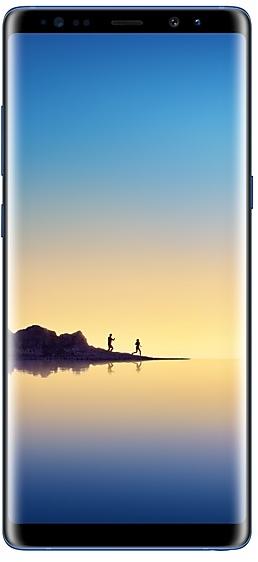
Samsung Galaxy Note8 N950WVLU3CRC2 Yazılımı
Samsung Galaxy Note8 N950WVLU3CRC2, Kanada (BMC, BWA, CHR, ESK, FMC, GLW, KDO, MTB, RWC, SPC, TLS, VMC, VTR, XAC) için Android 8.0.0 (Oreo) yazılımıdır. Bölgeye ve operatöre (CSC) göre ayarlanmış aynı yazılımdır. Aşağıda ülkenizi bulun, dosyayı doğrulayın ve ücretsiz indirin. Önceki sürüm N950WVLS3BRB1 https://samfirm.shop/tr/build/N950WVLS3BRB1 ile karşılaştırıldığında: Android Android 7.1.1 (Nougat) sürümünden Android 8.0.0 (Oreo) sürümüne güncellendi. SM-N950W için daha yeni bir sürüm var: N950WVLU8DZE1 https://samfirm.shop/tr/build/N950WVLU8DZE1.
Bootloader binary 3. Daha düşük binary'li bir yazılımı yüklemek genellikle Samsung anti-rollback koruması tarafından engellenir.
Tüm bölgesel indirmeler
Uygun yazılım paketini indirmek için bölgenizi (CSC) seçin.
| Modeli | Bölge | CSC Sürümü | Yapım Tarihi | Yayın tarihi | Boyut | Dosya adı | İndirmek |
|---|---|---|---|---|---|---|---|
| SM-N950W |
BMC, BWA, CHR, ESK, FMC, KDO, MTB, RWC, SPC, TLS, VMC, VTR, XAC Kanada | N950WOYV3CRC2 | 2018-03-19 | 2018-04-02 | 3,614 GiB | SM-N950W_1_20210527133837_9crkptt4a4_fac.zip MD5:d5bfa0a52854b5817b19a5a75875c1f1 SHA1:59a5f96db9d59a7cf67b9469be6928bd4fd14327 | İndirmek |
| SM-N950W |
GLW Kanada | N950WOYV3CRC2 | 2018-03-09 | 2018-04-02 | 3,614 GiB | SM-N950W_1_20210726121134_epnj5moh4h_fac.zip | İndirmek |
Eşleşen indirme yok
N950WVLU3CRC2 nasıl yüklenir
- N950WVLU3CRC2 önyükleyici binary değeri 3. Cihazınız binary 3 veya daha düşük olmalı: mevcut yapı numaranızın sondan 5. karakteridir.
- CSC: Temiz kurulum, bölge (CSC kodu) değişikliği, sürüm düşürme veya açılmayan bir cihazı onarmak için CSC kullanın.
- HOME_CSC: Aynı model ve bölgeyi verilerinizi koruyarak güncellemek için HOME_CSC kullanın. Yine de yedek alın: başarısız bir güncelleme sıfırlama gerektirebilir.
- Download Modu tuş kombinasyonu modele göre değişir: tüm kombinasyonlar.
N950WVLU3CRC2 sürümündeki yenilikler
Samsung Experience 9.0 brings you Android Oreo, with exciting new features from Samsung and Google based on feedback from users like you.
We recommend that you back up your important data to keep it safe during the upgrade.
Some apps, including Samsung Pay, Samsung Internet, Samsung Notes, and Email, should be updated individually before you can update your OS.
Here’s what’s new.
Biometrics
To improve your security, features that use biometrics (face, fingerprints, and irises) are only available when you use a secure screen lock type (pattern, PIN, or password). When you switch to a non-secure screen lock type (Swipe or None), biometric authentication is suspended for unlocking and for verification in apps like Samsung Pay and Samsung Pass. If you're using biometrics now without a secure screen lock type, you'll be able to continue after the upgrade, but changing to a secure screen lock type is recommended.
Quick Panel
- Manage notifications for each app with notification categories (supported apps only).
- Icons will be shown at the bottom of the notification panel for notifications that aren't currently visible.
Home Screen
- Touch and hold an app to display shortcuts to common or recommended tasks within the app (supported apps only).
- Notification badges on app icons are linked with the notification panel. Clear a notification in one location, and it will also be cleared in the other location.
Samsung Keyboard
- The toolbar gives quick access to useful functions.
- The GIF keyboard lets you send GIFs.
- More high-contrast keyboards are available.
System Performance
- Background services are limited to improve performance and battery life.
- Currently running apps will always be shown in the notification panel.
Edge screen
- Improved font size, color, and other settings for better Edge panel visibility.
- Touch and hold the Edge panel handle to change its position.
- Added 3 more Edge lighting effects and color customization for apps.
Lock Screen and Always On Display
- New clock styles for the Lock screen and Always On Display.
- Adjust the transparency of notifications to get the look you want.
Smart View
- Let your phone's screen go dark when mirroring to another screen.
Samsung account
- Control your account settings and profile information for multiple apps.
- Tap your profile picture on the main Settings page to access your profile information and account settings.
Samsung Cloud
- View and manage photos and notes stored only in Samsung Cloud.
- Store any type of file in Samsung Cloud Drive.
- Select specific items to delete or restore from your backups.
- See how big each backup is and how many items it contains.
Samsung Dual Messenger
- Install a second copy of a messaging app so you can use two accounts at the same time. For apps that verify accounts using phone numbers, you'll need a different phone number for each account.
- Touch and hold a messaging app on the Home or Apps screen to install the second account or go to Settings - Advanced features - Dual Messenger.
Find My Mobile
- Back up Secure Folder to Samsung Cloud remotely when your phone is lost.
- Lock Samsung Pass using Find My Mobile.
Samsung DeX
- Use your phone as a touchpad to control Samsung DeX without a mouse.
- Added support for multiple resolutions (HD+/FHD/WQHD) to better fit your screen.
Other improvements
- Bluetooth now supports high-quality audio codecs, including AAC and Sony LDAC.
- Video player includes auto repeat and 2x speed option.
- Voice Recorder provides smart tips to conveniently block calls while recording.
- Email lets you flag Microsoft Exchange ActiveSync emails.
- Samsung Health's new sticky notification lets you see your step count at a glance.
- Clock now includes a Landscape mode and timer sound options.
- The digital clock widget goes directly to the Clock app when you tap it.
- Samsung Pass added the ability to manage usernames and passwords in third-party apps.
N950WVLU3CRC2 sürümünün bölgelere göre dağıtımı
- İlk yayın
- 2 Nisan 2018
- Son bölge
- 3 Nisan 2018
- Süre
- 2 gün
- Bölge sayısı
- 14
- 1. gün · · 5 bölgeKanadaBMCBWAESKGLWVMC
- 2. gün · · 9 bölgeKanadaCHRFMCKDOMTBRWCSPCTLSVTRXAC
Cihaz özellikleri
- Çıkış sürümüAndroid 7.1.1
- Ekran köşegeni16 cm (6.3")
- Ekran çözünürlüğü2960 x 1440 piksel
- Ekran türüSAMOLED
- RAM6 GB
- RAM türüLPDDR4
- Arka kamera çözünürlüğü12 MP
- Arka kameraÇift kamera
- Pil kapasitesi3300 mAh
- Ağırlık195 g
hub_specs_from_variant
Sıkça Sorulan Sorular
Samsung Galaxy Note8 için diğer sürümler ve değişiklik günlüğü
• Kararlılık ve güvenilirlik
Cihaz davranışı iyileştirildi.
• Güvenlik
Cihaz iyileştirilmiş güvenlik ile korundu.
Bu değişiklikler müşteri ortamının modeline, ülkesine veya şebeke ağ bağlı olarak değişiklik gösterebilir.
• Cihazınızın güvenliği iyileştirildi.
- N950WVLU8DUE129 Haz 2021
- N950WVLU8DUD44 May 2021
- N950WVLU8DUA323 Şub 2021
· Cihazınızın güvenliği iyileştirildi.
• Cihazınızın güvenliği iyileştirildi.
13 eski sürümü göster
· Cihazınızın güvenliği iyileştirildi.
- N950WVLS8DTG219 Ağu 2020
- N950WVLS8DTF228 Tem 2020
- N950WVLS7DTE523 Haz 2020
- N950WVLU7DTC120 Nis 2020
- N950WVLS7DTA125 Şub 2020
- N950WVLS7DSL121 Oca 2020
- N950WVLS7DSK518 Ara 2019
- N950WVLU7DSK318 Kas 2019
- N950WVLS6DSI317 Eki 2019
- N950WVLS6DSI11 Eki 2019
- N950WVLU6DSH33 Eyl 2019
- N950WVLS6DSG223 Tem 2019
- N950WVLS5DSF52 Tem 2019