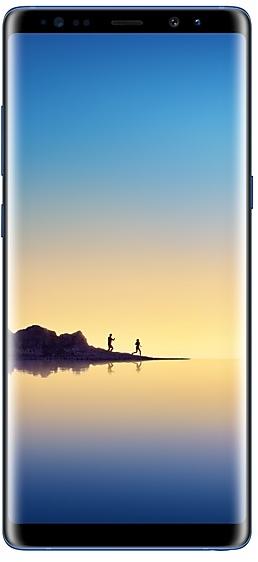
Samsung Galaxy Note8 N950WVLU3CRC2 Firmware
Samsung Galaxy Note8 N950WVLU3CRC2 ist eine Firmware mit Android 8.0.0 (Oreo) für Kanada (BMC, BWA, CHR, ESK, FMC, GLW, KDO, MTB, RWC, SPC, TLS, VMC, VTR, XAC). Es ist dieselbe Firmware, nur für Region und Netzbetreiber (CSC) angepasst. Wähle unten dein Land, prüfe die Datei und lade sie kostenlos herunter. Im Vergleich zum vorherigen Build N950WVLS3BRB1 https://samfirm.shop/de/build/N950WVLS3BRB1: Android von Android 7.1.1 (Nougat) auf Android 8.0.0 (Oreo) aktualisiert. Für SM-N950W gibt es einen neueren Build: N950WVLU8DZE1 https://samfirm.shop/de/build/N950WVLU8DZE1.
Bootloader-Binary 3. Das Flashen einer Firmware mit niedrigerem Binary wird meist durch den Samsung-Rollback-Schutz blockiert.
Alle regionalen Downloads
Wähle deine Region (CSC), um das passende Firmware-Paket herunterzuladen.
Keine passenden Downloads
So flashen Sie N950WVLU3CRC2
- N950WVLU3CRC2 hat Bootloader-Binary 3. Ihr Gerät muss Binary 3 oder niedriger haben: Das ist das 5. Zeichen von hinten in Ihrer aktuellen Build-Nummer.
- CSC: CSC verwenden für eine saubere Installation, einen Regionswechsel (CSC-Code), ein Downgrade oder die Reparatur eines Geräts, das nicht startet.
- HOME_CSC: HOME_CSC verwenden, um dasselbe Modell und dieselbe Region unter Erhalt Ihrer Daten zu aktualisieren. Trotzdem sichern: auch ein fehlgeschlagenes Update kann ein Zurücksetzen erfordern.
- Die Tastenkombination für den Download-Modus hängt vom Modell ab: alle Kombinationen.
Neu in N950WVLU3CRC2
Samsung Experience 9.0 brings you Android Oreo, with exciting new features from Samsung and Google based on feedback from users like you.
We recommend that you back up your important data to keep it safe during the upgrade.
Some apps, including Samsung Pay, Samsung Internet, Samsung Notes, and Email, should be updated individually before you can update your OS.
Here’s what’s new.
Biometrics
To improve your security, features that use biometrics (face, fingerprints, and irises) are only available when you use a secure screen lock type (pattern, PIN, or password). When you switch to a non-secure screen lock type (Swipe or None), biometric authentication is suspended for unlocking and for verification in apps like Samsung Pay and Samsung Pass. If you're using biometrics now without a secure screen lock type, you'll be able to continue after the upgrade, but changing to a secure screen lock type is recommended.
Quick Panel
- Manage notifications for each app with notification categories (supported apps only).
- Icons will be shown at the bottom of the notification panel for notifications that aren't currently visible.
Home Screen
- Touch and hold an app to display shortcuts to common or recommended tasks within the app (supported apps only).
- Notification badges on app icons are linked with the notification panel. Clear a notification in one location, and it will also be cleared in the other location.
Samsung Keyboard
- The toolbar gives quick access to useful functions.
- The GIF keyboard lets you send GIFs.
- More high-contrast keyboards are available.
System Performance
- Background services are limited to improve performance and battery life.
- Currently running apps will always be shown in the notification panel.
Edge screen
- Improved font size, color, and other settings for better Edge panel visibility.
- Touch and hold the Edge panel handle to change its position.
- Added 3 more Edge lighting effects and color customization for apps.
Lock Screen and Always On Display
- New clock styles for the Lock screen and Always On Display.
- Adjust the transparency of notifications to get the look you want.
Smart View
- Let your phone's screen go dark when mirroring to another screen.
Samsung account
- Control your account settings and profile information for multiple apps.
- Tap your profile picture on the main Settings page to access your profile information and account settings.
Samsung Cloud
- View and manage photos and notes stored only in Samsung Cloud.
- Store any type of file in Samsung Cloud Drive.
- Select specific items to delete or restore from your backups.
- See how big each backup is and how many items it contains.
Samsung Dual Messenger
- Install a second copy of a messaging app so you can use two accounts at the same time. For apps that verify accounts using phone numbers, you'll need a different phone number for each account.
- Touch and hold a messaging app on the Home or Apps screen to install the second account or go to Settings - Advanced features - Dual Messenger.
Find My Mobile
- Back up Secure Folder to Samsung Cloud remotely when your phone is lost.
- Lock Samsung Pass using Find My Mobile.
Samsung DeX
- Use your phone as a touchpad to control Samsung DeX without a mouse.
- Added support for multiple resolutions (HD+/FHD/WQHD) to better fit your screen.
Other improvements
- Bluetooth now supports high-quality audio codecs, including AAC and Sony LDAC.
- Video player includes auto repeat and 2x speed option.
- Voice Recorder provides smart tips to conveniently block calls while recording.
- Email lets you flag Microsoft Exchange ActiveSync emails.
- Samsung Health's new sticky notification lets you see your step count at a glance.
- Clock now includes a Landscape mode and timer sound options.
- The digital clock widget goes directly to the Clock app when you tap it.
- Samsung Pass added the ability to manage usernames and passwords in third-party apps.
Verteilung von N950WVLU3CRC2 nach Regionen
- Erste Veröffentlichung
- 2. April 2018
- Letzte Region
- 3. April 2018
- Dauer
- 2 Tage
- Regionen
- 14
- Tag 1 · · 5 RegionenKanadaBMCBWAESKGLWVMC
- Tag 2 · · 9 RegionenKanadaCHRFMCKDOMTBRWCSPCTLSVTRXAC
Gerätespezifikationen
- Ausgeliefert mitAndroid 7.1.1
- Displaydiagonale16 cm (6.3")
- Displayauflösung2960 x 1440 Pixel
- DisplaytypSAMOLED
- Arbeitsspeicher6 GB
- RAM-TypLPDDR4
- Auflösung Hauptkamera12 MP
- HauptkameraDualkamera
- Akkukapazität3300 mAh
- Gewicht195 g
hub_specs_from_variant
Häufig gestellte Fragen
Weitere Builds und Changelog für Samsung Galaxy Note8
• Stabilität und Zuverlässigkeit
Das Geräteverhalten wurde verbessert.
• Sicherheit
Das Gerät wird mit verbesserter Sicherheit geschützt.
Diese Änderungen können je nach Modell, Land oder Netzbetreiber der Kundenumgebung variieren.
Um die bestmögliche Leistung deines Gerätes zu erreichen, solltest du dein Gerät stets auf dem neuesten Stand halten und regelmäßig auf mögliche Software-Aktualisierungen prüfen.
• Die Sicherheit Ihres Gerätes wurde verbessert.
- N950WVLU8DUE129.06.2021
- N950WVLU8DUD404.05.2021
- N950WVLU8DUA323.02.2021
· Die Sicherheit Ihres Gerätes wurde verbessert.
• Die Sicherheit Ihres Gerätes wurde verbessert.
13 ältere Builds anzeigen
· Die Sicherheit Ihres Gerätes wurde verbessert.
- N950WVLS8DTG219.08.2020
- N950WVLS8DTF228.07.2020
- N950WVLS7DTE523.06.2020
- N950WVLU7DTC120.04.2020
- N950WVLS7DTA125.02.2020
- N950WVLS7DSL121.01.2020
- N950WVLS7DSK518.12.2019
- N950WVLU7DSK318.11.2019
- N950WVLS6DSI317.10.2019
- N950WVLS6DSI101.10.2019
- N950WVLU6DSH303.09.2019
- N950WVLS6DSG223.07.2019
- N950WVLS5DSF502.07.2019