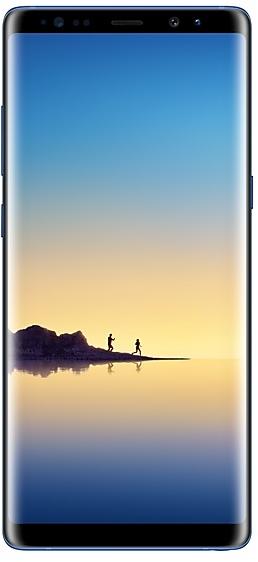
Samsung Galaxy Note8 N950WVLU3CRC2 Firmware
Samsung Galaxy Note8 N950WVLU3CRC2 adalah firmware Android 8.0.0 (Oreo) untuk Kanada (BMC, BWA, CHR, ESK, FMC, GLW, KDO, MTB, RWC, SPC, TLS, VMC, VTR, XAC). Firmware ini sama, hanya diatur per wilayah dan operator (CSC). Cari negara Anda di bawah, periksa file, lalu unduh gratis. Dibandingkan build sebelumnya N950WVLS3BRB1 https://samfirm.shop/id/build/N950WVLS3BRB1: Android diperbarui dari Android 7.1.1 (Nougat) ke Android 8.0.0 (Oreo). Tersedia build lebih baru untuk SM-N950W: N950WVLU8DZE1 https://samfirm.shop/id/build/N950WVLU8DZE1.
Binary bootloader 3. Flash firmware dengan binary lebih rendah biasanya diblokir oleh anti-rollback Samsung.
Semua unduhan regional
Pilih wilayah Anda (CSC) untuk mengunduh paket firmware yang sesuai.
| Model | Wilayah | Versi CSC | Tanggal Pembuatan | Tanggal rilis | Ukuran | Nama berkas | Unduh |
|---|---|---|---|---|---|---|---|
| SM-N950W |
BMC, BWA, CHR, ESK, FMC, KDO, MTB, RWC, SPC, TLS, VMC, VTR, XAC Kanada | N950WOYV3CRC2 | 2018-03-19 | 2018-04-02 | 3,614 GiB | SM-N950W_1_20210527133837_9crkptt4a4_fac.zip MD5:d5bfa0a52854b5817b19a5a75875c1f1 SHA1:59a5f96db9d59a7cf67b9469be6928bd4fd14327 | Unduh |
| SM-N950W |
GLW Kanada | N950WOYV3CRC2 | 2018-03-09 | 2018-04-02 | 3,614 GiB | SM-N950W_1_20210726121134_epnj5moh4h_fac.zip | Unduh |
Tidak ada unduhan yang cocok
Cara flash N950WVLU3CRC2
- N950WVLU3CRC2 memakai binary bootloader 3. Perangkat Anda harus berada di binary 3 atau lebih rendah: yaitu karakter ke-5 dari belakang nomor build saat ini.
- CSC: Gunakan CSC untuk instalasi bersih, mengganti wilayah (kode CSC), downgrade, atau memperbaiki perangkat yang tidak bisa booting.
- HOME_CSC: Gunakan HOME_CSC untuk memperbarui model dan wilayah yang sama sambil menyimpan data. Tetap buat cadangan: pembaruan yang gagal masih bisa memerlukan reset.
- Kombinasi tombol Download Mode tergantung model: lihat semua kombinasi.
Yang baru di N950WVLU3CRC2
Samsung Experience 9.0 brings you Android Oreo, with exciting new features from Samsung and Google based on feedback from users like you.
We recommend that you back up your important data to keep it safe during the upgrade.
Some apps, including Samsung Pay, Samsung Internet, Samsung Notes, and Email, should be updated individually before you can update your OS.
Here’s what’s new.
Biometrics
To improve your security, features that use biometrics (face, fingerprints, and irises) are only available when you use a secure screen lock type (pattern, PIN, or password). When you switch to a non-secure screen lock type (Swipe or None), biometric authentication is suspended for unlocking and for verification in apps like Samsung Pay and Samsung Pass. If you're using biometrics now without a secure screen lock type, you'll be able to continue after the upgrade, but changing to a secure screen lock type is recommended.
Quick Panel
- Manage notifications for each app with notification categories (supported apps only).
- Icons will be shown at the bottom of the notification panel for notifications that aren't currently visible.
Home Screen
- Touch and hold an app to display shortcuts to common or recommended tasks within the app (supported apps only).
- Notification badges on app icons are linked with the notification panel. Clear a notification in one location, and it will also be cleared in the other location.
Samsung Keyboard
- The toolbar gives quick access to useful functions.
- The GIF keyboard lets you send GIFs.
- More high-contrast keyboards are available.
System Performance
- Background services are limited to improve performance and battery life.
- Currently running apps will always be shown in the notification panel.
Edge screen
- Improved font size, color, and other settings for better Edge panel visibility.
- Touch and hold the Edge panel handle to change its position.
- Added 3 more Edge lighting effects and color customization for apps.
Lock Screen and Always On Display
- New clock styles for the Lock screen and Always On Display.
- Adjust the transparency of notifications to get the look you want.
Smart View
- Let your phone's screen go dark when mirroring to another screen.
Samsung account
- Control your account settings and profile information for multiple apps.
- Tap your profile picture on the main Settings page to access your profile information and account settings.
Samsung Cloud
- View and manage photos and notes stored only in Samsung Cloud.
- Store any type of file in Samsung Cloud Drive.
- Select specific items to delete or restore from your backups.
- See how big each backup is and how many items it contains.
Samsung Dual Messenger
- Install a second copy of a messaging app so you can use two accounts at the same time. For apps that verify accounts using phone numbers, you'll need a different phone number for each account.
- Touch and hold a messaging app on the Home or Apps screen to install the second account or go to Settings - Advanced features - Dual Messenger.
Find My Mobile
- Back up Secure Folder to Samsung Cloud remotely when your phone is lost.
- Lock Samsung Pass using Find My Mobile.
Samsung DeX
- Use your phone as a touchpad to control Samsung DeX without a mouse.
- Added support for multiple resolutions (HD+/FHD/WQHD) to better fit your screen.
Other improvements
- Bluetooth now supports high-quality audio codecs, including AAC and Sony LDAC.
- Video player includes auto repeat and 2x speed option.
- Voice Recorder provides smart tips to conveniently block calls while recording.
- Email lets you flag Microsoft Exchange ActiveSync emails.
- Samsung Health's new sticky notification lets you see your step count at a glance.
- Clock now includes a Landscape mode and timer sound options.
- The digital clock widget goes directly to the Clock app when you tap it.
- Samsung Pass added the ability to manage usernames and passwords in third-party apps.
Peluncuran N950WVLU3CRC2 per wilayah
- Rilis pertama
- 2 April 2018
- Wilayah terakhir
- 3 April 2018
- Durasi
- 2 hari
- Wilayah
- 14
- Hari ke-1 · · 5 wilayahKanadaBMCBWAESKGLWVMC
- Hari ke-2 · · 9 wilayahKanadaCHRFMCKDOMTBRWCSPCTLSVTRXAC
Spesifikasi perangkat
- Dirilis denganAndroid 7.1.1
- Diagonal layar16 cm (6.3")
- Resolusi layar2960 x 1440 piksel
- Jenis layarSAMOLED
- RAM6 GB
- Jenis RAMLPDDR4
- Resolusi kamera belakang12 MP
- Kamera belakangKamera ganda
- Kapasitas baterai3300 mAh
- Berat195 g
hub_specs_from_variant
Pertanyaan yang Sering Diajukan
Build lain dan changelog untuk Samsung Galaxy Note8
• Stabilitas dan keandalan
Perilaku perangkat telah ditingkatkan
• Keamanan
Perangkat dilindungi oleh keamanan yang ditingikatkan.
Perubahan ini dapat bervariasi tergantung model, negara, atau operator jaringan yang digunakan pelanggan.
• Keamanan perangkat Anda sudah ditingkatkan.
- N950WVLU8DUE129 Jun 2021
- N950WVLU8DUD44 Mei 2021
- N950WVLU8DUA323 Feb 2021
· Keamanan perangkat Anda sudah ditingkatkan.
• Keamanan perangkat Anda sudah ditingkatkan.
Tampilkan 13 build lama
· Keamanan perangkat Anda sudah ditingkatkan.
- N950WVLS8DTG219 Agu 2020
- N950WVLS8DTF228 Jul 2020
- N950WVLS7DTE523 Jun 2020
- N950WVLU7DTC120 Apr 2020
- N950WVLS7DTA125 Feb 2020
- N950WVLS7DSL121 Jan 2020
- N950WVLS7DSK518 Des 2019
- N950WVLU7DSK318 Nov 2019
- N950WVLS6DSI317 Okt 2019
- N950WVLS6DSI11 Okt 2019
- N950WVLU6DSH33 Sep 2019
- N950WVLS6DSG223 Jul 2019
- N950WVLS5DSF52 Jul 2019